
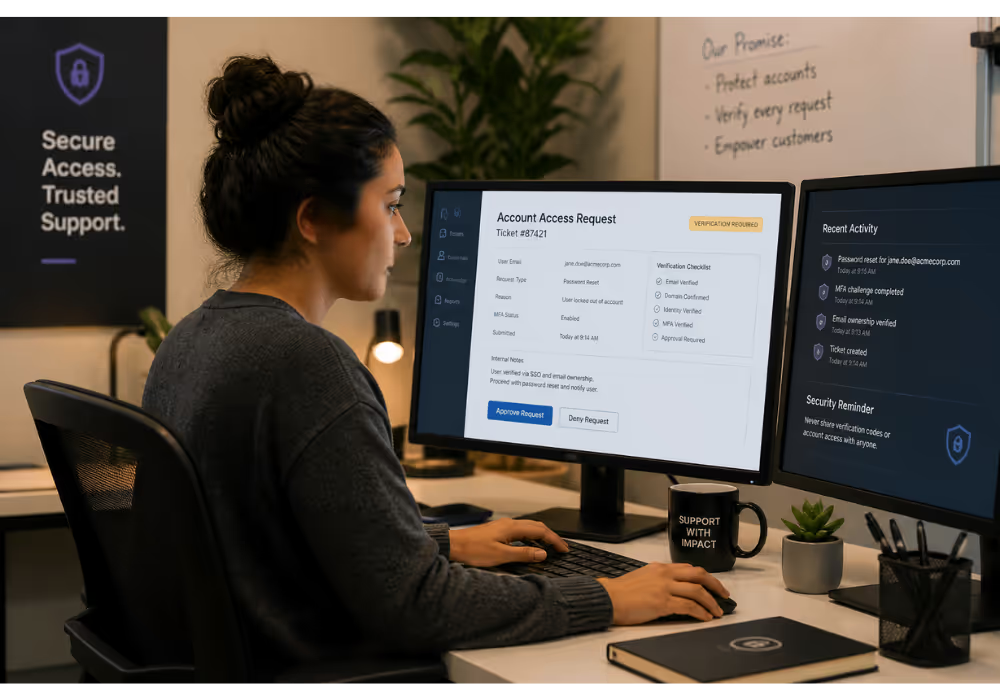
Your customer can't log in. They're frustrated, maybe panicking about a deadline, and they've just fired off an email with the subject line "HELP URGENT CAN'T ACCESS MY ACCOUNT."
This is one of the most common—and most sensitive—tickets any SaaS support team handles. Get it right, and you've turned a stressful moment into a trust-building experience. Get it wrong, and you've either locked out a legitimate user (hello, churn) or handed account access to someone who shouldn't have it (hello, security incident).
Most SaaS teams are handling these tickets ad hoc. They don't have a clear, consistent process for verifying identity over email, handling MFA resets, or troubleshooting SSO issues. And the security guidance out there? Written for IT departments, not for support teams handling real tickets at 2pm on a Tuesday.
This guide walks through a practical, email-first account recovery workflow that keeps accounts secure without making legitimate users jump through absurd hoops.
Why Account Access Tickets Deserve a Real Workflow
Access tickets aren't just annoying interruptions. They're high-stakes moments where security and customer experience collide head-on.
Consider what's actually happening when someone emails about a locked account:
They might be who they say they are. A legitimate user who forgot their password, lost their phone, or is dealing with a new SSO configuration.
They might not be. Social engineering attacks often start with "I can't access my account" because support teams are trained to be helpful—and attackers exploit that instinct.
Without a consistent triage process, your team is making judgment calls on every single ticket. That's exhausting, inconsistent, and risky.
A documented workflow does three things:
Protects your customers from unauthorized access
Protects your team from making costly mistakes under pressure
Speeds up resolution because nobody's reinventing the wheel each time
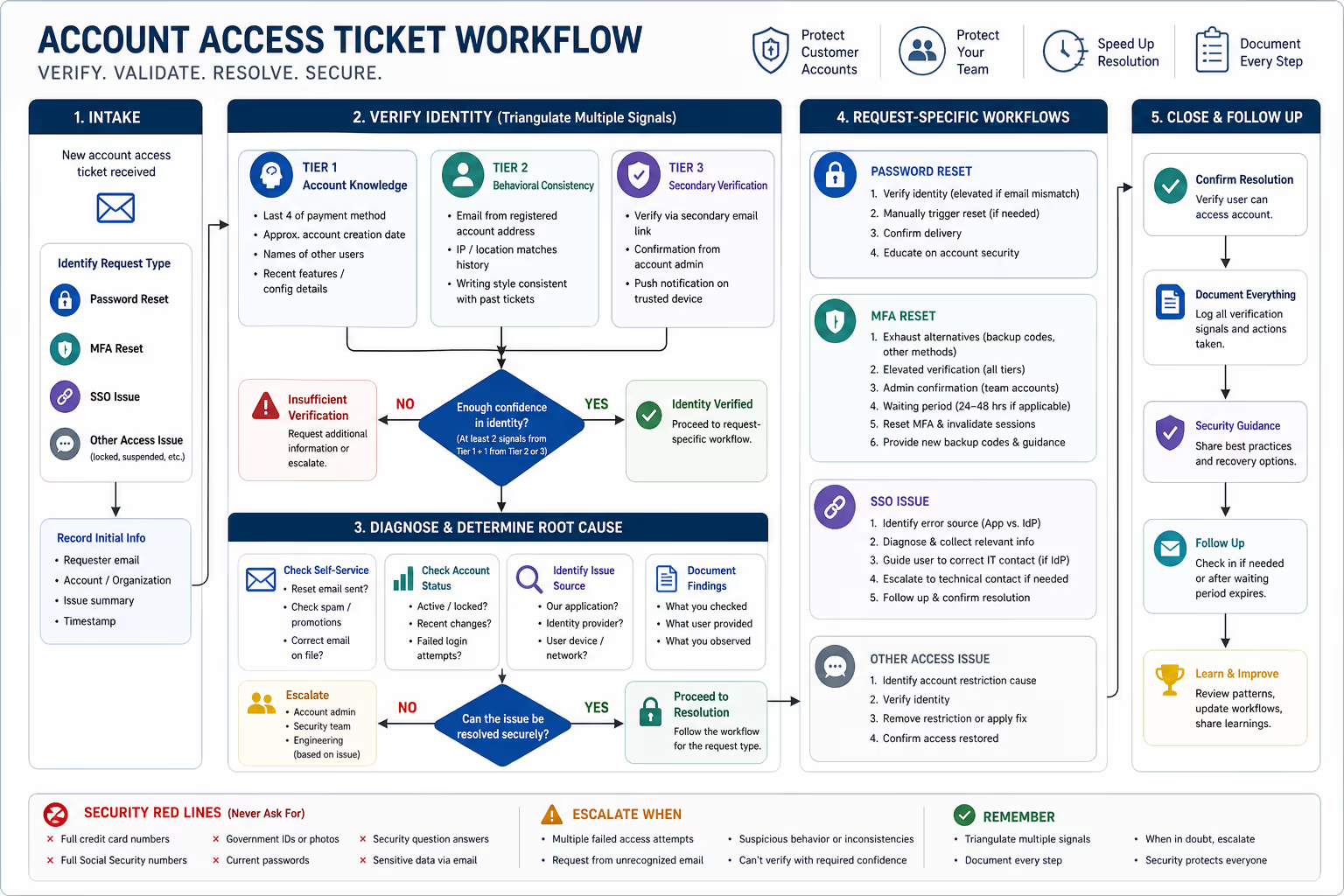
The Identity Verification Framework for Email Support
Before you reset anything, you need confidence that you're talking to the actual account holder. Many teams go wrong here: they either ask for too little (basically trusting anyone who knows the email address) or too much (requesting sensitive data that creates its own security risks).
According to NIST's Digital Identity Guidelines, strong identity verification relies on triangulating multiple signals rather than depending on any single piece of information [1].
What to Verify: The Right Signals
Tier 1: Account-specific knowledge
Last four digits of the payment method on file
Approximate account creation date
Names of other team members on the account (for multi-user plans)
Recent feature usage or configuration details ("What integrations do you have connected?")
Tier 2: Behavioral consistency
Email coming from the registered account email (not a personal Gmail "because I can't access my work email")
IP address or location roughly matching historical patterns
Writing style consistent with previous tickets (yes, this matters)
Tier 3: Secondary verification
Ability to click a verification link sent to a secondary email on file
Confirmation from an account admin (for team member requests)
Response to a push notification on a trusted device
The goal is to stack multiple signals. No single signal is conclusive, but three or four together build reasonable confidence.
What NOT to Ask For: Security Red Lines
This is where good intentions create bad outcomes. The OWASP Authentication Cheat Sheet is clear: some information should never be requested or accepted over email—even if the customer volunteers it [2].
Never ask for:
Full credit card numbers
Full Social Security numbers or government IDs
Current passwords (obviously, but you'd be surprised)
Security question answers (these are often guessable or publicly findable)
Photos of ID documents via email (creates liability and storage risks)
Be cautious about:
Requesting that users send sensitive verification through unencrypted email
Creating new verification data that wasn't previously on file
Accepting "proof" that could be easily fabricated (screenshots, for example)
If your verification process requires information that's too sensitive for email, that's a signal you need to escalate to a more secure channel—not lower your standards.
Password Reset Support: The Most Common Access Ticket
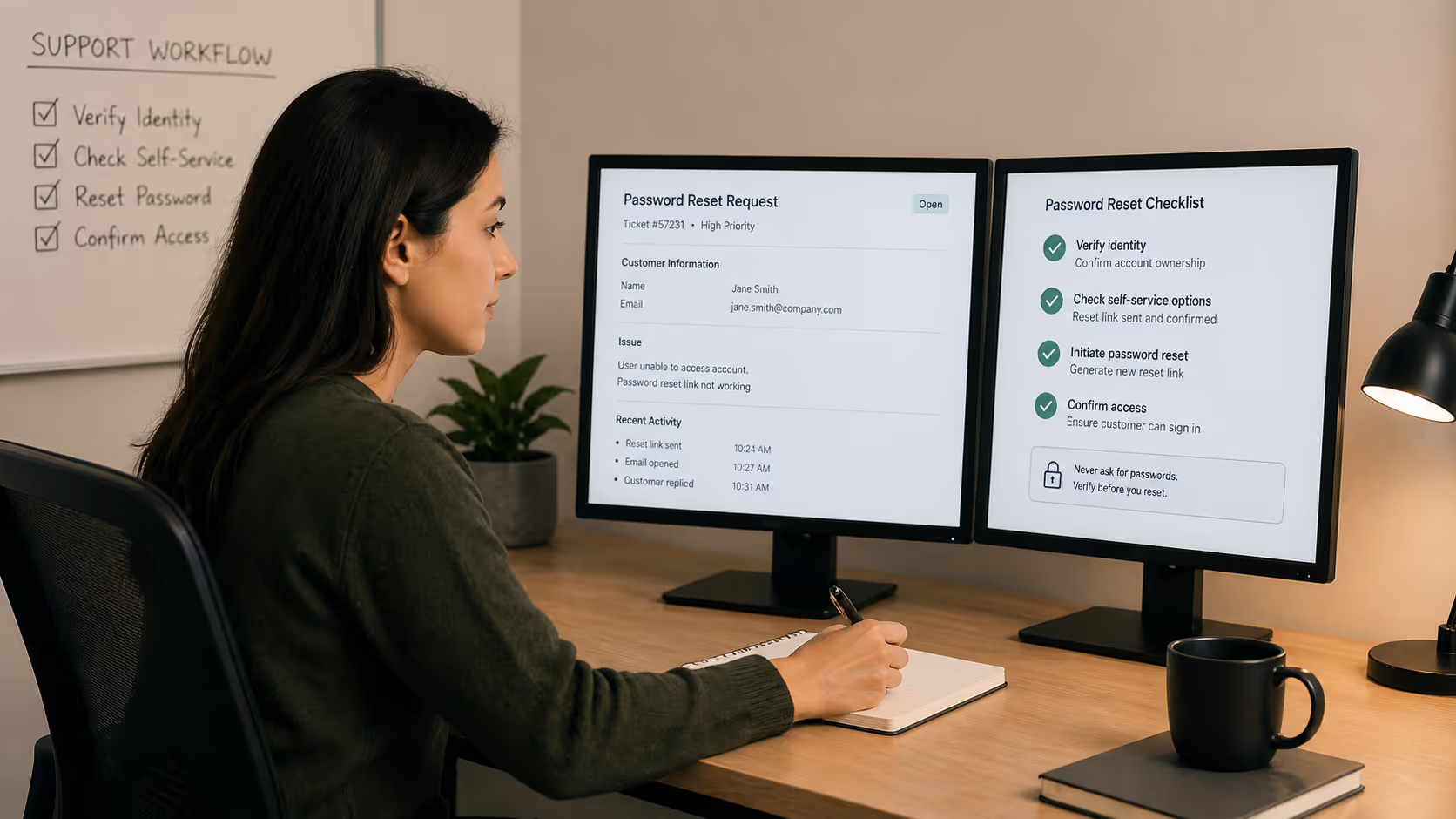
"I forgot my password and the reset email isn't working." You'll see this one daily.
Triage Decision Tree for Password Resets
Step 1: Confirm the request is coming from the registered email
If yes, proceed to standard verification.If no (they're emailing from a different address), treat this as elevated risk and require stronger verification.
Step 2: Check if self-service reset is actually failing
Before doing anything manual, verify the system is working:
Has a reset email been sent? (Check your logs)
Is it going to spam? (Walk them through checking)
Is the email address on file correct? (Typos happen during signup)
Many "reset not working" tickets are actually deliverability issues, not system problems.
Step 3: If manual intervention is needed, verify identity
Use the Tier 1 signals above. Require at least two matching data points before proceeding.
Step 4: Document and execute
Log exactly what verification was performed and what action was taken. This audit trail matters if questions arise later.
Sample Response Template
Hi [Name],I understand how frustrating it is to be locked out—let's get you back in.I checked our system and see that a password reset email was sent to [email] at [timestamp]. If you haven't received it, it may be in your spam folder or promotions tab.If you still can't find it, I can manually trigger another reset, but I'll need to verify a few details first:Can you confirm the last four digits of the payment card on file?Approximately when did you create your account?Once I can confirm those details, I'll get a fresh reset link sent right away.
This response accomplishes several things: it's empathetic, it tries the simple fix first, and it establishes verification before escalating to manual action.
MFA Reset: Where Security Stakes Are Highest
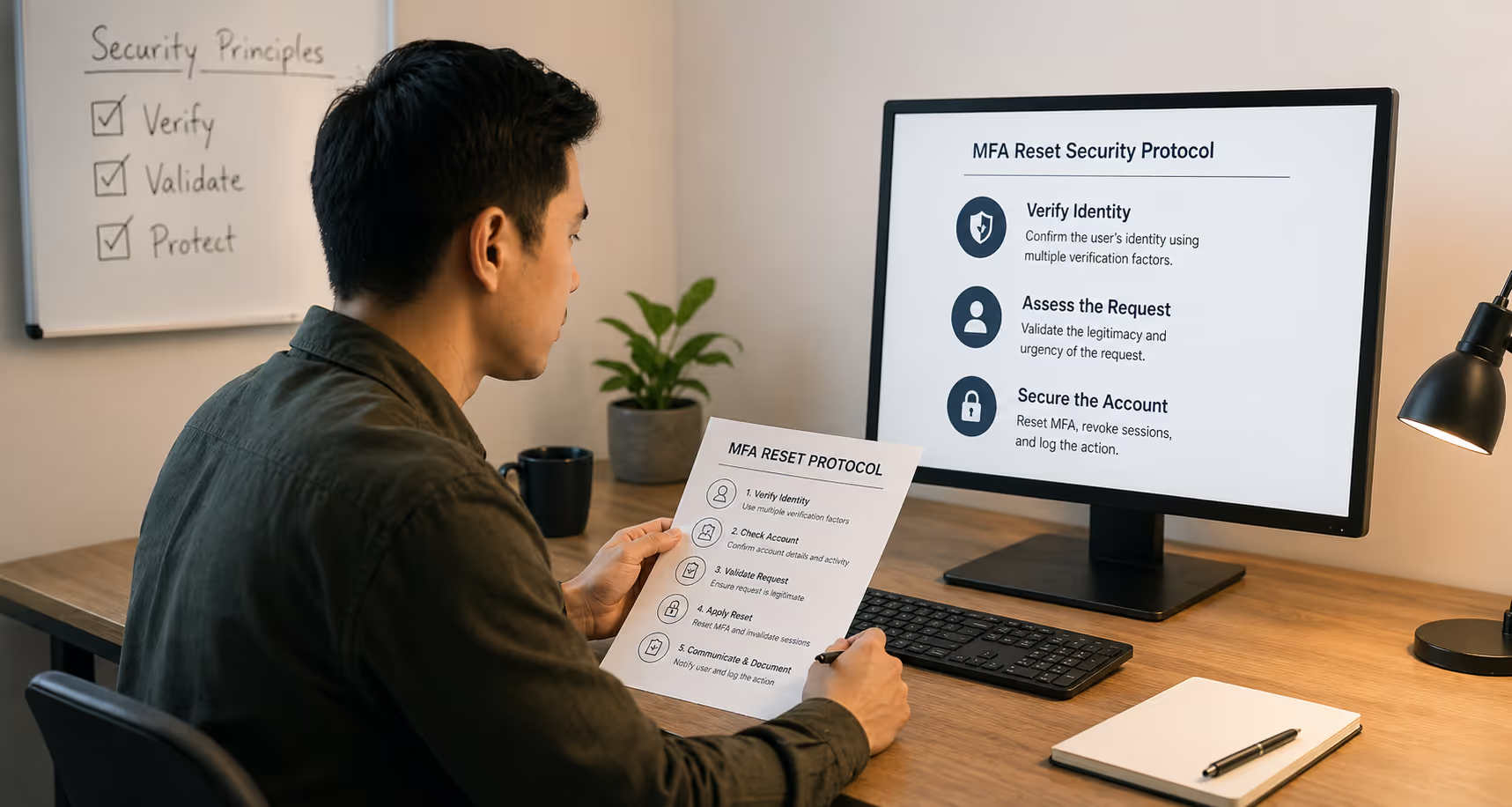
Multi-factor authentication resets are the riskiest access tickets you'll handle. By definition, you're being asked to disable a security control. Attackers know this—CISA identifies MFA reset requests as a common social engineering vector [3].
The MFA Reset Reality Check
If someone has lost access to their MFA device and doesn't have backup codes, there's no way to be 100% certain they're the legitimate account holder. You're making a judgment call with incomplete information.
That doesn't mean you refuse all MFA resets. It means you apply appropriate friction and escalation.
MFA Reset Workflow
Immediate red flags (escalate before proceeding):
Request coming from a different email than the registered account
Urgency language combined with pressure to skip verification ("I'm about to lose a huge client")
Inconsistencies in account knowledge
Recent account changes (email, password) in the logs
Standard MFA reset process:
1. Exhaust alternatives first
Backup codes (remind them to check their records)
Secondary MFA method if configured
Trusted device that's still logged in
SSO bypass if applicable
2. Verify identity with elevated scrutiny
Require verification from multiple tiers
For business accounts, require confirmation from a verified account admin
Consider a brief waiting period (24-48 hours) before actioning—legitimate users will wait, attackers often won't
3. Reset and immediately secure
Generate new MFA setup
Invalidate all existing sessions
Recommend updating password
Log the incident for review
4. Follow up with security guidance
Send backup codes immediately
Recommend storing them securely
Explain the importance of keeping recovery options current
Sample Elevated-Risk Response
Hi [Name],I want to help you regain access, and I also want to make sure we're protecting your account from unauthorized access.MFA reset requests require additional verification. I'll need:Confirmation from [admin name] on your account that this request is authorizedThe last four digits of the payment method on fileAnswers to these account-specific questions: [questions]Once I receive this verification, we'll process the MFA reset. For security, there's a standard 24-hour waiting period before the reset takes effect, during which you'll receive notifications at your registered email.I know this feels like extra steps when you're trying to work—these safeguards exist to protect you from the same frustration if someone else ever tried to access your account.
Notice the tone: you're not being apologetic about the security process. You're positioning it as protecting them.
SSO Troubleshooting: When Identity Lives Elsewhere
Single sign-on issues add a layer of complexity because the authentication happens in a system you may not control. The support principles remain the same, but diagnosis requires understanding where the problem actually lives.
Common SSO Access Issues
"I'm getting an error when I try to log in with SSO"
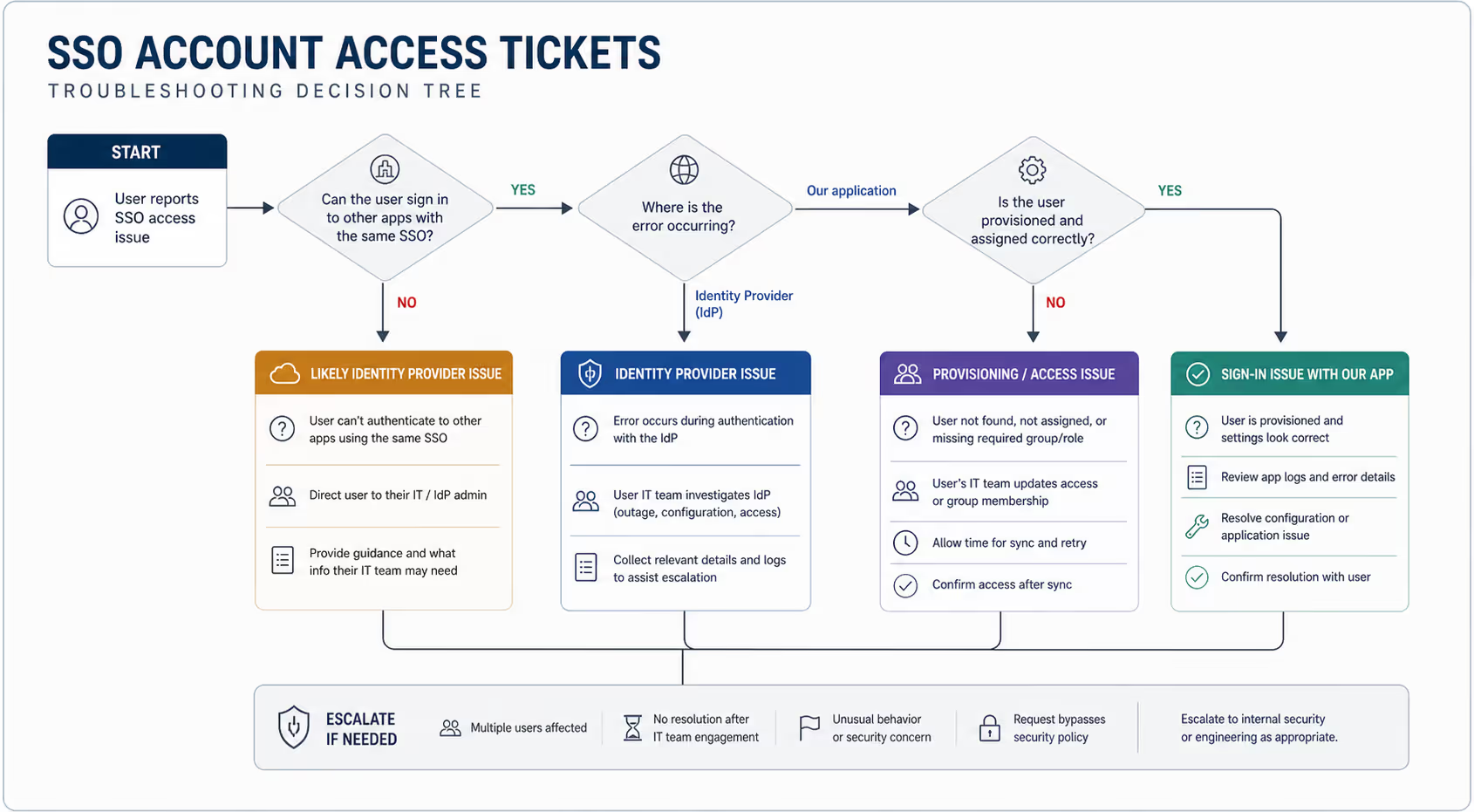
First, diagnose where the problem lives:
Is the error coming from your application or the identity provider?
Can they authenticate to other applications using the same SSO?
Has their account status changed in the identity provider (suspended, group changes)?
Many SSO issues are actually identity provider issues disguised as your problem. Help the user understand where to escalate.
"I need to bypass SSO because [reason]"
Tread carefully here. If the organization has enforced SSO, there's usually a reason. Your user might be asking you to circumvent their own company's security policy.
Appropriate responses:
If your system allows SSO bypass for admins, direct them to their account admin
If the IdP is having an outage, offer temporary workarounds if your system supports them
If they're asking you to create a separate password login to bypass enforced SSO, that's typically a "no, and here's why"
Sample SSO Bypass Refusal Template
Hi [Name],I understand the frustration of being blocked when you need to get work done.Your organization has configured SSO as a required login method, which means we can't create a separate password login for your account. This policy was set by your IT team to maintain security across your company's tools.If you're experiencing an urgent issue with your identity provider, I'd recommend contacting your IT administrator—they can either resolve the IdP issue or temporarily adjust your account settings if needed.If there's anything else I can help clarify, just let me know.
"I'm a new employee and SSO isn't working yet"
This is usually a provisioning timing issue. The organization has added them to the identity provider, but the sync to your application hasn't completed, or they haven't been added to the correct groups.
Direct them to their IT administrator with specific information about what you see (or don't see) on your end.
SSO Troubleshooting Response Template
Hi [Name],Thanks for the details on what you're seeing. Based on the error message, it looks like the issue is occurring during the handoff to/from your identity provider ([IdP name]).A few things to check on your end:Can you access other applications that use the same SSO?Has your IT team made any recent changes to your account or groups?On our end, I can see [what you can see in your logs]. This suggests [diagnosis].If your IT team needs to troubleshoot further, they can contact us directly at [technical support contact] with [specific information needed].
Operationalizing These Workflows in Your Helpdesk
Having workflows documented is one thing. Making them easy to follow under pressure is another. If you're using tools like Zendesk, Intercom, or HelpScout, a few quick implementations can make triage faster and more consistent.
Create macros or saved replies for common scenarios:
Standard password reset response (checking spam first)
Identity verification request template
MFA reset acknowledgment with verification requirements
SSO troubleshooting diagnostic template
Use internal notes for audit trails:Document what verification signals you checked and what the user provided. If questions come up later, you'll have a clear record.
Set up tags for security review:Tag tickets involving manual credential resets, MFA changes, or SSO bypasses. This makes it easy to pull them for periodic security reviews.
Build a quick-reference decision tree:Your agents shouldn't have to remember every escalation criterion. A simple flowchart they can reference in 10 seconds keeps decisions consistent.
When to Escalate: The Non-Negotiable Triggers
Not every access ticket can or should be resolved by frontline support. Here's when you escalate:
Escalate to account admin (for team accounts):
Team member MFA resets when you can't verify independently
Requests to change account owner or billing contact
Any request that seems to conflict with organizational policy
Escalate to your security team:
Multiple failed access attempts before the support request
Request patterns that suggest social engineering
Any ticket that feels "off" even if you can't articulate why
Post-incident review after any manual credential reset
Escalate to engineering:
Systemic issues affecting multiple users
Authentication errors that don't match known patterns
SSO integration failures
Document your escalation criteria explicitly. Your team shouldn't have to make these judgment calls under pressure—the criteria should be clear enough that the decision is obvious.
Building Your Access Triage Checklist
Here's a practical checklist you can adapt for your team:
For Every Access Ticket
[ ] Request coming from registered account email?
[ ] Any recent suspicious activity in account logs?
[ ] Self-service options exhausted?
[ ] Verification signals gathered (minimum two from Tier 1)?
[ ] Action and verification documented?
For MFA Resets Specifically
[ ] Backup codes and secondary methods confirmed unavailable?
[ ] Elevated verification completed?
[ ] Admin confirmation obtained (for team accounts)?
[ ] Waiting period communicated (if applicable)?
[ ] All existing sessions invalidated after reset?
[ ] Security guidance sent with new backup codes?
For SSO Issues
[ ] Error source identified (your app vs. IdP)?
[ ] User directed to appropriate IT contact if IdP-side?
[ ] Relevant logs gathered for escalation if needed?
What Changes When You Have a Real Workflow
For your customers: Faster resolution because your team isn't deliberating on every ticket. Clear communication about what's happening and why.
For your team: Less decision fatigue. Clear guardrails that protect them from making mistakes under pressure.
For your security posture: Documented verification that creates an audit trail. Consistent application of security controls.
For retention: Access issues resolved quickly and professionally don't become churn triggers. Customers remember how you handled the stressful moment.
The teams that handle access tickets well share one thing: they've thought about this before the urgent ticket arrives. They have the workflow, the templates, and the escalation paths ready.
Your Next Step: Audit Your Access Tickets
Here's a quick exercise: pull the last twenty access-related tickets your team handled. Look at:
Consistency: Were similar requests handled the same way?
Verification: What identity signals were gathered before action was taken?
Documentation: Could you reconstruct why each decision was made?
Resolution time: How long did these tickets take compared to your average?
If the answers make you uncomfortable, you're not alone. Most SaaS support teams are handling these tickets ad hoc because nobody's built the workflow.
Ready to get your access ticket process tightened up? Request a free Inbox Audit from Evergreen Support. We'll review how your team handles access and security tickets, flag inconsistencies, and recommend a triage process that keeps accounts secure without frustrating legitimate users.
And if you're looking for consistent, human-powered support coverage that handles these sensitive tickets the right way every time—let's talk. Book a call and see how we approach the tickets that actually matter.
Frequently Asked Questions
What's the biggest mistake SaaS teams make with account access tickets?
Treating speed as the only metric. Teams rush to resolve access tickets quickly—which is understandable—but skip verification steps that would take an extra sixty seconds. The result is either a security incident or, more commonly, inconsistent handling that creates confusion for customers and risk for the company. The fix isn't slowing down; it's having a clear process that makes verification fast by default.
How do I verify identity when someone emails from a different address than their registered account?
This is an elevated-risk situation by definition. You should require verification from multiple tiers, including confirmation from a known contact method (like a verification link sent to the registered email, or confirmation from an account admin). If they truly can't access their registered email and have no backup methods, that's a judgment call—but document it thoroughly and consider additional friction like waiting periods.
Should we ever refuse an MFA reset request?
Yes, if you cannot adequately verify identity and the red flags are significant enough. It's better to escalate to your security team or require in-person verification than to grant access to an attacker. Frame this to the user as "protecting your account" rather than "not trusting you." Legitimate users, while frustrated, generally understand. Attackers tend to escalate pressure, which is itself a signal.
How do we handle SSO issues when the problem is on the customer's identity provider?
Your job is to diagnose where the problem lives and provide the customer with the information their IT team needs to fix it. This includes specific error messages, timestamps, and what you can see (or not see) in your logs. You're not responsible for fixing their IdP configuration, but you can make their IT team's job easier by gathering the right details upfront.
What should our escalation criteria be for access tickets?
At minimum: multiple failed access attempts preceding the support request, requests that contradict organizational policies (like bypassing enforced SSO), any ticket where verification signals conflict with each other, and any situation where your gut says something is off. Trust that instinct—it's often picking up on patterns your conscious mind hasn't articulated yet.
About Evergreen Support
Evergreen Support provides US-based, human-powered customer support for SaaS and ecommerce companies. We specialize in helping small online businesses deliver fast, thoughtful support without losing the personal touch their customers love. Our team handles the day-to-day inbox work—including sensitive tickets like account access and security issues—so founders and operators can focus on building their business instead of drowning in email. With consistent processes and real humans (no chatbots, no scripts), we help our clients turn support from a bottleneck into a competitive advantage.
Cited Works
[1] National Institute of Standards and Technology — "Digital Identity Guidelines." https://pages.nist.gov/800-63-3/
[2] OWASP Foundation — "Authentication Cheat Sheet." https://cheatsheetseries.owasp.org/cheatsheets/Authentication_Cheat_Sheet.html
[3] Cybersecurity & Infrastructure Security Agency — "Multi-Factor Authentication." https://www.cisa.gov/MFA


