

You've made the decision. After months of answering every support email yourself—often at 11pm, often while eating dinner one-handed—you've finally brought in a dedicated support team.
Now comes the part nobody warns you about: telling your customers.
Maybe you're worried they'll feel abandoned. Maybe you're concerned the magic of "it's just me in the inbox" will disappear. Or maybe you're simply unsure how to phrase "I'm not personally answering your emails anymore" without it sounding like you've stopped caring.
Here's the truth: communicating this transition well actually strengthens customer relationships. Done right, it signals growth, professionalism, and a genuine investment in better service. Done poorly—or not at all—it creates confusion and erodes trust.
This guide walks you through exactly how to announce your dedicated support team to customers while preserving the personal, human connection that made your brand special in the first place.
Why the Announcement Matters More Than You Think
Most small business owners either overthink this transition or don't think about it at all. Both approaches create problems.
The customers who've been with you from the early days remember when you personally solved their billing issue at midnight. They remember the founder voice in every reply. When that suddenly changes without explanation, it feels jarring—like calling a friend and getting a stranger.
Research from PwC found that 82% of U.S. consumers want more human interaction in customer service going forward [1]. Your customers chose you partly because of that human connection. They deserve to know who's helping them now.
But here's what most founders miss: customers don't actually need you personally. They need someone who understands them, responds quickly, and genuinely cares about solving their problem. When you frame your announcement correctly, you're not telling customers they're losing something—you're telling them they're gaining dedicated attention.
The Psychology Behind Customer Reactions
Before drafting any communication, understand what's actually happening in your customer's mind when they learn about this change.
Their fear: "This company is growing too fast and I'll become just a number."
Their hope: "Maybe my support experience will actually get better."
Their question: "Will these new people actually understand my problem?"
Your announcement needs to address all three—calming the fear, amplifying the hope, and answering the question directly.
The good news? According to customer experience research, 73% of consumers say friendly customer service representatives can make them fall in love with a brand [2]. Your customers aren't necessarily attached to you—they're attached to feeling heard and helped by a real person.
Timing Your Announcement Right
When you tell customers matters almost as much as how you tell them.
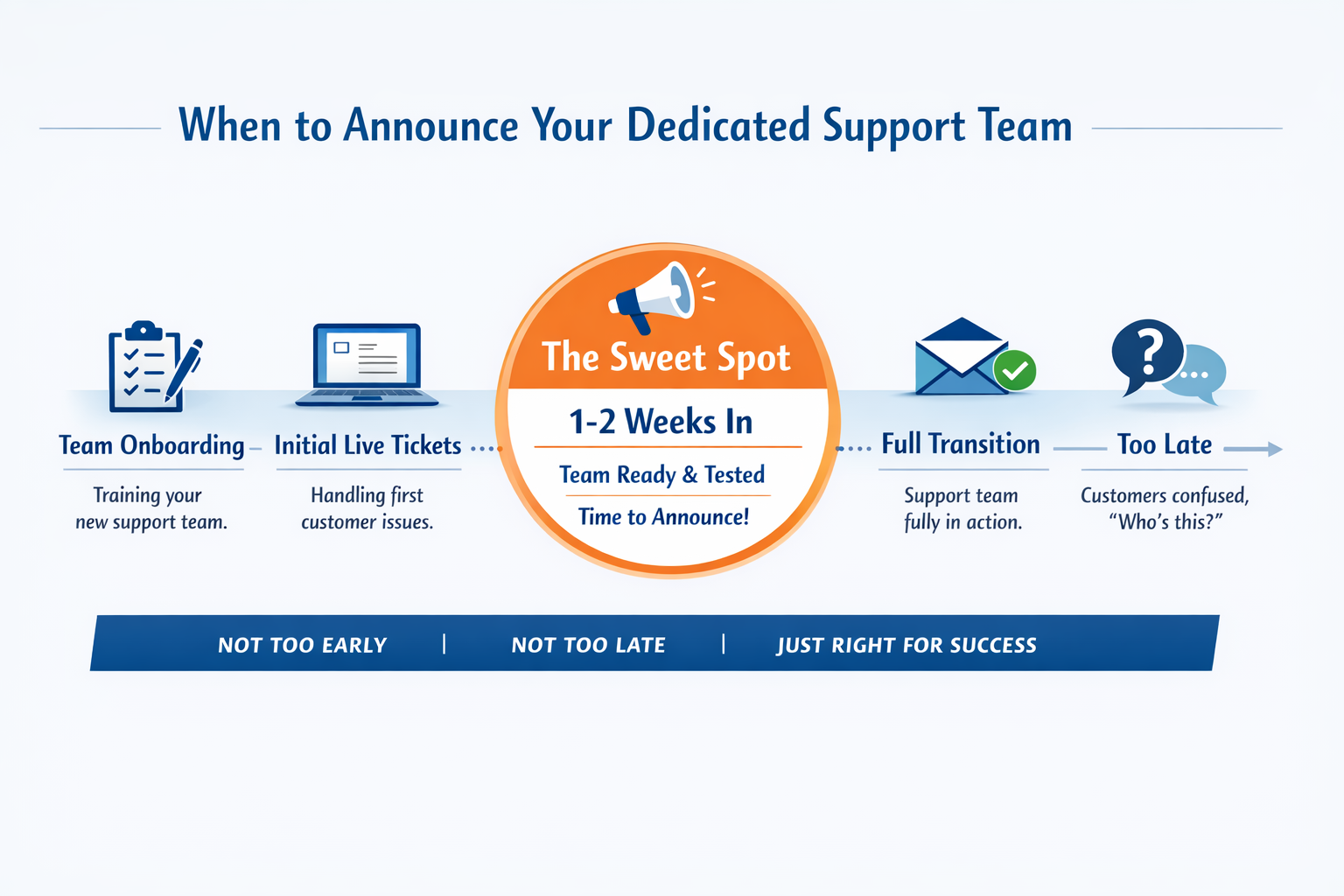
Too early (before your team is fully trained): You set expectations you can't meet. Customers reach out expecting a seamless experience and encounter a team still learning the ropes.
Too late (after customers have already noticed): You lose control of the narrative. Customers start wondering why responses sound different, or why "Sarah" is suddenly answering instead of you.
The sweet spot: Announce after your support team has completed onboarding and handled a few rounds of real tickets, but before you've fully stepped back from the inbox.
This usually means announcing about one to two weeks after your team goes live. They're confident enough to deliver great service, and you still have time to personally reassure any concerned customers.
Choosing Your Communication Channels
Different channels serve different purposes in this announcement. Use a combination:
Email announcement: Your primary vehicle. Reaches everyone and creates a record. Send to your full customer list, not just active users.
Website updates: Update your Contact or Support page to introduce the team. This catches new customers and serves as a reference for existing ones.
In-app or help desk signatures: The most frequent touchpoint. When customers get a reply, they should immediately understand who's helping them.
Social media (optional): A brief, positive mention works for brands with engaged social audiences. Keep it celebratory, not defensive.
Crafting Your Email Announcement
The email is your main event. Here's a framework that works:
Subject line: Keep it simple and slightly intriguing. Avoid anything that sounds like a corporate memo.
Examples that work:
"A quick update on how we help you"
"Introducing the humans behind your support"
"Some good news about getting help"
Opening: Acknowledge your history of personal support without dwelling on it.
Middle: Introduce the change positively, emphasizing what customers gain.
Close: Reassure them that quality and care aren't going anywhere.
Sample Email Template
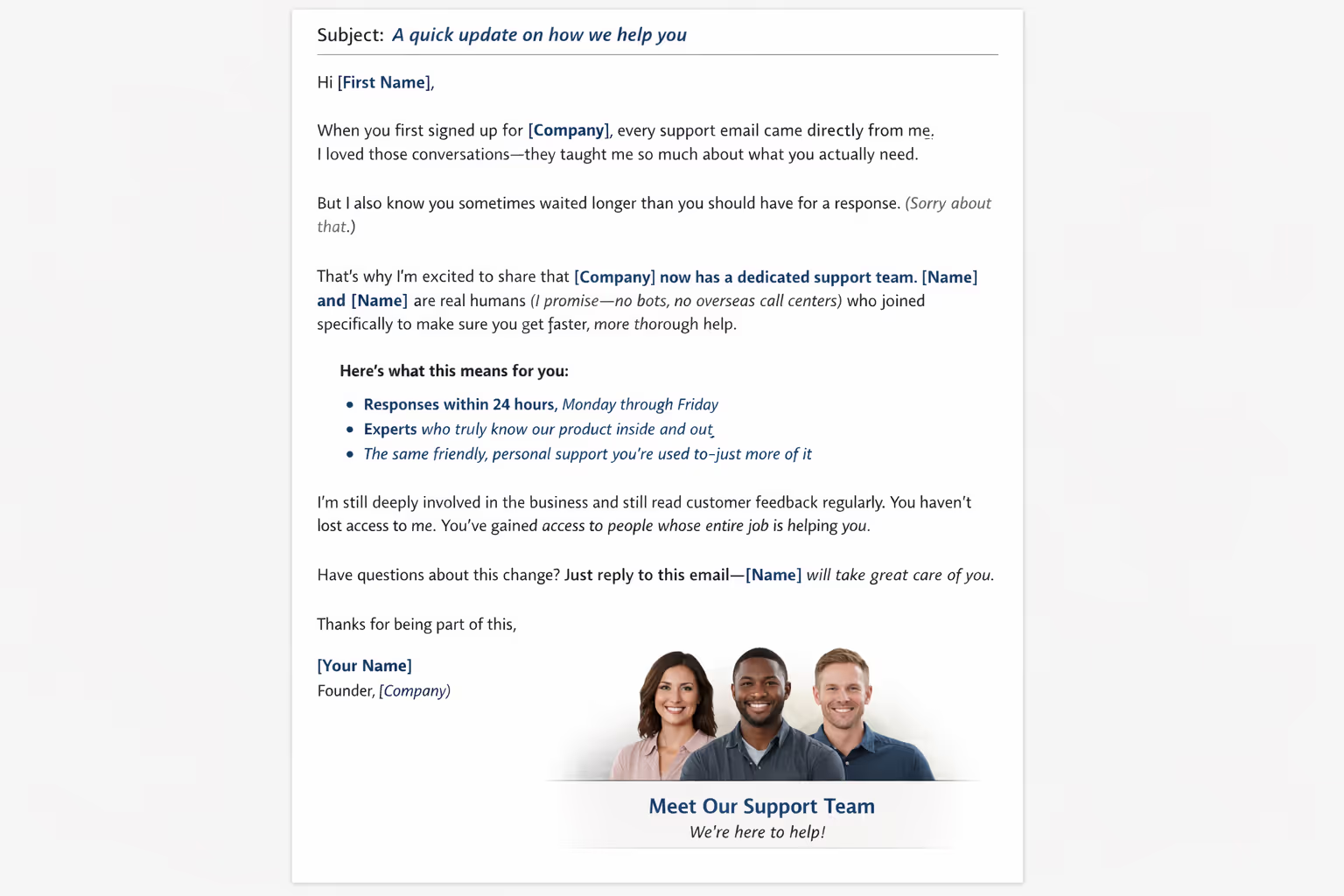
Subject: A quick update on how we help you
Hi [First Name],
When you first signed up for [Company], every support email came directly from me. I loved those conversations—they taught me so much about what you actually need.
But I also know you sometimes waited longer than you should have for a response. (Sorry about that.)
That's why I'm excited to share that [Company] now has a dedicated support team. [Name] and [Name] are real humans (I promise—no bots, no overseas call centers) who joined specifically to make sure you get faster, more thorough help.
Here's what this means for you:
Responses within 24 hours, Monday through Friday
People who actually know our product inside and out
The same friendly, personal approach you're used to—just more of it
I'm still deeply involved in the business and still read customer feedback regularly. You haven't lost access to me. You've gained access to people whose entire job is helping you.
Have questions about this change? Just reply to this email—[Name] will take great care of you.
Thanks for being part of this,[Your name]Founder, [Company]
Updating Your Website and Support Pages
Your Contact or Support page should introduce your team without making customers hunt for information.
Before (Typical Solo Founder)
"Have a question? Email us at support@company.com and I'll get back to you as soon as I can."
After (With Dedicated Team)
"Questions? Our support team responds within 24 hours, Monday through Friday. Meet the humans helping you:
Sarah loves solving tricky technical questions and has been with us since January.
Marcus handles billing and account questions with scary efficiency.
Email us at support@company.com—you'll hear from a real person who knows our product."
Notice what changed: the promise became specific (24-hour response, weekdays), the team became visible (names and brief bios), and the human element stayed front and center.
Revamping Email Signatures and Reply Templates
Every support reply is a mini-announcement. Your signatures should make the transition feel natural.
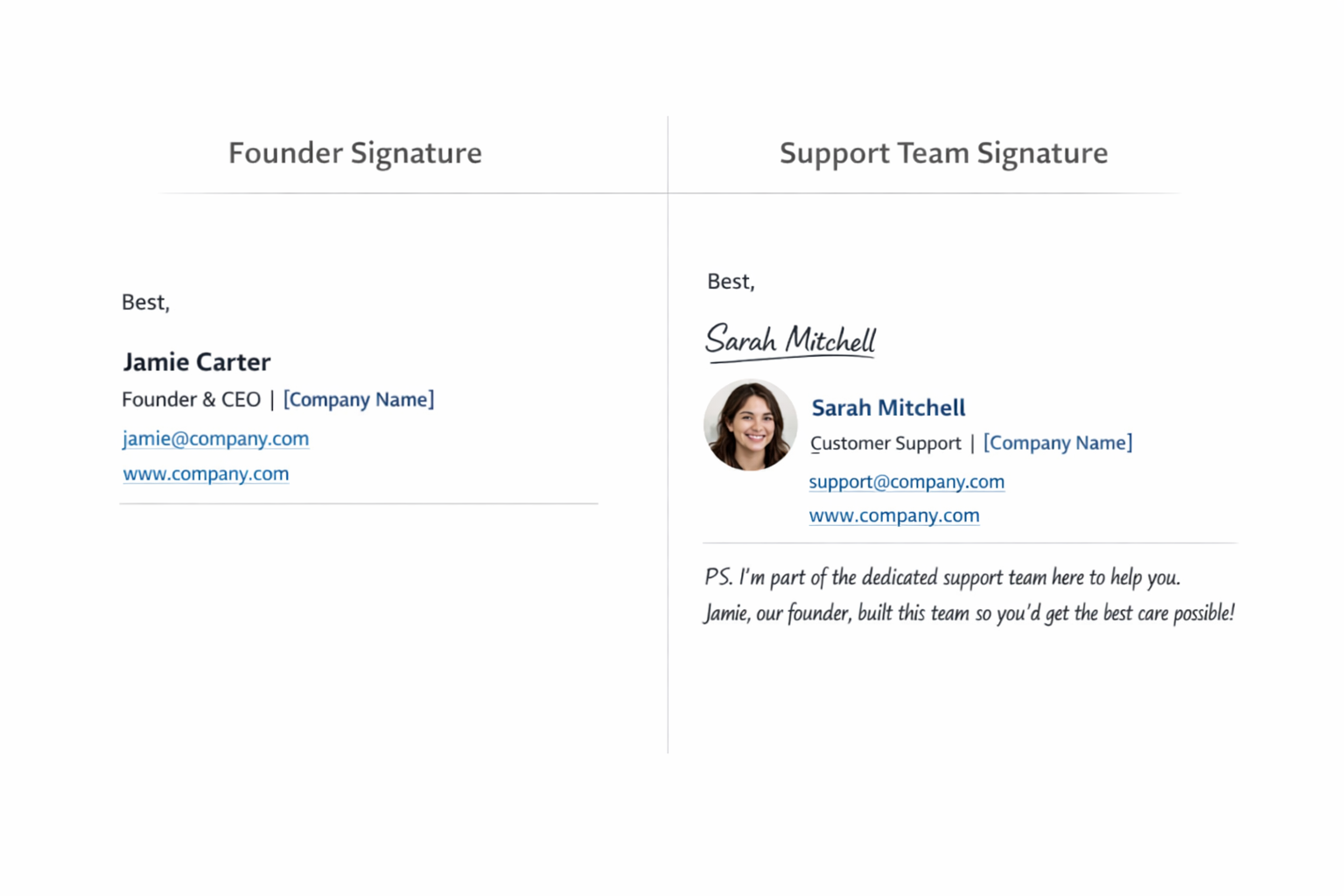
Before (Solo Founder)
Best,JamieFounder, [Company]
After (With Dedicated Team)
Best,SarahCustomer Support, [Company]
P.S. I'm part of the dedicated support team here to help you. Jamie (our founder) built this team specifically so you'd get faster, more focused help.
The postscript serves a purpose: it preemptively answers the question "Wait, who's Sarah?" without requiring customers to remember your announcement email.
For the First Few Months
Consider having your support team include a brief, warm introduction in initial replies to returning customers:
"Hi [Customer Name]! I'm Sarah from [Company]'s support team. I see you've been with us since 2023—thanks for sticking around! Let me help you with [issue]..."
This small touch acknowledges the relationship while naturally introducing the new face.
Creating a "Meet Your Support Team" Section
Some companies benefit from a dedicated page introducing their support team. This works especially well if:
Your brand is personality-driven
You have a loyal customer community
Customers frequently interact with support
What to Include
Names and photos: Real photos, not stock images. Customers can tell the difference.
Brief bios: One to two sentences about each person. Include something personal but professional—how long they've been with the company, what they specialize in, maybe one humanizing detail.
Your involvement (if true): If you still review feedback or handle escalations, say so. It reassures customers that the founder hasn't completely disappeared.
Sample Section
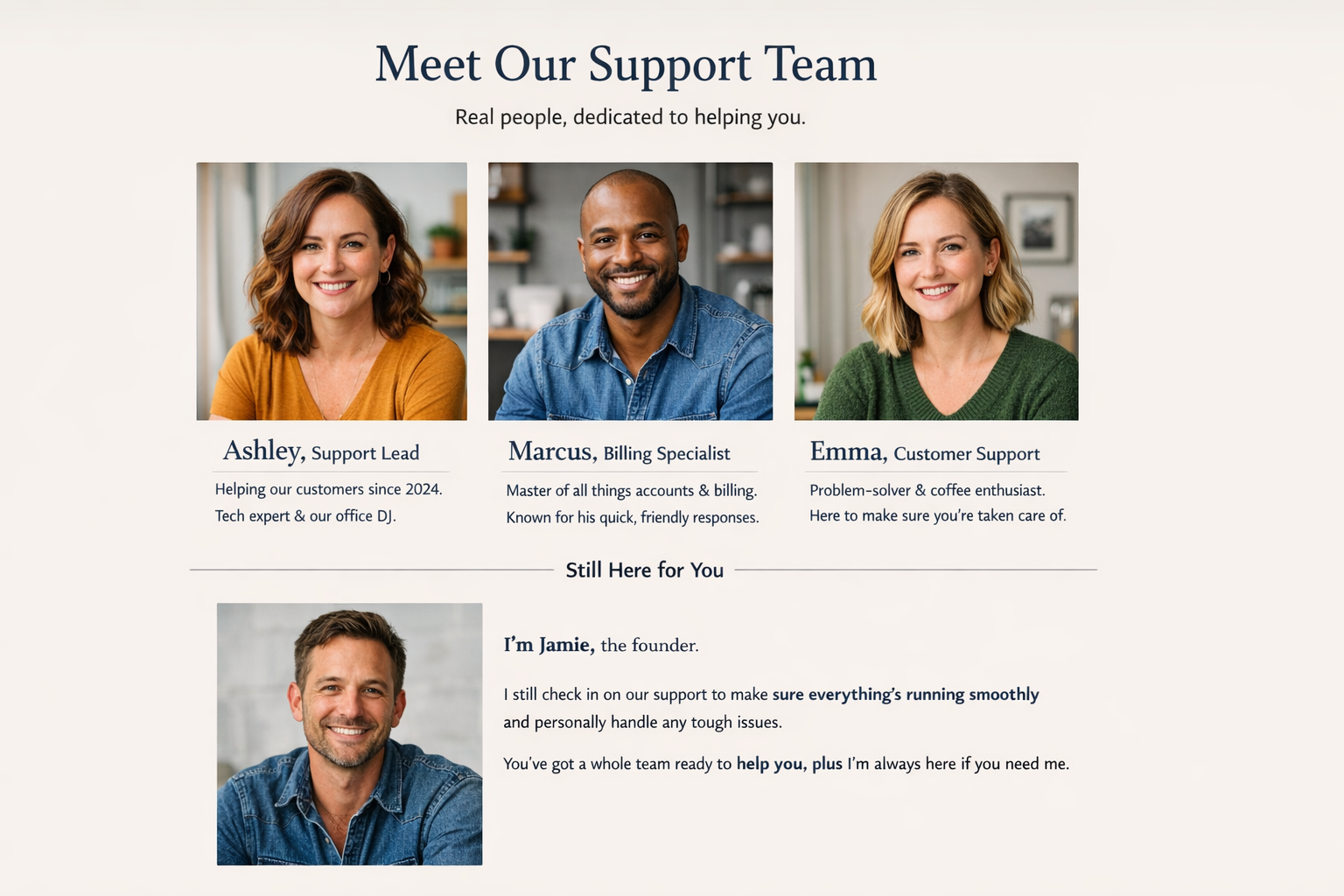
The Humans Behind Your Support
When you reach out for help, you're talking to real people who actually use [Product] themselves.
Ashley (Support Lead) has been helping customers since 2024 and specializes in complex technical questions. She's also our unofficial office DJ.
Marcus handles billing, account changes, and anything involving numbers. He's known for responses that are somehow both thorough and fast.
Still connected to Jamie (Founder): While our support team handles day-to-day questions, Jamie reviews customer feedback weekly and personally handles any escalations. You haven't lost access—you've gained a team.
Handling FAQs About the Transition
Some customers will have questions. Prepare your team with clear answers.
"Can I still talk to the founder?"
Honest answer: "Jamie stays closely involved and reviews feedback regularly. For most questions, our support team will actually get you faster, more complete answers since helping you is our entire focus. But if you ever need to reach Jamie directly, let us know and we'll make it happen."
"Why the change?"
Honest answer: "We grew! More customers meant longer wait times when Jamie handled everything alone. We brought in dedicated support so you'd get faster, better help—without losing the personal touch."
"Are you using bots or AI?"
Honest answer: "Nope. Every response comes from a real human on our team. No chatbots, no AI-generated answers. Just people who genuinely want to help."
"Will support quality go down?"
Honest answer: "Actually, it should go up. Our support team's entire job is helping you—they're not splitting attention between support, product development, and everything else a founder juggles. Plus, they've trained extensively on our product."
DIY Announcement vs. Agency-Led Rollout
If you're bringing in an outsourced support partner like a customer service agency, you have two options for handling the announcement:
DIY Announcement
You write and send everything yourself.
Pros: Total control over messaging, no coordination required, costs nothing extra.
Cons: Takes time you probably don't have, easy to miss details, no outside perspective on what customers actually need to hear.
Best for: Founders with writing skills and available time, very small customer bases, simple transitions.
Agency-Led Rollout
Your support partner helps craft announcements and customer communications.
Pros: Professionals who've done this before, messaging that accounts for common customer concerns, saves you time during an already busy transition.
Cons: Requires coordination, may cost extra depending on your agreement.
Best for: Founders stretched thin, larger customer bases, businesses where the personal touch is critical to brand identity.
A good support agency will actually help you communicate this transition as part of onboarding. They understand that how customers learn about the change directly impacts how they'll perceive the support they receive.
What Not to Do
Some approaches backfire. Avoid these common mistakes:
Don't hide the change. Customers notice when responses suddenly have a different name or tone. Hiding it feels deceptive.
Don't over-apologize. Framing the announcement as "I'm so sorry I can't personally help you anymore" makes customers think they're losing something. They're not.
Don't use corporate jargon. "We're excited to announce the expansion of our customer success infrastructure" sounds like you've been replaced by robots. Keep it human.
Don't promise things your team can't deliver. If your team works Monday through Friday, don't imply 24/7 availability. Set accurate expectations.
Don't forget to actually train your team. The best announcement in the world can't compensate for a support team that doesn't know your product or customers.
Measuring Success After the Announcement
Track these signals to know if your transition communication worked:
Response to the announcement email: High unsubscribe rates or negative replies suggest messaging missed the mark. Low engagement with a stable unsubscribe rate is normal—most customers simply note the change and move on.
Support ticket sentiment: Are customers asking "who's Sarah?" or complaining about the change? That's a sign the announcement didn't reach them or didn't land well.
Response time and satisfaction: If customers are getting faster, better help, you've succeeded regardless of initial reactions.
Churn in the weeks following: A spike in cancellations tied to "the support team change" suggests problems. Stable churn means customers accepted the transition.
The Ongoing Communication Strategy
The announcement isn't one-and-done. Reinforce the change over time:
Month 1: Include brief team introductions in replies to customers who seem surprised by the new names.
Month 2-3: Share a "behind the scenes" update in your newsletter or blog featuring your support team solving real problems.
Ongoing: Keep your website's support page updated as team members change. Outdated bios create confusion.
Your Customers Want You to Succeed
Here's the perspective shift that makes this whole process easier: your customers are rooting for you.
The customers who've been with you through the early days—the late-night email responses, the occasional delay, the founder doing everything—they know you were stretched thin. Most of them will be genuinely happy you've invested in better support.
They're not mourning the loss of "just you." They're celebrating that their favorite small business is growing up.
Your job is simply to tell them in a way that honors the relationship you've built while honestly presenting what's improving. No spin required.
Ready to Make the Transition?
If you're considering bringing in a dedicated support team—or you've already made the decision and want help communicating it—you don't have to figure this out alone.
A good support partner will help you craft announcement copy, update your website, and prepare FAQ responses as part of the onboarding process. It's what "humans helping humans" actually looks like in practice.
Book a call with Evergreen Support to discuss how we'd help communicate your support transition to customers—and how our team would represent your brand from day one.
Frequently Asked Questions
How far in advance should I announce a new support team?
Announce one to two weeks after your new team starts handling tickets, not before. This ensures they're trained and confident when customers begin interacting with them, while still giving you time to personally address any concerns during the transition period.
What if customers react negatively to having someone new handle their support?
Negative reactions are usually about fear of impersonal service, not actual opposition to change. Address concerns directly by emphasizing that your support team members are real humans who know your product, and offer to personally handle any escalations during the first few months if needed.
Should I introduce each support team member individually or as a group?
Both approaches work. Individual introductions feel more personal and help customers form connections, while group introductions keep announcements shorter. For teams of two to three people, individual introductions work well. Larger teams benefit from highlighting one or two leads with a general mention of the broader team.
Do I need to update my email signature if I'm still occasionally answering support emails?
Keep your personal signature when you reply, but consider adding a brief note like "P.S. Our support team also handles questions at support@company.com for faster responses." This naturally introduces the team while maintaining your presence for customers who reach you directly.
How do I maintain my brand voice when someone else is writing support replies?
Document your brand voice before handing over support—including specific phrases you use, tone guidelines, and examples of great past responses. A good support team will study these materials during onboarding and have you review their initial drafts to ensure consistency.
About Evergreen Support
Evergreen Support is a US-based customer support agency built specifically for small SaaS and ecommerce businesses. Our team of dedicated human agents handles your support inbox Monday through Friday, maintaining your brand voice while giving you time back to focus on growing your business. Founded by Emma Fletcher and Ellis Annichine, we believe in humans helping humans—no bots, no scripts, no overseas call centers. Every client gets two dedicated agents who learn your product inside and out.
Works Cited
[1] PwC — "Future of Customer Experience Survey." https://www.pwc.com/gx/en/industries/consumer-markets/consumer-insights-survey.html
[2] Khoros — "Must-Know Customer Service Statistics."
https://khoros.com/blog/must-know-customer-service-statistics


