Last month, I watched a founder discover why 12% of her trial users never converted. The answer wasn't buried in analytics dashboards or hiding in some expensive BI tool. It was sitting in her support inbox: eight nearly identical emails asking whether her software worked with QuickBooks Online. Her landing page mentioned "accounting integrations" but never named the one tool her target customers actually used.
That one insight—pulled from a 45-minute review of support tickets—led to a landing page update that boosted trial conversions by the following month. No A/B testing platform required. No user research agency. Just patterns hiding in plain sight.
Your support inbox contains this kind of intelligence. Every customer email, complaint, and question holds clues about why people stay, leave, or never convert in the first place. Yet most small business owners treat their inbox like a task list to clear rather than what it actually is: a real-time retention dashboard waiting to be read.
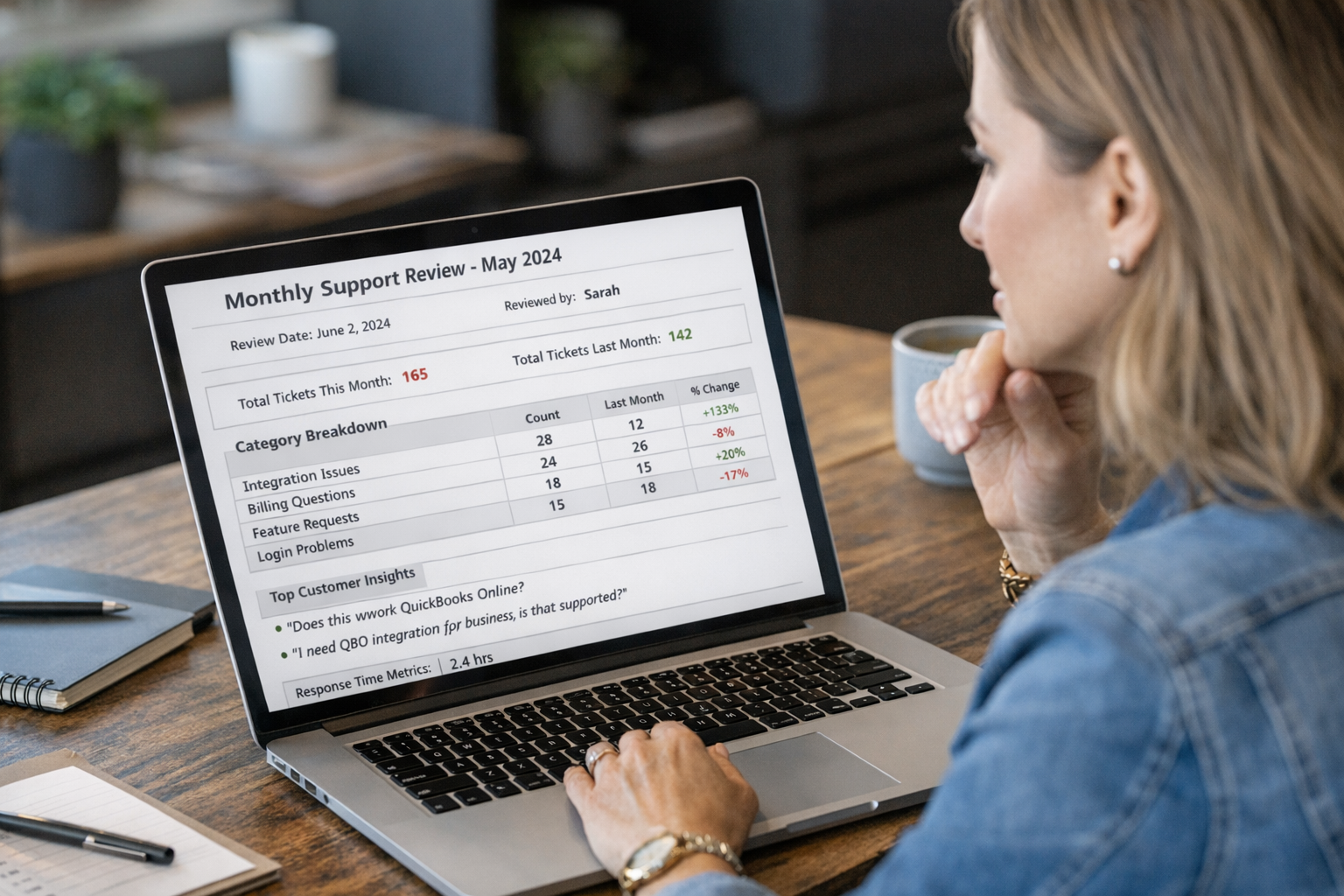
This monthly support review template transforms scattered customer conversations into decisions you can act on. Whether you handle support yourself, delegate to a team member, or work with an outsourced partner, this lightweight ritual takes roughly 90 minutes once per month and surfaces the patterns that actually move your business forward.
No fancy software required. No complex analytics setup. Just a simple, repeatable process designed for founders running small teams who need practical insights without enterprise overhead.
Why Your Inbox Beats Traditional Analytics
Traditional analytics tell you what happened. Your inbox tells you why.
Google Analytics shows a 4% checkout abandonment rate. Your support inbox reveals that three customers this week asked about international shipping before disappearing. That difference matters enormously when deciding where to invest your limited time and resources.
Support conversations capture customer intent, frustration, and confusion in their own words. A product manager at a larger company might spend weeks conducting user interviews to understand churn drivers. Meanwhile, the answers sit right there in support tickets from the past 30 days, waiting to be organized and acted upon.
Research from Bain & Company found that a 5% increase in customer retention can boost profits by 25% to 95% [1]. Your monthly support review becomes the mechanism for identifying exactly which retention levers to pull.
The challenge is that most founders lack a systematic way to extract these insights. Emails arrive, get answered, and disappear into the archive. The patterns remain invisible because nobody pauses to look for them.
The 90-Minute Monthly Review Framework
This framework breaks your monthly review into four distinct phases. Each phase builds on the previous one, creating a complete picture of customer health and business opportunities.
Phase 1: Tag and Categorize (30 Minutes)
Start by reviewing every support conversation from the past 30 days and assigning each one to a category. Most small businesses find that 80% of their tickets fall into roughly 5–8 recurring themes.
Common category examples for e-commerce:
Shipping and delivery questions
Product quality or defect complaints
Return and refund requests
Pre-purchase product questions
Account and login issues
Billing discrepancies
Common category examples for SaaS:
Feature requests
Bug reports
Onboarding confusion
Billing and subscription questions
Integration troubleshooting
Performance concerns
Create categories that match your specific business. The goal is consistency month over month so you can spot trends, not perfection in taxonomy.
If you use a helpdesk tool like HelpScout, Zendesk, or Freshdesk, you can tag tickets as they arrive throughout the month. This makes the categorization phase much faster during your review. Even a simple spreadsheet works if you track the basics: date, category, brief summary, and resolution.
Phase 2: Count and Compare (15 Minutes)
Once categorized, count the tickets in each bucket. Then compare against last month's numbers.
Create a simple table that tracks:
| Category | This Month | Last Month | Change |
| Shipping questions | 23 | 18 | +28% |
| Product defects | 7 | 4 | +75% |
| Return requests | 12 | 14 | -14% |
Percentage changes matter more than raw numbers for spotting emerging problems. A jump from 4 to 7 defect complaints might seem small, but a 75% increase signals something worth investigating.
Also track your response time averages. According to HubSpot research, 90% of customers rate an immediate response as important when they have a support question [2]. If your average response time is creeping upward, that trend deserves attention.
Phase 3: Extract Themes and Quotes (30 Minutes)
Numbers tell you where to look. Customer words tell you what to do about it.
For each of your top 3–5 categories by volume, pull 2–3 representative quotes directly from customer messages. These quotes accomplish two things: they ground abstract categories in specific reality, and they give you exact language to use when communicating with your team or making product decisions.
Example theme extraction:
Category: Pre-purchase product questions (18 tickets)
Pattern: Customers asking about sizing before purchase, specifically for the wool sweater line.
"I normally wear a medium but read reviews saying these run small. Can you confirm?"
"Is the XL closer to a true XL or a large? The size chart is confusing."
"Would love to order but can't tell from the photos how oversized the fit actually is."
Insight: Size chart needs updating or fit photos needed for wool sweaters. This friction likely causes abandoned carts.
This quote-extraction habit transforms support from a cost center into a research function. Product teams at larger companies pay thousands of dollars for user research that surfaces exactly this type of insight.
Phase 4: Prioritize and Plan (15 Minutes)
The final phase connects insights to action. Review your extracted themes and decide which 1–3 items warrant attention this coming month.
Prioritization criteria:
Volume: How many customers does this affect?
Impact: Does this issue prevent purchases, cause churn, or just create friction?
Effort: How difficult would addressing this be?
Trend: Is this issue growing or shrinking?
Not everything you surface requires action. Some patterns simply confirm that certain aspects of your business work well. Others reveal issues outside your control. The discipline is choosing the highest-leverage improvements rather than trying to fix everything simultaneously.
Document your priority items with clear ownership and timeline. Even if "ownership" means yourself and "timeline" means "before next month's review," writing it down creates accountability.

The Copy-Paste Monthly Review Template
Here's the actual document structure you can duplicate into Google Docs, Notion, or whatever tool you prefer. Fill it out each month for a running record of customer insights.
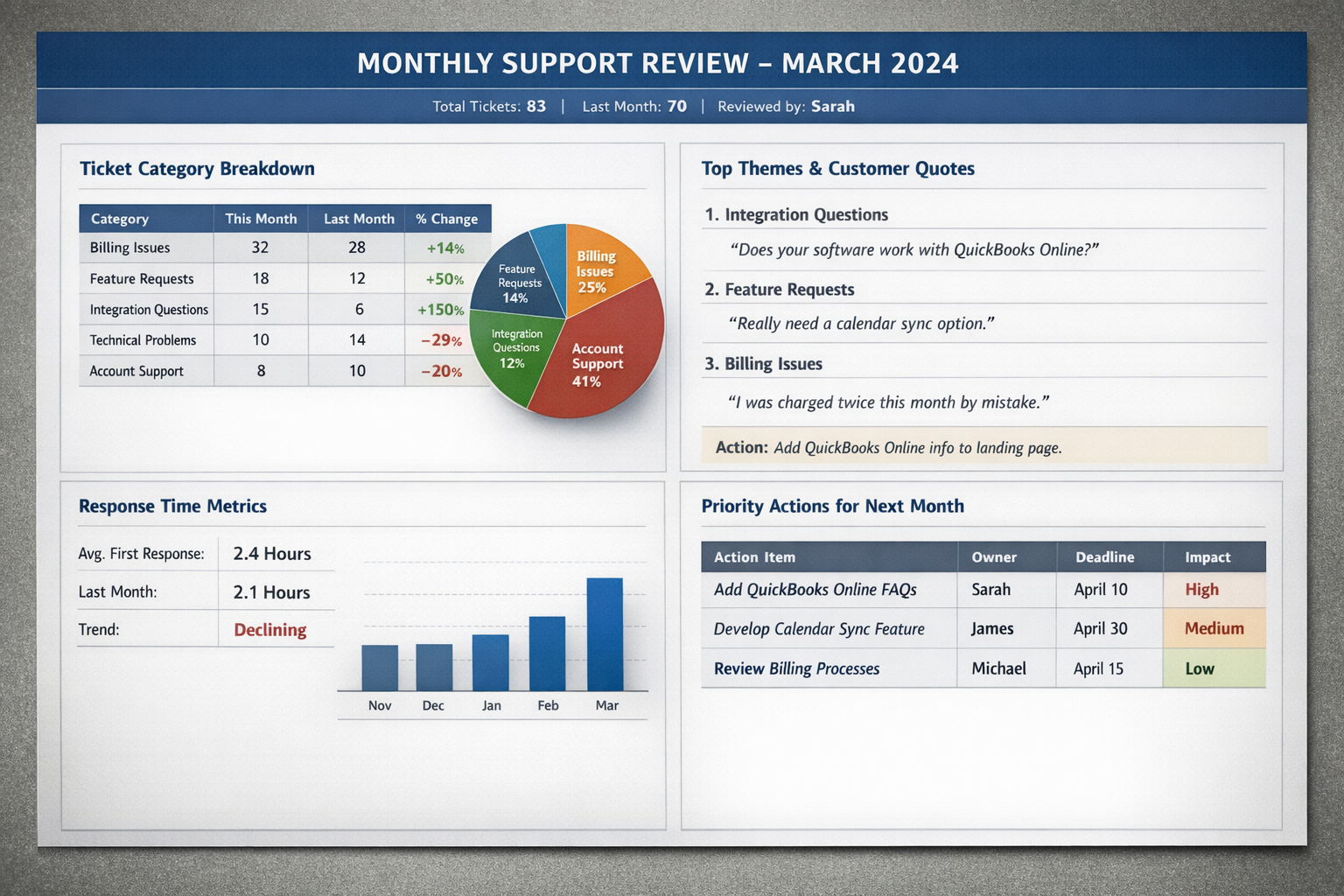
MONTHLY SUPPORT REVIEW — [MONTH/YEAR]
Review Date: [Date]
Reviewed by: [Name]
Total Tickets This Month: [Number]
Total Tickets Last Month: [Number]
SECTION 1: CATEGORY BREAKDOWN
| Category | Count | Last Month | % Change | Notes |
| [Category 1] | ||||
| [Category 2] | ||||
| [Category 3] | ||||
| [Category 4] | ||||
| [Category 5] |
SECTION 2: TOP THEMES & CUSTOMER QUOTES
Theme 1: [Category Name]
Pattern observed: [Description]
Quote 1: "[Customer quote]"
Quote 2: "[Customer quote]"
Potential action: [Idea]
Theme 2: [Category Name]
Pattern observed: [Description]
Quote 1: "[Customer quote]"
Quote 2: "[Customer quote]"
Potential action: [Idea]
Theme 3: [Category Name]
Pattern observed: [Description]
Quote 1: "[Customer quote]"
Quote 2: "[Customer quote]"
Potential action: [Idea]
SECTION 3: RESPONSE TIME METRICS
Average first response time: [Hours]
Last month's average: [Hours]
Trend: [Improving / Stable / Declining]
SECTION 4: POSITIVE FEEDBACK HIGHLIGHTS
Quote 1: "[Customer praise]"
Quote 2: "[Customer praise]"
What customers value most this month: [Summary]
SECTION 5: PRIORITY ACTIONS FOR NEXT MONTH
| Action Item | Owner | Deadline | Expected Impact |
| [Action 1] | [Name] | [Date] | [High/Med/Low] |
| [Action 2] | [Name] | [Date] | [High/Med/Low] |
| [Action 3] | [Name] | [Date] | [High/Med/Low] |
SECTION 6: NOTES FOR NEXT REVIEW
[Anything to watch, questions to investigate, or context for future you]
How to Build a Customer Support Retention Dashboard
Beyond individual monthly reviews, tracking key metrics over time reveals retention patterns invisible in any single snapshot.
Metrics worth tracking monthly:
Total ticket volume: Is support load growing faster than your customer base?
First response time: How quickly do customers hear from you?
Resolution time: How long until issues are fully resolved?
Repeat contact rate: How often do customers write back about the same issue?
Category distribution: Which types of requests consume the most time?
You do not need specialized dashboard software to track these. A simple spreadsheet updated monthly provides sufficient visibility for most small teams. The goal is spotting trends over quarters, not real-time monitoring.
Sample tracking template columns:
Month
Total tickets
Average first response time (hours)
Top category by volume
Percentage of tickets in top category
Number of escalations to founder
Notable patterns or insights
After three months of consistent tracking, you'll have enough data to identify seasonal patterns, correlate support load with business events, and measure whether your improvement efforts actually reduced specific ticket types.
How to Analyze Support Tickets for Business Insights
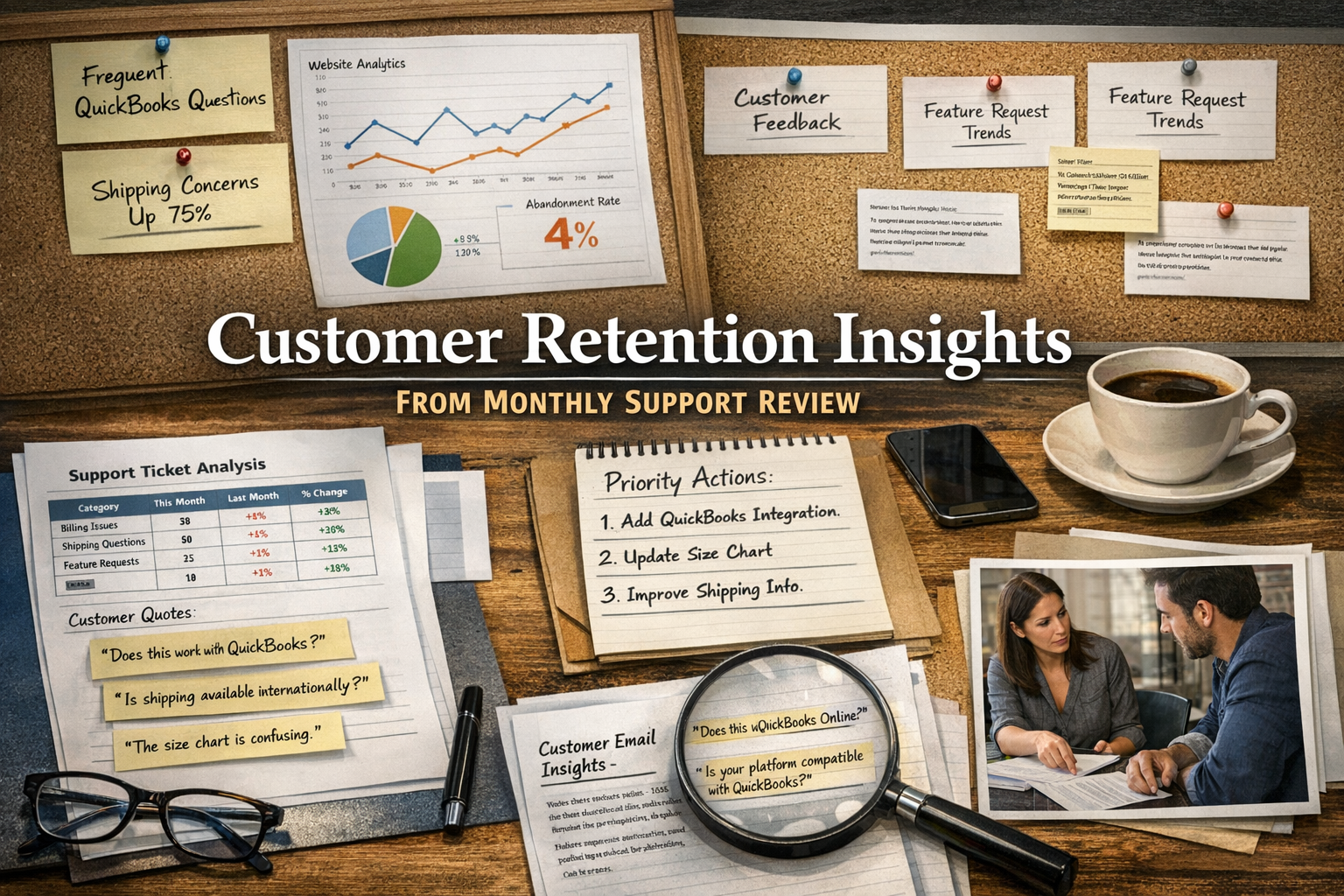
The monthly review only creates value when insights translate into decisions. Here's how support patterns should inform different aspects of your business.
Feeding Insights into Product Roadmap Discussions
Feature requests and bug reports from support deserve a seat at the roadmap table. But not all requests warrant equal weight.
Track feature request frequency and note which customer segments make each request. A feature requested by 15 customers who each spend $500 annually deserves more consideration than one requested by 3 customers on your free tier.
Similarly, distinguish between "nice to have" requests and "blocking purchase/retention" issues. Support conversations often reveal which category a request falls into based on the customer's stated intent. When someone writes "I love your product but can't recommend it to my team until you add X," that's a retention signal, not just a feature request.
Marketing and Messaging Improvements
Pre-purchase questions reveal gaps in your marketing copy, product descriptions, or FAQ content. If customers consistently ask the same question before buying, that information belongs on your product page.
Customer language from support tickets also provides excellent source material for marketing copy. The words people use to describe their problems or praise your solution often resonate better than internally crafted messaging. When a customer writes "this finally got my team to stop using spreadsheets," that's a headline waiting to happen.
Operational Process Changes
Recurring operational issues—shipping delays, inventory problems, billing errors—surface clearly in support data. Monthly reviews help you distinguish between one-off incidents and systemic problems requiring process changes.
When the same issue appears month after month, that pattern justifies investing time in permanent fixes rather than repeatedly handling individual tickets.
Making the Review Sustainable
The most elegant system fails if you don't actually use it. Here's how to make your monthly review habit stick.
Schedule It Like a Meeting
Block 90 minutes on your calendar for the same day each month. Treat it like an external meeting you cannot reschedule. Many founders find the first Monday or last Friday of each month works well, creating a natural rhythm.
Keep the Process Light
Resist the temptation to overcomplicate your tracking system. A simple spreadsheet beats an elaborate dashboard you never update. Three meaningful metrics beat fifteen that nobody reviews.
Start with the minimum viable process and add complexity only when you've consistently completed reviews for three consecutive months.
Involve Your Team
If you have team members who handle support, involve them in the review process. They often notice patterns invisible in the data and can provide context that changes how you interpret trends.
Even a 15-minute discussion of findings creates shared understanding and surfaces insights you might miss reviewing tickets in isolation.
Document and Reference
Keep a running document of monthly insights and decisions. Before launching new features or campaigns, review past support patterns related to that area. This historical context prevents repeating mistakes and builds institutional memory even in very small teams.

When Outside Help Makes Sense
This review framework works whether you handle support yourself, delegate to a team member, or partner with an external support team. However, the mechanics differ based on your setup.
If you handle support yourself, the review process also serves as forced reflection time. It's easy to answer tickets reactively without stepping back to see patterns. The monthly review creates that structured pause.
If you delegate support to a team member, ensure they understand the tagging system and can surface notable patterns between reviews. Weekly five-minute check-ins help you stay informed without micromanaging.
If you work with an outsourced support partner, the best arrangements include proactive pattern identification as part of the service. Your partner should bring themes and insights to monthly review calls rather than simply handling tickets as they arrive. This transforms outsourced support from a cost center into a strategic function that actively contributes to business improvement.
The right support partner acts as an extension of your team, flagging emerging issues before they become trends and proposing process improvements based on what they observe across many tickets. Monthly reviews become collaborative sessions where insights flow both directions.
Start Your First Review This Week
You don't need to wait until month's end to begin. Run a modified first review using the past 30 days of support conversations, even if your tagging wasn't yet systematic.
Your first review checklist:
Export or gather all support conversations from the past 30 days
Read through and assign each to a category (create categories as you go)
Count tickets per category
For the top 3 categories, extract 2–3 representative customer quotes
Identify 1–2 actionable insights worth addressing this month
Set up your tracking spreadsheet for consistent monitoring going forward
The first review takes longer than subsequent ones because you're building your category framework. After two or three months, you'll have established patterns and the process will run much faster.
Your inbox already contains the insights. The monthly review simply creates the structure to surface them consistently. Ninety minutes per month is a small investment for transforming reactive support work into proactive retention intelligence.
Ready to turn support insights into action? If you're spending hours in your inbox and want a team that proactively surfaces patterns and proposes improvements, book a call with Evergreen Support to discuss how monthly reviews become part of a true partnership.
Frequently Asked Questions
What if I only get 10–20 support tickets per month?
Lower volume actually makes the review faster and patterns clearer. Even with 15 tickets, you can identify recurring themes and extract valuable customer language. The framework scales down easily—you might complete your review in 30 minutes instead of 90. Small sample sizes just mean each individual ticket carries more weight in your analysis.
Which helpdesk tools work best for this tracking process?
Any helpdesk that supports tagging works well. HelpScout, Zendesk, Freshdesk, and Intercom all have tagging functionality built in. A shared Gmail inbox with labels also works. The key is consistent categorization over time, not specific software features. Pick whatever tool your team will actually use.
How do I handle tickets that span multiple categories?
Assign to the primary category that best represents the customer's core issue. If you notice many tickets genuinely span multiple categories, that might indicate your categories need refinement or that certain issues are interconnected in ways worth investigating. When in doubt, tag based on what the customer seemed most frustrated about.
Should I track positive feedback separately from problems?
Yes. Positive feedback reveals what customers value most and provides language for marketing. Create a "praise" or "testimonial" category and extract quotes just as you would for problem areas. These insights matter for retention just as much as complaints—knowing what's working helps you protect those strengths.
How long until I see actionable patterns emerge?
Most founders notice initial patterns during their very first review. Trend-level insights—like seasonal variation or the impact of product changes—become visible after three to four months of consistent tracking. The compound value of this process grows significantly after the first quarter.
About Evergreen Support
Evergreen Support provides human-powered customer support for small SaaS and e-commerce businesses. Our US-based team handles your daily support inbox while proactively identifying trends and recommending improvements—transforming support from a task you manage into a function that actively strengthens customer retention.
Works Cited
[1] Bain & Company — "Prescription for Cutting Costs." https://www.bain.com/insights/prescription-for-cutting-costs-bain-brief/
[2] HubSpot Research — "The State of Customer Service."
https://www.hubspot.com/state-of-customer-service