
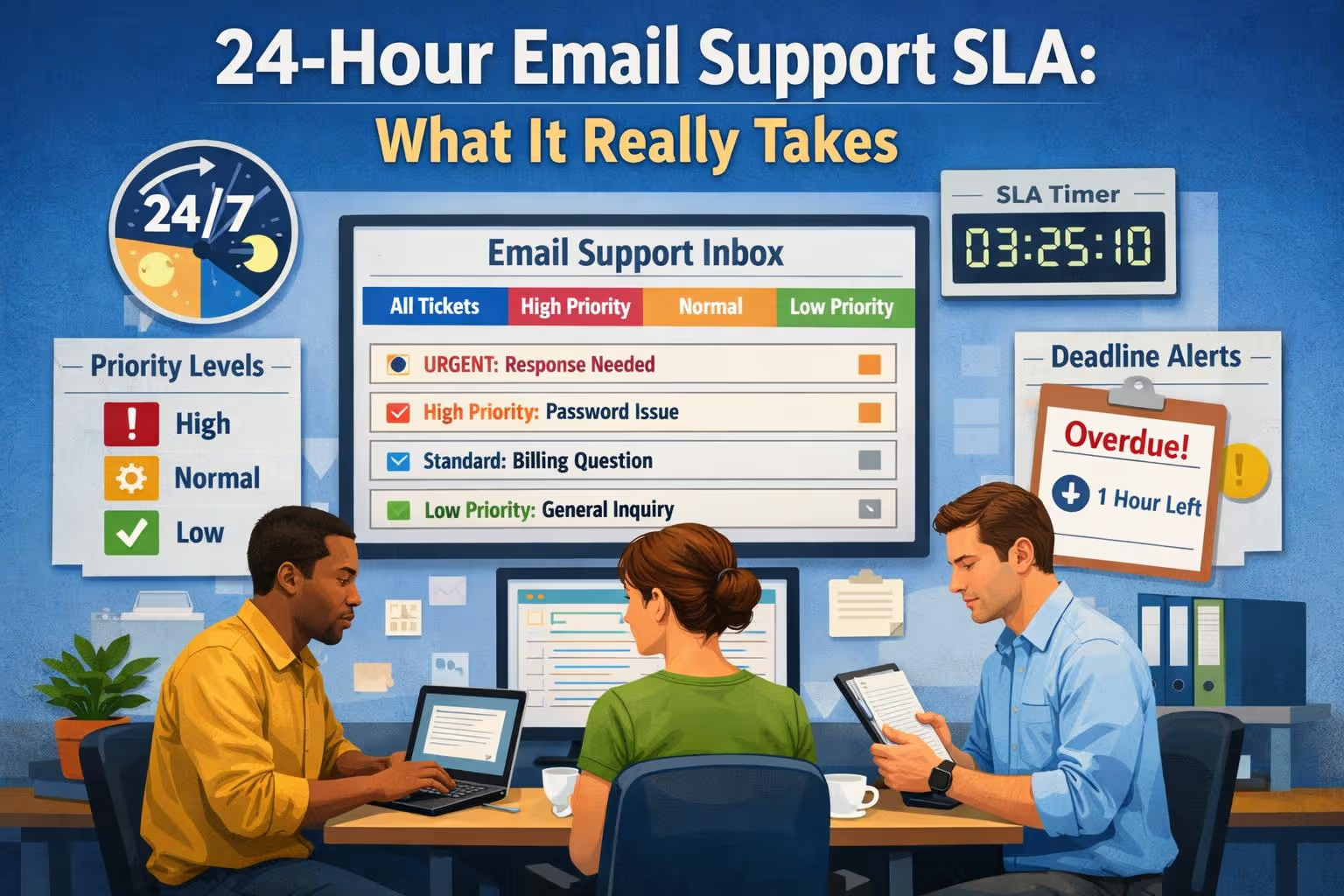
You promise customers a reply within 24 hours. On paper, that sounds reasonable—maybe even generous compared to the multi-day silences some companies subject their users to.
Then Monday morning hits. Your inbox has 47 new tickets from the weekend. Three of them are angry. Two are billing issues you can't solve without looping in Stripe. One is a feature request disguised as a bug report. And you've got a product demo in an hour.
Suddenly, that 24-hour SLA feels less like a gentle guideline and more like a ticking countdown you're already losing.
Here's the thing most founders miss: a 24-hour email support SLA isn't just about speed. It's about having the right coverage, a smart triage system, and a plan for what happens when someone's sick or swamped. Without those pieces, you're one bad week away from blowing your promise to customers—and the reputation hit that follows.
This guide walks through what it actually takes to honor a 24-hour email support commitment. We'll define the SLA terms that matter, show you a triage system you can implement in a day, explain why team coverage beats the solo-founder hustle, and cover how to handle the inevitable moments when things go wrong.
What "24-Hour Email Support SLA" Actually Means
Let's start with the jargon, because confusion here causes most of the problems.
An SLA (Service Level Agreement) is your public or internal commitment about how fast you'll respond to customer emails. When you say "24-hour support," you're making a promise—but the devil's in the details.
First Response vs. Full Resolution
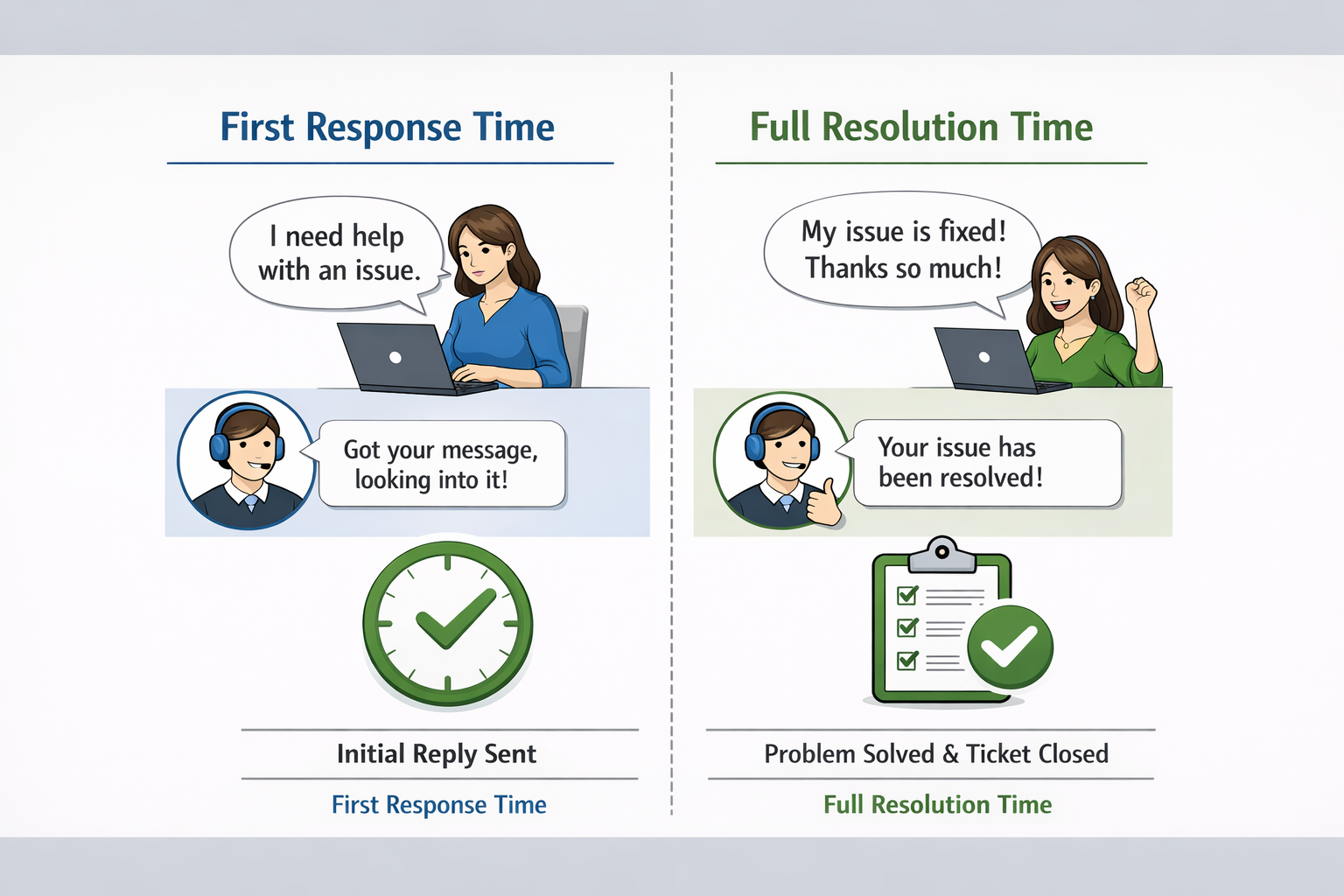
There are two common ways to measure support speed, and mixing them up is where things go sideways:
First response time = How long until the customer gets any reply from you. Even if that reply is just "Got your message, looking into it," you've met a first-response SLA.
Full resolution time = How long until the customer's actual problem is solved and the ticket is closed.
Most small businesses promise a 24-hour first response on weekdays. That means every customer email gets acknowledged within one business day, even if solving the issue takes longer. This approach works because it manages expectations: the customer knows you're on it, which buys you time to investigate, escalate, or coordinate with your team.
Why first response matters: According to research from Forrester, 77% of customers say that valuing their time is the most important thing a company can do to provide good service. A fast first response—even without a full solution—signals you care and keeps frustration from boiling over. Microsoft's 2020 State of Global Customer Service report found that 58% of consumers will switch companies because of poor customer service, with slow responses being a primary driver of that decision.
Reality check on full resolution: Some tickets can't be closed in 24 hours. A bug that requires a code fix, a billing dispute needing manual review, or a feature request that's actually feedback—all of these take time. The key is to define your SLA around what you can control: responding promptly and keeping the customer updated. Full resolution timelines should be set per-issue and communicated clearly ("We're escalating this to engineering; expect an update by Thursday").
If you currently promise "24-hour support" without specifying which metric, clarify it now. Update your help center or auto-reply to say: "We reply to all emails within 24 hours (Mon–Fri). Complex issues may take longer to fully resolve, and we'll keep you posted on progress." That one sentence prevents a ton of misunderstandings.
Global Coverage: The Timezone Challenge
If you serve customers across multiple timezones, "24 hours" gets complicated fast. Do you count business hours in your timezone, or theirs?
Industry best practice: Define your SLA based on your business hours, not the customer's. For example: "We reply within 24 hours, Monday–Friday, 9am–5pm US Eastern Time." A customer in Sydney who emails at midnight EST knows when to expect a reply.
If serving global customers is mission-critical, you have three options:
Shift coverage — Hire agents in different timezones to provide extended hours
Follow-the-sun model — Partner with teams in different regions who hand off tickets as shifts end
Tiered SLA — Offer faster response for premium customers, standard 24-hour for others
According to Zendesk's 2023 Customer Experience Trends Report, 60% of customers expect support to be available 24/7 regardless of their location. If you can't offer that, be explicit about your coverage hours to avoid disappointing global users.
The Single Biggest Threat to Your 24-Hour SLA: The Solo Inbox
You know what kills a 24-hour SLA faster than anything? One person doing all the support work.
Maybe that person is you, the founder. Maybe it's your head of ops who also runs marketing and handles vendor emails. Either way, you've created a single point of failure—and the moment they get sick, take a day off, or drown in a product launch, your SLA dies.
Here's the uncomfortable math: 24-hour coverage, Monday through Friday, means someone needs to check the inbox every single weekday. Miss one day and you're automatically breaking your promise. Miss two days in a row (hello, long weekend) and you've got a customer-experience crisis brewing.
Even if you personally never miss a day, you're tethered. No real vacation. No mental break. No ability to focus on strategic work without that nagging voice: "I should check the inbox… just in case."
The fix: team coverage. At minimum, you need two people who can handle support. They don't both need to work full shifts—one can be primary, the other backup—but both should know your product, have access to your helpdesk, and be able to cover each other's off days. This isn't about redundancy for redundancy's sake; it's about reliability.
A 2022 study by Gartner found that companies with cross-trained support coverage see 23% higher customer satisfaction scores and 31% lower agent burnout rates compared to single-agent operations.
Even if you can't hire two people right now, think creatively:
Can a co-founder or trusted team member serve as backup for a few hours a day?
Could you bring in a part-time contractor to cover certain shifts or handle overflow?
Does your budget allow for outsourcing to a support team that provides built-in redundancy?
The key is this: your 24-hour SLA should never depend on one human being awake and available. Build the redundancy now, before you need it.
A Simple Triage System You Can Set Up in One Day
Okay, you've got coverage sorted (or you're working on it). Now let's talk triage—because not every email is created equal, and trying to answer them all in order of arrival is a recipe for chaos.
Triage just means sorting incoming tickets by urgency so you handle the most important stuff first. If that sounds complicated, relax. Here's a system you can implement in an afternoon.

The Three-Bucket Method
Sort every incoming email into one of three buckets:
| Priority | Definition | Examples | Target Response |
| Urgent | Directly blocks the customer's ability to use your product right now | Login broken, payment failed, critical bug blocking workflow | 2–4 hours |
| Normal | Important but not blocking | "How do I do X?" questions, non-urgent account changes, feature clarifications | Within 24 hours |
| Low | Feedback, feature requests, casual questions | "Would be cool if you added Y," general praise or suggestions | 24–48 hours |
Implementation steps:
Create three priority tags in your helpdesk: Urgent / Normal / Low
Set up automatic tagging rules based on keywords (e.g., "can't login" → Urgent)
Decide who checks "Urgent" tickets first thing each morning
Review and adjust weekly based on what's actually urgent vs. what customers say is urgent
Most helpdesks (HelpScout, Zendesk, Front, Intercom) let you tag or assign priority levels automatically. Spend 30 minutes setting this up and you'll immediately feel less overwhelmed.
Automate the Repetitive Stuff
You don't need to personally answer every single email. According to HelpScout's 2023 benchmarks, 40% of support tickets are repeat questions that could be handled with saved replies or self-service content.
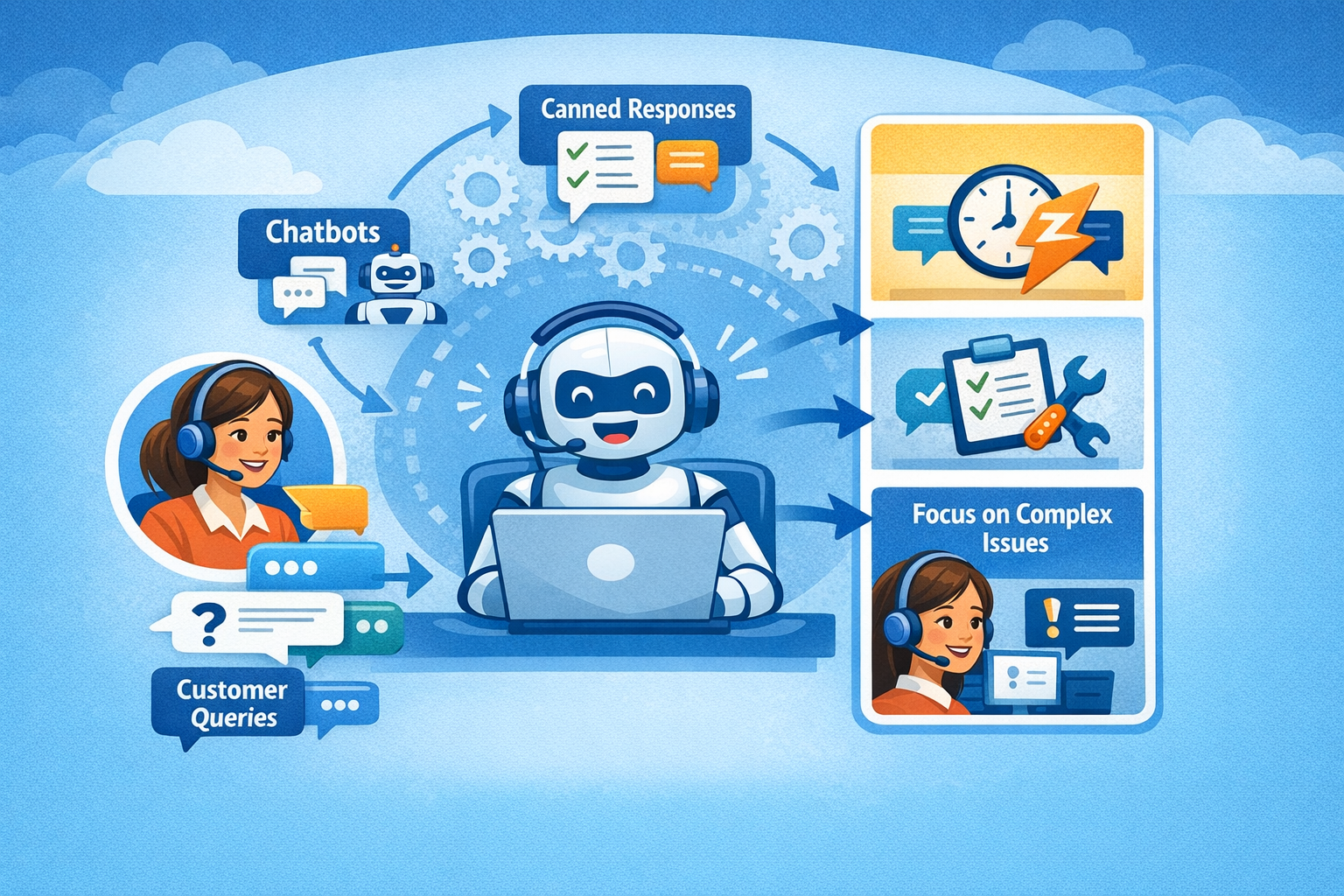
For the most common questions (password resets, shipping times, "where's my invoice?"), create saved replies or canned responses. A good saved-reply library can cut your response time in half because you're not retyping the same instructions over and over.
Better yet, build a knowledge base with self-service articles. If 20% of your tickets are "How do I change my billing info?" and you have a one-click help article for that, you've just saved yourself (and your customers) time. Forrester research shows that 72% of customers prefer self-service over calling or emailing support.
Pro tip: When you do reply using a saved template, personalize it slightly. Swap in the customer's name, reference their specific issue, maybe add a line of empathy ("I totally understand how frustrating that must be"). You want efficiency, not robotic coldness.
Smart Automation Without Losing the Human Touch
Modern helpdesks offer automation features that go beyond canned responses:
Auto-assignment rules — Route billing questions to your finance person, technical bugs to your engineer, etc.
Chatbot triage — Use a simple bot to categorize incoming requests and collect context before they reach a human
Ticket routing — Automatically assign tickets based on keywords, customer tier, or agent workload
Follow-up reminders — Set automated pings if a ticket hasn't been updated in X hours
The key is to use automation for speed and consistency, not to replace human judgment. A bot can collect information ("What's your account email?") but shouldn't try to solve complex problems. According to PwC's 2023 Customer Experience Survey, 82% of U.S. consumers want more human interaction in customer service, not less—even as they expect faster response times.
One-Day Implementation Checklist
[ ] Create three priority tags in your helpdesk: Urgent / Normal / Low
[ ] Write down 5–10 of your most common questions
[ ] Draft saved replies for each (keep them friendly, not canned)
[ ] Set up one auto-assignment rule based on keywords
[ ] Decide who checks "Urgent" tickets first thing each morning
[ ] Set a reminder to review triage once a week and adjust as needed
That's it. You now have a triage system. It's not fancy, but it'll keep you from drowning and ensure the most critical issues get handled fast—which is the whole point of a 24-hour SLA.
Escalations: What to Do When You Can't Solve It Yourself
Here's an uncomfortable truth about support: you won't always have the answer. And that's fine—as long as you have a plan for escalations.
An escalation is when a support issue needs to be kicked up to someone with more expertise, authority, or access. Maybe it's a bug that only engineering can diagnose. Maybe it's a refund that requires finance approval. Maybe it's a strategic question the founder needs to weigh in on.
The mistake most small teams make is treating escalations like an emergency every time. You panic, Slack five people, derail someone's deep work, and still don't solve the issue for hours because nobody knows who's supposed to own it.
Build a Simple Escalation Map
Sit down with your team (even if that's just you and one other person) and map out who handles what. For example:
| Issue Type | Escalate To | Required Context | Expected Turnaround |
| Billing issues | Finance Person or founder (if over $X) | Account email, invoice number, specific question | 24 hours |
| Technical bugs | Engineer | Steps to reproduce, screenshots, user's browser/OS | 48–72 hours |
| Feature requests | Product Roadmap Tool | Customer's use case, frequency of request | Log only (monthly review) |
| Angry customer / refund demand | Founder / Head of CX | Full ticket history, customer's tone/urgency | Immediate (within 2 hours) |
Document this in a shared doc or your helpdesk's internal wiki. When a support agent (or you) hits something they can't handle, they know exactly where to route it and what context to include.
Escalation Templates That Work
Don't just forward an email and hope for the best. Use a structured template:
To the specialist:
Escalation: [Issue Type]
Customer: [Name, email, account ID]
Problem: [One-sentence summary]
What I've tried: [Steps already taken]
What we need: [Specific action or answer]
Customer's timeline: [Any urgency mentioned]
To the customer:
Thanks for flagging this, [Name]. I'm checking with our [team name] to get you the most accurate answer. I'll have an update for you by [specific day/time]. Appreciate your patience—we're on it.
This approach keeps everyone informed and prevents the escalation from falling through the cracks.
How to Handle Escalations Across Timezones
If your engineering team is in Europe but your support team is in the US, escalations can create bottlenecks. A customer emails at 3pm EST, you escalate to engineering at 4pm EST, but they're already offline for the day. The customer doesn't get an answer for 24+ hours, technically meeting your SLA but frustrating everyone.
Solutions:
Asynchronous escalation protocol — Support agents gather all diagnostic information upfront (logs, screenshots, steps to reproduce) so engineers can investigate without waiting for clarification
Handoff documentation — The outgoing support shift leaves detailed notes for the incoming shift/region
Defined escalation windows — "Technical escalations submitted before 2pm EST will receive same-day attention; after 2pm, expect next-business-day response"
Many companies use shared Slack channels for escalations, with clear threading and emoji reactions to track status (👀 = acknowledged, ✅ = resolved, 🔄 = needs more info). This keeps communication transparent without requiring constant meetings.
Escalation Etiquette
When you escalate, follow these rules:
Acknowledge the customer first. Don't leave them hanging while you figure out who to loop in. Reply within your SLA window with something like: "Thanks for flagging this. I'm checking with our [team] and will have an update for you by [time/day]."
Give your teammate context. Don't just forward the email. Summarize what the customer needs, what you've tried, and why you're escalating. The easier you make it for the next person, the faster they'll solve it.
Close the loop. Once the issue is resolved, go back to the customer and confirm. Even a simple "All set—let me know if you run into anything else" keeps the experience smooth.
Escalations aren't failures. They're part of a healthy support system. The goal is to handle them efficiently so your 24-hour SLA stays intact and customers feel taken care of.
Staffing for Consistent 24-Hour Coverage (Without Burning Out)
Let's talk staffing—the part that makes or breaks your SLA in the long run.
If you're a solo founder handling support yourself, you already know the grind. Early mornings, late nights, weekends half-ruined by urgent tickets. It's not sustainable, and deep down you know it. But hiring a full-time support person feels like a big leap—financially and operationally.
Here's the nuanced reality: you don't necessarily need a full-time hire to maintain 24-hour coverage. You need the right model for your volume and complexity.
Staffing Models to Consider
| Model | Best For | Pros | Cons | Estimated Cost |
| Founder + Part-Time Backup | Very early-stage (<50 tickets/week) | Low cost, full control | Founder still tethered, limited scalability | $500–1,500/mo |
| One Full-Time Agent | 100–300 tickets/week | Consistent voice, dedicated focus | Single point of failure, no coverage for PTO | $40K–60K/year + benefits |
| Two Part-Time Agents | 100–500 tickets/week | Built-in redundancy, flexible scheduling | Requires coordination, potential voice inconsistency | $30K–50K/year total |
| Fractional Support Team | 100–500 tickets/week | Professional redundancy, no management overhead, fast onboarding | Less control, monthly fee | $600–2,000/mo |
| In-House Team (2+) | 500+ tickets/week | Full control, deep product knowledge | High cost, management overhead, training time | $80K–120K/year + benefits |
(Cost estimates based on Bureau of Labor Statistics data for customer service representatives and typical outsourcing rates as of 2024)
Why the Two-Agent Model Works
The two-agent approach—whether you hire two part-timers or partner with a fractional support team—solves the coverage problem cleanly. Here's why:
No gaps. If Agent A is on vacation, Agent B handles the inbox. If Agent B is swamped with a tough ticket, Agent A picks up the slack. Your 24-hour SLA never depends on one person's availability.
Continuity. Both agents learn your product and tone. Customers get consistent, high-quality replies regardless of who's on shift.
Flexibility. Part-time schedules are easier to coordinate (one covers mornings, the other afternoons). Or an outsourced team handles it all while you focus on building.
Companies that use paired support agents see measurably better outcomes. According to a 2023 study by the Customer Contact Council, dual-agent coverage reduces average resolution time by 18% and improves first-contact resolution rates by 22% compared to single-agent models.
The Hidden Cost of Going It Alone
Sure, you can white-knuckle a 24-hour SLA by yourself for a while. But here's what that really costs:
Your time. If you spend 10–20 hours a week on support, that's 10–20 hours you're not spending on product development, sales, or strategy.
Your sanity. Being tethered to the inbox breeds resentment and burnout. You can't fully unplug, and that stress leaks into everything else.
Your reputation. One bad week—a launch that goes sideways, a personal emergency, a simple case of exhaustion—and you blow your SLA. Customers notice, reviews suffer, churn ticks up.
The math usually tips in favor of team coverage faster than founders expect. A 2022 analysis by Pacific Crest Securities found that SaaS companies spending 15–20% of revenue on customer success (including support) had 30% lower churn rates than those spending under 10%.
Even if hiring or outsourcing isn't in the budget yet, the principle holds: plan for redundancy now. Cross-train someone. Document your processes. Set up those saved replies and escalation maps. Build a support system that doesn't crumble the moment you take a day off.
What About Outsourcing?
For many startups, outsourcing support makes financial and operational sense. You skip the hiring process, avoid payroll taxes and benefits, and get instant redundancy. The trade-off is less direct control over who's answering tickets.
When outsourcing works:
Your ticket volume is predictable and moderate (100–500/week)
Your product has stable documentation and clear escalation needs
You value reliability and want to offload inbox management entirely
You're not able (or willing) to hire and manage in-house staff
When in-house makes more sense:
Support is core to your brand identity and requires deep product expertise
Your ticket volume is high enough to justify multiple full-time roles
You have complex, technical issues that need specialized knowledge
You want full control over hiring, training, and company culture
There's no universal right answer. The key is choosing a model that supports your 24-hour SLA without burning you out or breaking the bank.
Monitoring and Improving Your 24-Hour SLA Over Time
You've set your SLA, built coverage, and implemented triage. Congrats—you're ahead of most startups. But an SLA isn't a "set it and forget it" thing. You need to track how you're doing and adjust as you grow.
Metrics That Actually Matter
Focus on these numbers:
| Metric | What It Measures | Target / Benchmark | Why It Matters |
| First response time (average) | How fast you typically reply | <12 hours (ideally <6 hours) | Primary SLA commitment; directly impacts customer satisfaction |
| First response time (worst case) | Your slowest replies | <24 hours (hard limit) | Catches system breakdowns before they become patterns |
| Resolution time (average) | How long to fully close tickets | Varies by complexity; track by category | Identifies process bottlenecks and training needs |
| SLA compliance rate | % of tickets meeting 24-hour target | >95% | Overall health check; anything below 90% signals a problem |
| Customer satisfaction (CSAT) | Post-ticket rating (1–5 scale) | >4.0 / 5.0 | Speed matters, but quality matters more |
| Escalation rate | % of tickets requiring specialist help | <20% (lower is better) | High rates suggest documentation gaps or agent training needs |
Most helpdesks (Zendesk, Intercom, HelpScout, Front) give you these reports out of the box. Check them weekly at first, then monthly once things stabilize.
What to Do When You Miss Your SLA

It happens. You get slammed with a product launch, someone on your team gets sick, or a holiday weekend catches you off-guard. You wake up Tuesday morning and 20 tickets are past the 24-hour mark.
Don't panic—but don't ignore it either. Here's how to recover:
Step 1: Triage and respond immediately
Prioritize the overdue tickets by urgency (use that triage system). Send a quick acknowledgment to every customer whose email is past-due:
Hi [Name],
I apologize for the delay in getting back to you—we had an unexpected surge in support volume over [timeframe]. I'm looking into your question now and will have a full response within [specific timeframe]. Thanks for your patience.
Step 2: Fix the root cause
Ask: Why did this happen? Was it:
Unexpected volume spike? (Need better capacity planning)
Staff absence? (Need backup coverage)
Complex tickets? (Need better documentation or escalation paths)
Process breakdown? (Need clearer triage or automation)
Don't just catch up—prevent it from happening again.
Step 3: Communicate proactively (if it's a pattern)
If you've missed your SLA multiple times in a short period, be transparent with customers:
We're experiencing higher than normal support volume and some customers are experiencing delays in our response time. We're working to resolve this and appreciate your patience. All tickets will be answered within 48 hours during this period.
Step 4: Track the recovery
Monitor your metrics closely for the next week. Make sure you're back on track and staying there.
A single SLA miss won't tank your reputation if you handle it professionally. What will hurt you is repeatedly blowing deadlines without acknowledgment or action.
When to Revisit Your SLA
Your SLA should evolve with your business. Revisit it when:
Volume spikes. If you go from 50 tickets/week to 200, you might need more staff or a stricter triage process.
Complexity changes. Early on, tickets are simple. As you add features, they get gnarlier. You might need a longer first-response SLA or a dedicated escalation person.
Customer expectations shift. If competitors start promising 12-hour replies, you might need to tighten up to stay competitive.
You expand hours or regions. Adding weekend coverage or serving international time zones changes your staffing needs entirely.
The goal isn't to have the fastest SLA in your market—it's to have a reliable one that you can actually honor without burning out your team.
The Bottom Line: Your 24-Hour SLA Is a Promise—Here's How to Keep It
A 24-hour email support SLA isn't about heroics. It's about systems.

You need clear definitions (first response, not necessarily full resolution). You need team coverage (never rely on one person). You need triage (so urgent stuff gets handled fast). You need escalation paths (so nothing falls through the cracks). And you need to monitor it all so you catch problems before they become reputation damage.
If that sounds like a lot, it is—especially if you're also the founder, the marketer, and the product lead. Many growing startups eventually decide that keeping support internal isn't the best use of their time or energy.
Whether you hire in-house, bring in part-time help, or partner with a support team, the key is building a system that works reliably without depending on heroics. Your customers deserve consistency. You deserve to sleep at night.
Want to see how your current support setup measures up? Book a free inbox audit with Evergreen Support—we'll analyze your response times, identify bottlenecks, and show you exactly what it would take to maintain a reliable 24-hour SLA. No pressure, just practical insights.
Frequently Asked Questions
What's the difference between a 24-hour SLA and "next business day" support?
They're basically the same thing in practice. "24 hours" usually means within one business day, Monday through Friday. If a customer emails Friday afternoon, a Monday morning reply still meets a 24-hour weekday SLA. The key is to be clear: do you count weekends or not? Most small businesses don't count weekends unless explicitly stated.
Can I promise a 24-hour SLA if I'm a solo founder?
Technically yes, but it's risky. You're one sick day or busy product launch away from breaking that promise. If you're committed to going solo, at minimum set up a strong auto-reply, use saved responses for common questions, and plan backup coverage (even a part-timer checking the inbox a few times a week helps). But long-term, solo support isn't sustainable if you want to grow.
How do I handle time zones if my customers are global?
Define "24 hours" based on your business hours, not the customer's. For example: "We reply within 24 hours, Monday–Friday, 9am–5pm US Eastern Time." That way a customer in Australia who emails at midnight your time knows when to expect a reply. If serving global customers is critical, consider staggered shifts or partnering with a support team that covers broader hours.
What if I can't hire two people—should I just not promise a 24-hour SLA?
You can still promise it, but acknowledge the risk. One option: keep the SLA and plan for occasional misses (communicate proactively when they happen—customers forgive honesty). Another option: outsource to a service where redundancy is built in. A fractional support team gives you two-agent coverage without the cost of two full-time hires.
How do I know if my SLA is working?
Check your helpdesk metrics weekly: average first response time, percentage of tickets meeting the SLA, and customer satisfaction scores. If you're consistently replying within 24 hours and CSAT is above 4.0/5.0, you're in good shape. If not, dig into why—usually it's a staffing gap, unclear escalations, or tickets getting lost in the shuffle.
What should I do if I keep missing my 24-hour SLA?
First, triage and respond to all overdue tickets immediately with an acknowledgment and apology. Then diagnose the root cause: Is it volume, staffing, complexity, or process? Fix the underlying issue—whether that means hiring help, improving documentation, or adjusting your SLA to something more realistic. If it's a recurring problem, be transparent with customers and adjust your promise to match what you can actually deliver.
Should I have different SLAs for different customer tiers?
It depends on your business model. If you have premium customers paying significantly more, offering them faster response times (e.g., 4-hour SLA) makes sense and can be a competitive advantage. For most small businesses, a single 24-hour SLA across all customers is simpler to manage and feels fairer. Just make sure your staffing can handle whatever you promise.

Evergreen Support: How We Help With This
This article reflects the real-world systems we've built at Evergreen Support—a human-powered customer support agency that helps small SaaS and e-commerce businesses deliver reliable, on-brand support without burning out. Our founders, Emma Fletcher and Ellis Annichine, met while running support at a startup and later built Evergreen specifically to solve the challenges covered here: triage, escalations, and sustainable coverage.
We serve small online businesses across the US, UK, and EU. Our model centers on providing two dedicated US-based agents per client to ensure consistent 24-hour weekday response times. This means your support never depends on one person's availability, and you skip the overhead of hiring, training, and managing an in-house team.
If you're struggling to maintain your 24-hour SLA—or wondering whether outsourcing makes sense for your business—we'd be happy to walk you through how we'd handle your inbox. Schedule a call or request a free inbox audit at evergreensupport.co.
Cited Works
Microsoft — "2020 State of Global Customer Service Report." https://info.microsoft.com/
Forrester Research — "The State of Customer Service 2022." https://www.forrester.com/
Zendesk — "Customer Experience Trends Report 2023." https://www.zendesk.com/customer-experience-trends/
Gartner — "Customer Service and Support Leader Survey 2022." https://www.gartner.com/
HelpScout — "Customer Service Benchmarks Report 2023." https://www.helpscout.com/
PwC — "Future of Customer Experience Survey 2023." https://www.pwc.com/
Customer Contact Council — "The Effortless Experience: Conquering the New Battleground for Customer Loyalty." https://cebglobal.com/
Bureau of Labor Statistics — "Occupational Employment and Wages: Customer Service Representatives." https://www.bls.gov/oes/current/oes434051.htmPacific Crest Securities — "SaaS Survey Results 2022." https://www.pcvco.com/