
If you're running a small SaaS or ecommerce business, choosing your first helpdesk software can feel like picking the foundation of your customer support for years to come. Because it kind of is.
You need something that won't take weeks to set up, won't require a PhD to operate, and won't drain your budget before you've even answered your first ticket. But you also don't want to outgrow it in six months or realize too late that it's missing a critical feature.
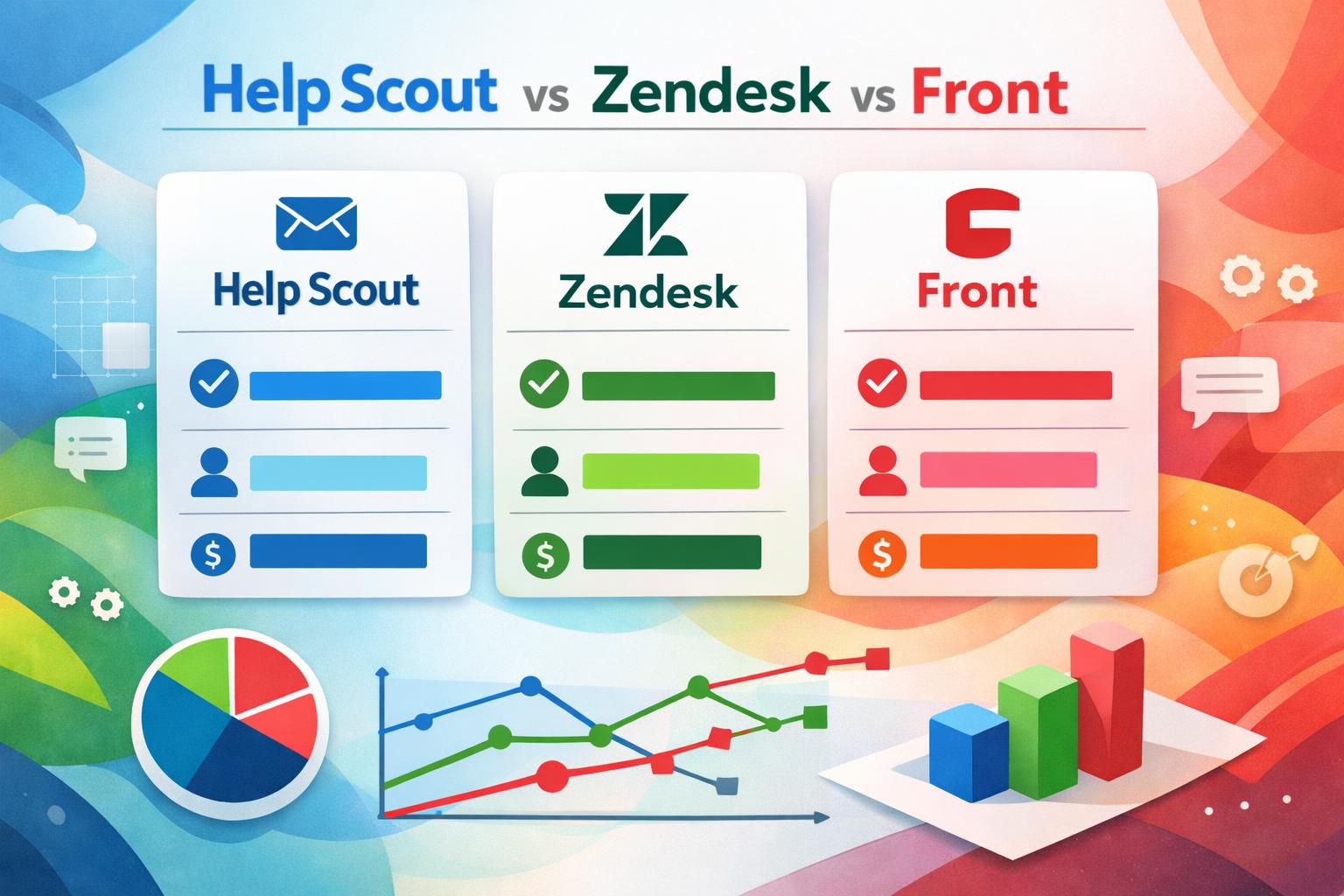
The three platforms that consistently come up for lean email support teams are Help Scout, Zendesk, and Front. Each has its advocates, and each solves slightly different problems. This guide will walk you through the practical differences—setup time, complexity, cost, and the gotchas nobody mentions until you're already committed—so you can pick the right fit for where your team is now and where it's headed.
Full transparency: This guide is written by Evergreen Support, a US-based customer support agency. We work in all three platforms daily and have no financial relationship with any of them. Our goal is to help you choose the right tool for your needs, whether or not you work with us.

Who This Guide Is For (and Who Should Look Elsewhere)
This comparison is designed for small online businesses with lean email support teams—typically SaaS startups or ecommerce brands with 1–5 people handling customer inquiries. You're probably:
Pre-support hire (founder doing everything)
Just hired your first support rep
Running a fractional or outsourced support team
Managing up to a few hundred tickets per month, mostly via email
If you need robust phone support, extensive live chat workflows, or you're managing a 20-person contact center, this isn't your guide. You'll want to look at enterprise Zendesk, Intercom, or dedicated call center platforms.
If you're a professional services firm (law, consulting, marketing agency), these tools can work, but they're optimized for product support, not client communication. You might find them overkill or awkwardly shaped for your needs.
Still here? Let's dig in.
The Three Contenders at a Glance
Here's the snapshot before we go deep:
| Feature | Help Scout | Zendesk | Front |
| Best for | Simple, human-first email support | Scale, integrations, multi-channel | Team collaboration on shared email |
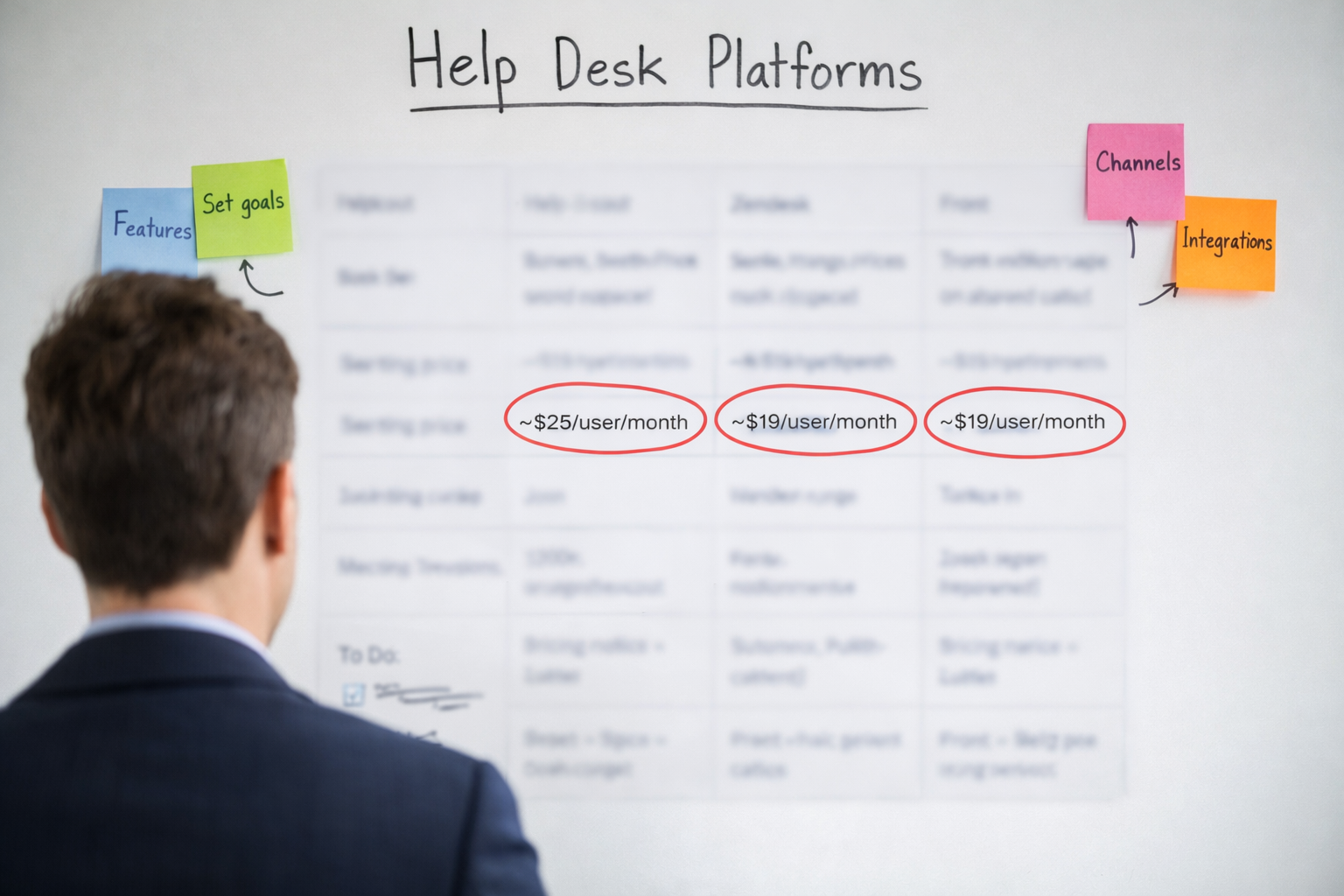
| Starting price | ~$25/user/month | ~$19/user/month (Suite) | ~$19/user/month |
| Setup time | 1–2 hours | 3–8 hours | 2–4 hours |
| Learning curve | Low | Medium-High | Medium |
| Macros/Templates | Excellent (Saved Replies) | Powerful (Macros) | Good (Canned Responses) |
| Reporting | Clean, straightforward | Deep, customizable | Solid, team-focused |
| Integrations | Strong native + Zapier | Extensive (1,000+ claimed) | Strong native + Zapier |
| Multi-channel | Email + Docs + Chat widget | Email, chat, phone, social | Email + SMS (via integrations) |
Note: Pricing verified as of Q4 2025 from vendor websites and G2 reviews. Actual costs vary by usage tier and add-ons.
All three handle email support well. The differences emerge in philosophy, complexity, and what they assume about your team.
Help Scout: Best for Human-First, Simple Support
What It Is
Help Scout is purpose-built for small teams who want email support to feel personal, not mechanical. The interface looks like a regular inbox (think Gmail), not a ticketing system. There's no "ticket number" visible to customers—just clean, threaded email conversations [1].
It's the tool for teams who care deeply about brand voice, response quality, and not drowning their agents in unnecessary fields or workflows.
Setup and Complexity
Setup time: 1–2 hours for a basic configuration.
Help Scout is refreshingly simple to get running. You connect your support email (support@yourbusiness.com), invite your team, write a handful of Saved Replies (their version of macros), and you're live. There's minimal fiddling with ticket views, automations, or routing rules unless you want them.
The knowledge base tool (Docs) is also straightforward—you can publish helpful articles for customers in an afternoon.
Learning curve: Low. If you can use Gmail, you can use Help Scout. New team members typically get up to speed in under an hour.
Pricing
Starts at $25/user/month (billed annually) for the Standard plan, which includes unlimited mailboxes, reporting, and integrations. There's a more robust Plus plan at $65/user/month offering advanced workflows and AI features [2].
According to G2 reviews, most small teams find the Standard plan sufficient for their first year [7]. No hidden fees for extra mailboxes or basic features.
Strengths
Saved Replies that don't feel robotic: Help Scout's template system encourages personalization. You can drop in variables (customer name, product, etc.) and edit freely before sending. The culture of the tool nudges you toward human, helpful responses.
Collision detection: If two agents open the same conversation, Help Scout warns them so you don't double-reply.
Clean reporting: Metrics like response time, resolution time, and customer satisfaction (CSAT) are clear and actionable without overwhelming you with charts.
Customer-facing knowledge base (Docs): Built-in and easy to maintain. Customers can self-serve, which reduces ticket volume.
Great for brand voice: Because it's email-first and not bogged down in "ticket status" bureaucracy, maintaining a consistent, friendly tone comes naturally.
Weaknesses and Gotchas
Limited automation compared to Zendesk: Workflows exist, but they're not as deep. Complex conditional routing or SLA escalations hit walls more quickly.
No native phone or robust live chat: Help Scout has a chat widget (Beacon), but it's basic. Phone support requires separate tools.
Tagging can get messy: There's no enforced tag taxonomy, so teams sometimes create duplicate or overlapping tags. Requires discipline.
Reporting isn't as granular: You get the core metrics, but drilling into agent-level performance or segmenting by custom fields is limited without exports.
Who It's Best For
Pre-support hire or first rep: If you're a founder doing support solo or just brought on your first agent, Help Scout won't overwhelm you.
Fractional or outsourced teams: We've found Help Scout easiest for quickly onboarding external support specialists because of its intuitive interface.
Teams that value tone and empathy: If your brand is built on personal, human support, Help Scout's design supports that approach rather than fighting it.
Zendesk: Best for Scale and Integration Depth
What It Is
Zendesk is the established enterprise player that's scaled down to offer plans for smaller teams. It's powerful, flexible, and can handle just about any support scenario—email, chat, phone, social media, you name it. Built for scale and customization, which is both its strength and its learning curve [3].
If Help Scout is a friendly neighborhood café, Zendesk is a full-service restaurant with a multi-page menu.
Setup and Complexity
Setup time: 3–8 hours (or more, depending on how deep you go).
Zendesk has more settings, fields, and options than you'll initially know what to do with. You'll configure ticket forms, custom fields, automations, triggers, views, and probably spend time Googling "what's the difference between a trigger and an automation" (triggers fire on ticket creation or update; automations run on a schedule).
It's not hard, but it's involved. You're making decisions about workflows from day one, which can feel premature before you've handled many tickets.
The knowledge base (Guide) is also more complex to theme and customize than Help Scout's Docs.
Learning curve: Medium-High. Agents can start replying to tickets pretty quickly, but understanding how to use macros efficiently, navigate views, and leverage reporting takes training.
Pricing
Starts at $19/agent/month for the Suite Team plan (billed annually), which bundles email, chat, and phone into one package [4]. According to Capterra reviews, most teams end up needing the Suite Professional tier ($55/agent/month) or Suite Enterprise ($115/agent/month) to unlock useful features like advanced analytics, SLA management, and custom roles [8].
Add-ons and seat counts stack up. Budget-conscious teams should plan for actual costs landing somewhere between $40–80/agent/month once needs are clear.
There's a free trial, but no meaningful free tier for ongoing use.
Strengths
Deep integration ecosystem: Zendesk claims 1,000+ integrations [3]. G2 reviews confirm strong connectivity with major platforms like Shopify, Stripe, Salesforce, and Slack [7]. This is valuable for teams running complex tech stacks.
Macros are powerful: Zendesk's macro system can update ticket fields, apply tags, assign agents, and send templated replies all at once. Great for efficiency at scale.
Robust reporting and analytics: You can slice and dice support data in almost any dimension. Custom dashboards, scheduled reports, API access—it's all available.
Multi-channel by design: Email, live chat, phone, social media (Twitter, Facebook), SMS, and messaging apps. For omnichannel support, Zendesk handles it natively.
SLA and escalation workflows: Built-in tools for tracking service level agreements, escalating overdue tickets, and managing priority queues. Critical for teams with contractual support commitments.
Weaknesses and Gotchas
Overwhelming for small teams: Zendesk assumes you have (or will have) complexity. For a 2-person team handling 50 tickets a month, most features add cognitive load rather than value.
Steep learning curve: Onboarding new agents takes longer. Expect a few days of confusion as they learn views, macros, and the ticket lifecycle.
Pricing can balloon: Feature tiers and add-ons stack up quickly. What looks affordable at first can double in cost as you scale or need more functionality.
Customer-facing ticket numbers: By default, Zendesk shows ticket IDs (e.g., "Ticket #12345"), which can feel impersonal. You can hide this, but it requires configuration.
The UI feels enterprise-y: Functional but not beautiful. Some users find it clunky compared to modern tools.
Who It's Best For
Growing teams (5+ agents) with diverse support channels: Handling email, chat, and phone—or planning to soon—makes Zendesk's omnichannel approach worthwhile.
Integration-heavy environments: Deep data sync between helpdesk and CRM, ecommerce platform, or billing system justifies the complexity.
Teams with SLA requirements: Supporting enterprise clients with contractual response times benefits from Zendesk's built-in SLA features.
Long-term scalability: Planning to hire a multi-agent team over the next year or two means you won't need to migrate platforms as quickly.
Front: Best for Team Collaboration on Shared Inboxes
What It Is
Front is a shared inbox platform that feels like email but acts like a helpdesk. It's designed for teams who need to collaborate on emails—sales, support, operations, whoever—without the rigidity of a traditional ticketing system [5].
Think of it as Gmail meets Slack meets light project management. It's particularly popular with teams handling a mix of internal collaboration and external customer communication.
Setup and Complexity
Setup time: 2–4 hours.
Front sits between Help Scout's simplicity and Zendesk's complexity. You connect your email accounts (support@, sales@, info@, etc.), set up some basic rules for assignment or tagging, and you're functional. You can dive deeper into workflows, but the baseline is quick.
Learning curve: Medium. The interface is intuitive if you're used to email, but the collaboration features (comments, assignments, snoozing) take some getting used to. Agents typically feel comfortable within a day or two.
Pricing
Starts at $19/user/month for the Starter plan (billed annually), which includes shared inboxes, internal comments, and basic integrations. The Growth plan at $59/user/month adds advanced analytics and workflows. The Scale plan at $99/user/month includes AI capabilities and priority support [6].
G2 reviews note that many teams need the Growth tier to unlock the full value, especially for reporting and automation [7].
Strengths
Collaboration-first design: Front's standout feature is internal comments on emails. Your team can discuss a customer inquiry privately within the thread before replying. Excellent for complex issues or training new agents.
Shared inbox flexibility: You can manage multiple inboxes (support, sales, billing) in one view. No need for separate tools or logins.
Snooze and reminders: Snooze an email to reappear later or set reminders for follow-ups without cluttering your inbox.
Canned responses and templates: Front's templating is solid, with variable insertion and quick shortcuts. Not quite as elegant as Help Scout's Saved Replies, but effective.
Integrations and workflows: Front connects well with tools like Slack, Asana, Salesforce, and has a robust API. Workflow automation (rules) can route, tag, and assign based on conditions.
Analytics focused on team performance: Reporting emphasizes team collaboration metrics (who's handling what, response times, workload balance) more than traditional ticket metrics.
Weaknesses and Gotchas
Not a traditional helpdesk: Front doesn't have "tickets" in the Zendesk sense—just emails. Structured ticket forms, statuses, or deep SLA tracking feel loose here.
Can get chaotic with high volume: Because everything is email-based, high ticket volumes can overwhelm the interface. Works best for teams under 200–300 emails/day.
CSAT requires workarounds: Unlike Help Scout or Zendesk, Front doesn't have deeply integrated customer satisfaction surveys. You'll need a third-party tool like Delighted or Survicate.
Tagging and organization require discipline: Front's flexibility can become messy without enforced naming conventions.
Reporting is lighter than Zendesk: You get good insights, but deep, customizable analytics or segmentation fall short of Zendesk's capabilities.
Pricing scales quickly: Multiple teams requiring Growth or Scale plans can approach or exceed Zendesk's cost.
Who It's Best For
Teams needing cross-functional collaboration: Support teams that also handle sales inquiries, or ops and support sharing an inbox, benefit from Front's collaboration features.
Small teams (2–5 people) with moderate volume: Front works beautifully for lean teams that need to stay in sync without constant meetings.
Email-heavy workflows: If your support is primarily email (not phone or chat), Front keeps you in that familiar environment while adding structure.
Teams that value conversation over tickets: If the "ticket number" mindset feels too formal for your brand, Front keeps things feeling like human email conversations.

Decision Framework: Choosing by Team Stage
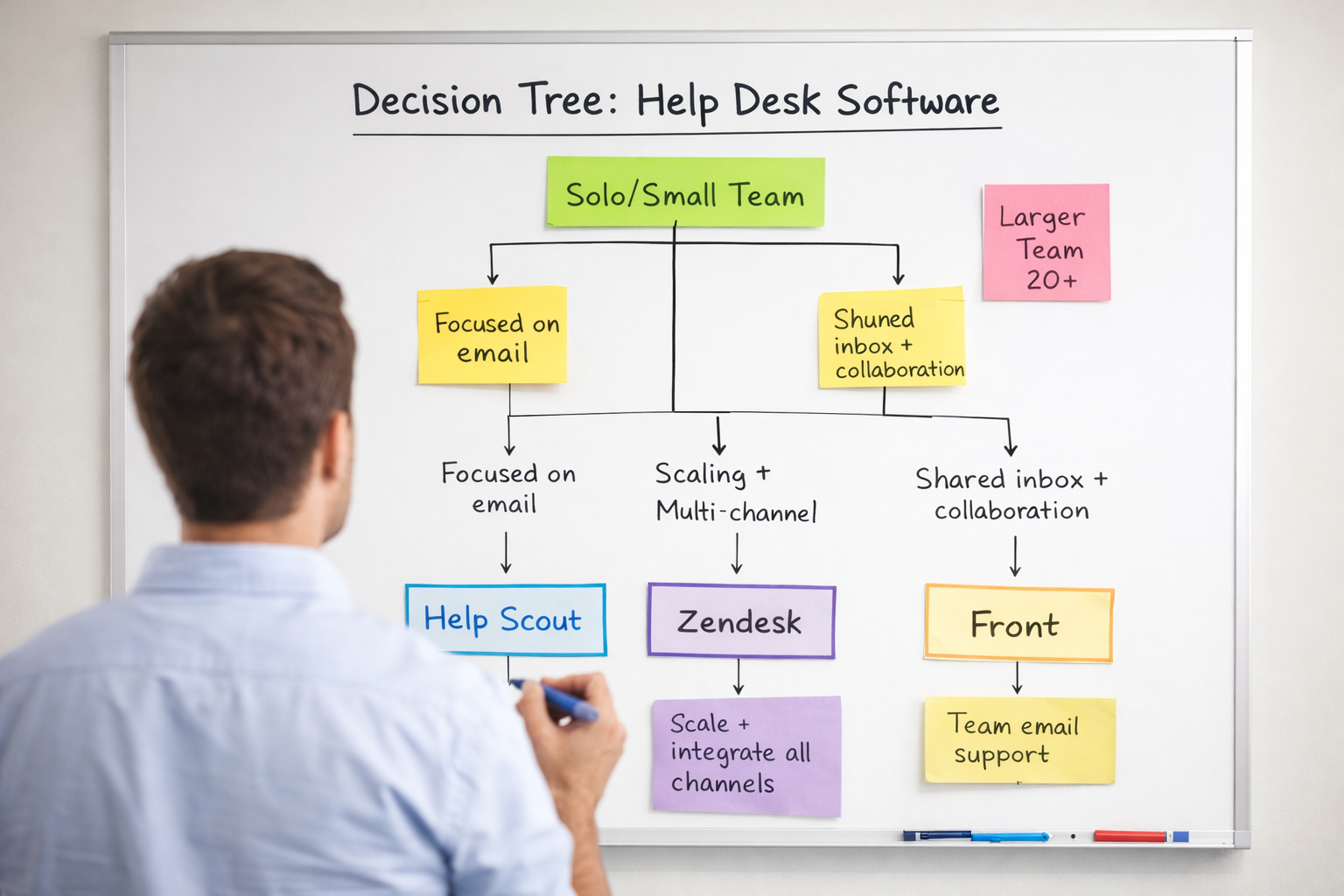
Let's cut through the feature lists and get practical. Here's how to think about these tools based on where you are right now.
Pre-Support Hire (Founder Doing Everything)
Recommendation: Help Scout or Front.
If you're a solo founder juggling support emails on top of product, sales, and operations, you need something that won't add to your cognitive load.
Help Scout if you want a true helpdesk that's dead simple. Saved Replies will save you hours, and you can build a knowledge base to deflect repeat questions.
Front if you're also managing sales or other shared inboxes and want everything in one place. The collaboration features won't help you yet, but the unified inbox will.
Avoid Zendesk at this stage. It's overkill, and you'll spend more time configuring it than answering customers.
First Support Rep Hired
Recommendation: Help Scout (strong favorite) or Front.
You've hired someone to take support off your plate. Onboarding them quickly and ensuring they sound like your brand are top priorities.
Help Scout is the easiest to train on and encourages thoughtful, human replies. Your new rep will be confident and effective within hours.
Front works if you need tight collaboration between the founder and the rep (internal comments on tricky questions).
Zendesk is possible here if you know you're hiring more people soon or need specific integrations now (e.g., syncing support data into Salesforce from day one). But most teams don't need that yet.
Fractional or Outsourced Support Team
Recommendation: Help Scout (ideal), Zendesk (if integrations matter), Front (if already using it).
When working with an external support team, the helpdesk needs to be intuitive and not require constant handholding.
Help Scout is preferred by most outsourced teams because it's low-friction and high-quality. New agents can be productive within an hour.
Zendesk makes sense if your business has specific integration requirements (e.g., pulling order data from Shopify into tickets automatically) or if you're preparing for scale. Expect a longer onboarding timeline.
Front is less common for pure support outsourcing because collaboration features are designed for internal teams. It can work, but the value diminishes when your outsourced team isn't collaborating with your internal ops daily.
Multi-Agent Team (5+ People)
Recommendation: Zendesk (likely), Help Scout (if staying email-focused), Front (if collaboration is critical).
Once you have a team of 5+ agents, you need more structure, reporting, and workflow automation.
Zendesk starts to justify its complexity here. You can set up round-robin assignment, SLA tracking, performance dashboards, and multi-channel support. The investment in learning the platform pays off at this scale.
Help Scout can still work if you're staying email-focused and don't need omnichannel. But you may start bumping into limits on reporting granularity or automation complexity.
Front is great for teams needing tight internal collaboration and comfortable with lighter analytics. It's less about "ticket volume" and more about "team coordination."
Common Gotchas (the Fine Print Nobody Reads)
These are the things you don't realize matter until you've already committed to a platform and hit a wall.
Macros and Templates
All three platforms support saved replies or macros, but the experience differs:
Help Scout: Saved Replies are easy to create, edit, and use. Variables (like {{customer.first_name}}) work smoothly. Agents can edit templates freely before sending, which encourages personalization.
Zendesk: Macros are powerful but more rigid. They can update ticket fields and send replies in one click, which is efficient but can feel mechanical. Agents sometimes forget to personalize because the macro does so much automatically.
Front: Canned responses are straightforward and quick to deploy. You can insert variables, but the templating isn't as rich as Help Scout's or as automated as Zendesk's.
Bottom line: If you care deeply about every reply sounding human and on-brand, Help Scout wins. For speed at scale and less concern about rigidity, Zendesk's macros are unmatched.
Tagging and Organization
None of these platforms enforce tag structures out of the box. That means:
You can end up with "Refund," "refund," "Refunds," and "refund-request" all existing as separate tags.
Without discipline, your tag list becomes unusable for reporting or filtering.
Fix this early: Pick a naming convention (lowercase, hyphens, singular vs. plural) and document it. Appoint one person to audit tags monthly. All three platforms let you merge or delete tags, but it's manual cleanup.
Customer Satisfaction (CSAT) Surveys
Help Scout: Built-in CSAT surveys sent automatically after ticket resolution. Clean, simple, integrated reporting.
Zendesk: CSAT is available but often requires configuration or third-party apps (like Nicereply) for deeper insights. It's there, but not as seamless.
Front: No native CSAT. You'll need to integrate a tool like Delighted or Survicate, or build custom surveys via email.
Bottom line: If tracking customer happiness is a priority (and it should be), Help Scout makes it effortless. Zendesk requires setup. Front requires workarounds.
Integrations and API Access
Zendesk claims the deepest integration marketplace (1,000+ apps claimed on their website [3]) and a robust API. TrustRadius reviews confirm strong connectivity for complex workflows [9].
Help Scout has solid integrations (native connectors plus Zapier support) and a reliable API. Most common use cases are covered, but niche integrations may require custom development.
Front integrates well with productivity tools (Asana, Trello, Salesforce, Slack) and has Zapier support, but it's more collaboration-focused than helpdesk-focused.
Bottom line: Don't assume an integration exists—check the marketplace before committing. For example, if you need to pull Stripe subscription data into tickets automatically, Help Scout and Zendesk both support this, but Front might require Zapier glue.
Reporting and Analytics
Help Scout: Clean, actionable reports. You get the essentials (response time, resolution time, CSAT, agent performance) without clutter. Exporting is easy.
Zendesk: Deep, customizable reports. You can build dashboards, segment by custom fields, track SLAs, and export anything. But it's overwhelming if you don't need that level of detail.
Front: Solid team-focused reports (workload distribution, response time by inbox, etc.), but less granular than Zendesk. Best for keeping tabs on team health, not forensic ticket analysis.
Bottom line: If you're a metrics-driven team that needs weekly agent scorecards or custom segmentation, Zendesk is the only real choice. If you just want a clear pulse on "are we responding fast enough and are customers happy," Help Scout or Front are sufficient.
Multi-Channel Support
Zendesk: Built for it. Email, live chat, phone, SMS, social media (Twitter, Facebook), and messaging apps all route into one unified inbox. Agents can switch channels seamlessly.
Help Scout: Email-first, with a light chat widget (Beacon). Phone or social requires separate tools.
Front: Email-first, with some SMS integrations available. Not designed for omnichannel support at scale.
Bottom line: If you know you'll need phone support in six months, start with Zendesk or plan to migrate. Switching helpdesks later is a pain (migrating ticket history, retraining agents, etc.).
Frequently Asked Questions
Can I switch helpdesks later if I outgrow my choice?
Yes, but it's not fun. Most platforms let you export ticket history (usually as CSV or JSON), but importing it into a new system requires mapping fields, merging duplicates, and often custom scripts or migration services. If you think you'll outgrow a platform in 6–12 months, it's worth starting with something more robust (like Zendesk) even if it feels like overkill now.
Do I need a helpdesk if I'm only getting 10–20 emails a week?
Technically, no. You can handle that in Gmail with labels and filters. But even at low volume, a helpdesk helps you:
Track response times (are you replying fast enough?).
Build a knowledge base to deflect repeat questions.
Maintain consistency if you bring on a support rep or fractional team later.
Help Scout's $25/user/month is a small investment for those benefits. If budget is tight, start with Gmail and switch to a helpdesk when you hit 50+ tickets/month or hire someone.
What about other platforms like Intercom, Gorgias, or Freshdesk?
Intercom: Great for in-app messaging and onboarding, but expensive and over-engineered for pure email support. Best if you're a SaaS with a strong product-led growth motion.
Gorgias: Built specifically for ecommerce (Shopify, WooCommerce). If you're ecommerce-heavy and need order data in every ticket, Gorgias is worth a look. For SaaS or mixed businesses, it's too niche.
Freshdesk: Budget-friendly Zendesk alternative. Feature-rich, but the UI feels dated and support quality is inconsistent according to G2 reviews [7].
How long does it typically take to migrate between platforms?
Based on our experience with clients, expect 2–4 weeks for a clean migration including:
Exporting and importing ticket history
Rebuilding macros/saved replies
Retraining team on new interface
Testing integrations
Some teams opt for a "fresh start" approach, keeping old tickets in read-only mode and starting clean in the new platform. This cuts migration time to under a week.
Our Experience and Expertise
This guide is written by the team at Evergreen Support, a US-based customer support agency specializing in email support for small SaaS and ecommerce businesses. Since 2021, we've onboarded dozens of clients across Help Scout, Zendesk, Front, and other platforms, handling thousands of customer conversations in everything from subscription billing to technical troubleshooting.
Our co-founders, Emma Fletcher and Ellis Annichine, have worked in customer support and operations at startups for years, including hands-on experience choosing, configuring, and living in these helpdesks daily. We're not affiliates or resellers—we're practitioners who've seen what works (and what breaks) when real businesses try to deliver great support on tight budgets.
We wrote this guide because we've watched too many founders agonize over helpdesk choices or waste weeks setting up the wrong tool. Our goal is to save you that time so you can focus on what actually matters: taking care of your customers.
If you'd like to discuss your specific support needs, schedule a call with our team. We can work in whichever platform you choose and help you deliver fast, human support without the overwhelm.
Works Cited
Help Scout — "What is Help Scout?" https://www.helpscout.com/what-is-help-scout/
Help Scout — Pricing. https://www.helpscout.com/pricing/
Zendesk — "What is Zendesk?" https://www.zendesk.com/why-zendesk/
Zendesk — Pricing. https://www.zendesk.com/pricing/
Front — "What is Front?" https://front.com/product
Front — Pricing. https://front.com/pricing
G2 — Help Scout, Zendesk, and Front Reviews. https://www.g2.com/
Capterra — Zendesk Reviews. https://www.capterra.com/
TrustRadius — Zendesk Reviews. https://www.trustradius.com/