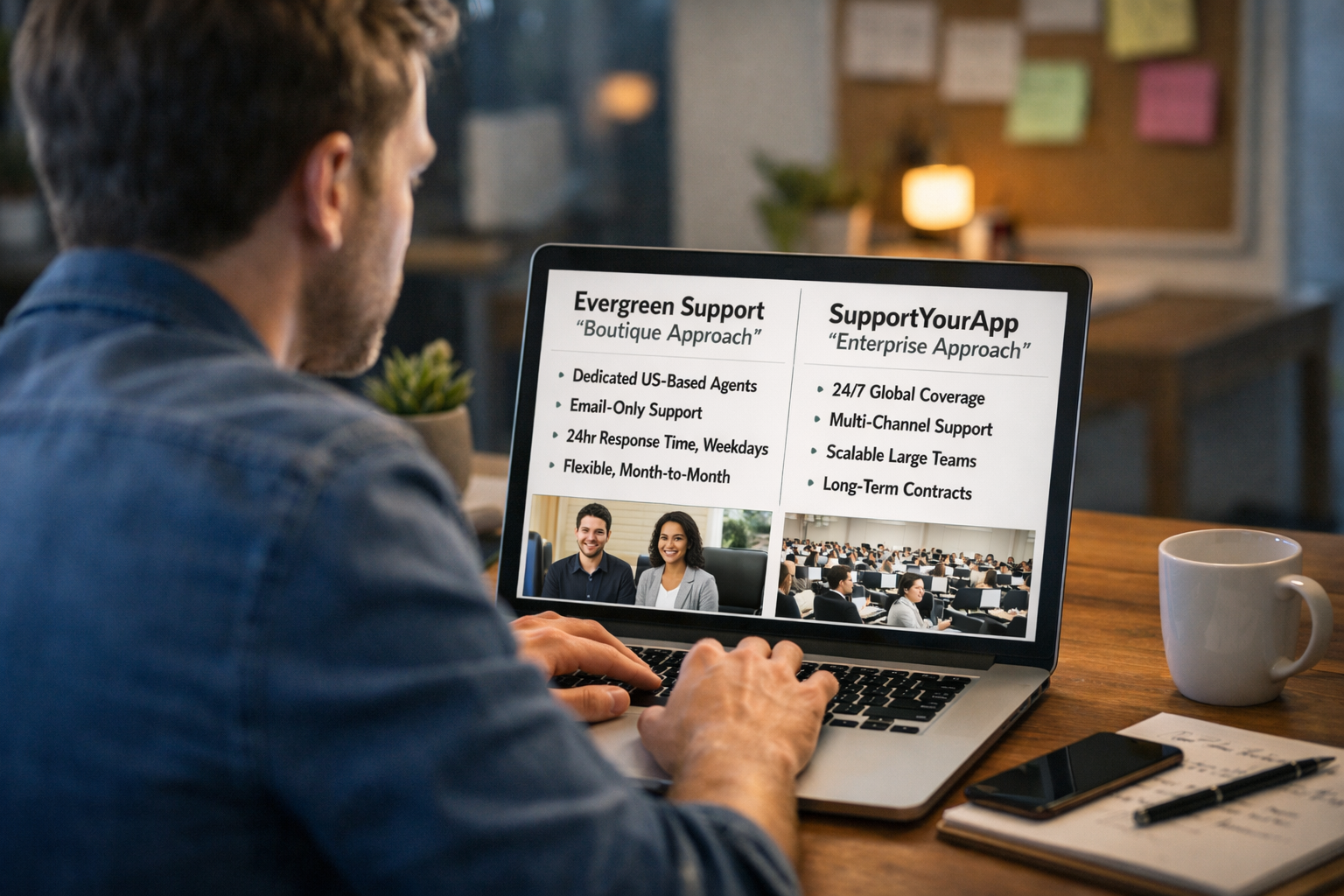

Running an online course or membership site means you've built something people genuinely want. Students enroll. Members subscribe. Revenue grows. But somewhere between your third failed payment email and the fifteenth "I can't access my content" ticket, a familiar weight settles in.
Your inbox has become a second job.
Email support for membership businesses operates differently than standard e-commerce or traditional SaaS. You're not shipping products or troubleshooting enterprise software. You're managing relationships built on recurring trust, content delivery, and the delicate psychology of subscription retention. When a member's payment fails or they can't log into their course portal, their frustration carries a specific flavor—they've already committed to you, and now something feels broken.
This playbook covers the email support workflows that keep membership and course businesses running smoothly. We'll walk through the most common ticket types, the response frameworks that actually work, and how to structure support operations so you can focus on creating content instead of managing complaints.
Why Membership Support Differs From Standard E-Commerce
The support inbox for a course creator or membership site owner looks nothing like what a typical Shopify store handles. Yes, you'll deal with payment questions and occasional refund requests. But the underlying dynamics create entirely different challenges.
Recurring billing creates recurring touchpoints. Unlike a one-time purchase, membership businesses interact with customers monthly or annually. Each billing cycle is an opportunity for something to go wrong—a declined card, an expired payment method, an unexpected charge that catches someone off guard. These aren't isolated incidents; they're predictable patterns that require systematic responses [1].
Content access expectations run high. When someone purchases a physical product, they understand shipping takes time. When someone pays for instant access to your course modules or community content, they expect exactly that—instant access. Login issues, platform glitches, and permission errors feel like broken promises in ways that delayed shipping rarely does.
Emotional stakes differ considerably. Members often join courses or communities during moments of personal transformation. They're learning a new skill, building a business, or pursuing a passion. When support interactions go poorly, you're not just losing a transaction—you're potentially derailing someone's growth journey. That context shapes how you should approach every ticket.
Churn prevention becomes a core support function. In traditional retail, customer service primarily handles problems after purchase. In membership businesses, support directly influences whether someone stays. A well-handled failed payment recovery can save months of recurring revenue. A poorly managed cancellation request might cost you a member who would have reconsidered with the right conversation.
The Five Ticket Categories That Dominate Membership Inboxes
After supporting numerous online course and membership businesses, clear patterns emerge. Nearly every email falls into one of five categories, each requiring specific handling approaches.
Failed Payments and Billing Issues
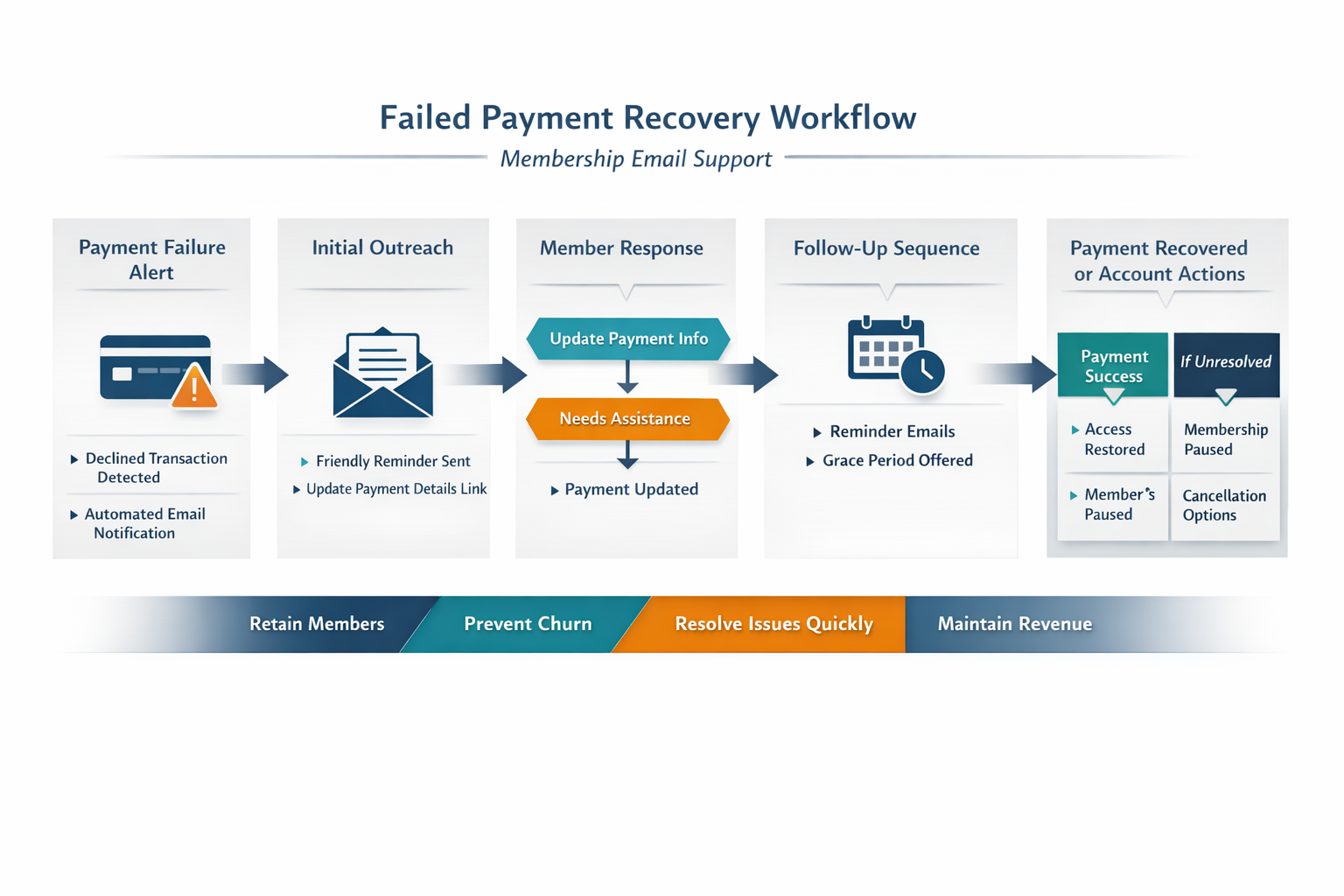
Payment failures represent the single most revenue-critical ticket type for membership businesses. When a card declines, you have a narrow window to recover that member before they drift away entirely.
Common scenarios include:
Expired credit cards triggering automatic payment failures
Insufficient funds causing declined transactions
Bank fraud protection blocking legitimate recurring charges
Members forgetting they subscribed and disputing charges
Currency conversion issues for international members
Effective response framework:
Lead with understanding, not urgency. The member likely doesn't know their payment failed—they're not avoiding you. Your email should inform without alarming.
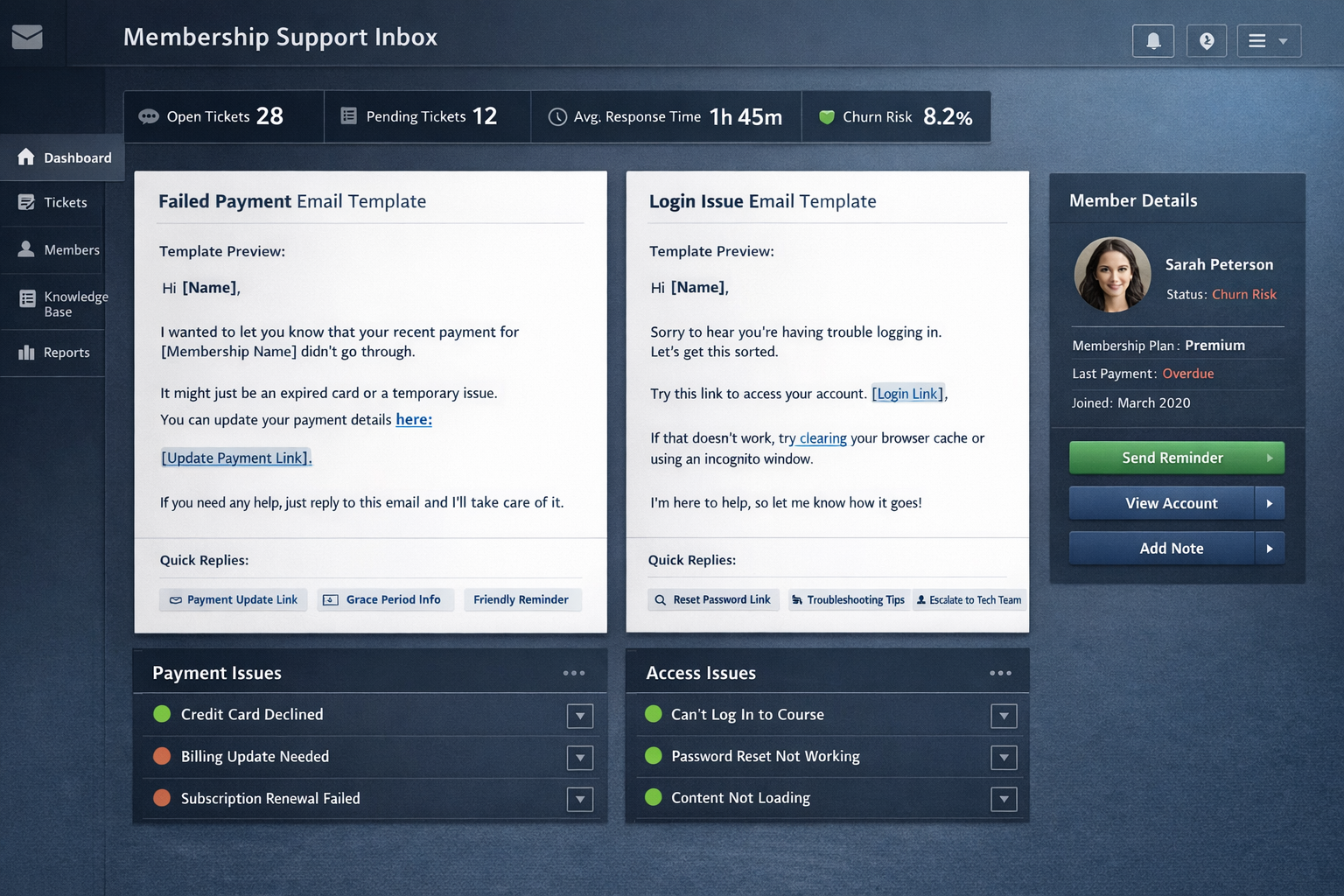
"Hi [Name], I wanted to give you a quick heads up that your recent payment for [Membership Name] didn't go through. This happens fairly often—usually it's an expired card or a temporary bank hold. You can update your payment details here: [link]. If you run into any trouble or have questions about your account, just reply to this email and I'll help sort it out."
Notice what's absent: no guilt, no countdown timers, no "ACT NOW" language. Members respond better to helpful notifications than pressure tactics [2].
Login and Access Problems
Access issues generate the highest emotional intensity because they create immediate barriers between members and content they've paid for. Someone trying to complete a course module at 10 PM doesn't want a response tomorrow morning—they want in right now.
Common scenarios include:
Password reset emails not arriving (spam folders, typos in registered email)
Browser caching old credentials after password changes
Course platform (Teachable, Kajabi, Thinkific, etc.) experiencing temporary outages
Membership tier permissions not syncing correctly
Mobile app access behaving differently than desktop
Effective response framework:
Provide immediate troubleshooting steps while simultaneously escalating to investigate. Don't make members wait for you to diagnose before taking any action.
"I'm sorry you're having trouble getting in—that's frustrating, especially when you're ready to dive into the content. Let's try a few quick fixes while I look into your account from my end:
1. Try accessing through this direct link: [link]2. If that doesn't work, use an incognito/private browser window3. Clear your browser cache and cookies for our site
I'm checking your account permissions right now and will follow up within [timeframe] with what I find. If any of those steps work in the meantime, just let me know and we'll call it solved."
This approach respects their time while demonstrating active investigation.
Refund Requests and Cancellations
Refund conversations in membership businesses carry different weight than standard e-commerce returns. You're not just processing a transaction reversal—you're ending an ongoing relationship and potentially losing months of future revenue.
Common scenarios include:
Members who forgot they subscribed and want charges reversed
Buyers who experienced genuine remorse or financial changes
Members who didn't engage with content and feel they wasted money
Cancellations framed as complaints about content quality
Requests that fall outside your stated refund policy
Effective response framework:
Acknowledge first, policy second. People who feel heard become more reasonable, even when you can't give them exactly what they want.
"I appreciate you reaching out about this. I can hear that [membership/course] isn't working for you the way you hoped, and I want to make sure we handle this fairly.
Our refund policy [brief summary]. Based on your account, [specific situation].
Here's what I can offer: [specific resolution]. Would that work for you?"
When possible, offer alternatives to full refunds—pausing memberships, extending access periods, or switching plans. Many cancellation requests reflect temporary circumstances rather than permanent dissatisfaction.
Content and Feature Questions
These tickets range from simple navigation help to deeper engagement about your material. They represent members actually using your content—a positive signal worth nurturing.
Common scenarios include:
Questions about specific lessons or modules
Requests for additional resources or deeper information
Technical questions about course material application
Feedback on content quality or suggestions for improvements
Confusion about course structure or recommended progression
Effective response framework:
Treat these as conversations, not tickets. Members asking questions are engaged members—exactly who you want.
"Great question about [topic]. Here's how I'd approach this:
[Direct answer to their question]
If you want to go deeper, Module [X] covers this in more detail. And feel free to share how it goes when you try it—I'm always curious what's working for people in the community."
Encourage dialogue. Members who feel personally connected churn less frequently than those who consume content passively.
Account Management Requests
Administrative tickets—updating emails, changing plans, modifying subscriptions—seem mundane but create friction when handled slowly or incorrectly.
Common scenarios include:
Email address changes
Name updates
Subscription tier upgrades or downgrades
Payment method modifications
Request to add family members or team seats
Effective response framework:
Confirm, complete, confirm again. Administrative errors create cascading problems, so verification matters.
"Done! I've updated your email from [old] to [new]. You should receive a confirmation at your new address within a few minutes.
Quick note: if you have any payment methods saved with the old email, you might need to re-verify those. Let me know if anything looks off on your end."
Building Response Templates That Sound Human
Templates save time. Robotic templates lose members. The balance requires frameworks that guide responses while preserving authentic voice.
Start with the specific before the general. Opening with "Thank you for contacting us regarding your account" sounds like a form letter. Opening with "Thanks for letting me know about the login issue you hit yesterday" sounds like a person who read their message.
Use the member's language. If they describe themselves as "stuck," reflect that word back. If they call your course "the program," don't suddenly switch to "membership." Mirroring language creates subconscious rapport.
Build templates with merge fields for personalization. Name, specific issue, account details, membership tier—anything that can be automatically populated should be. The template structure handles consistency; the personalization handles humanity.
Include optional blocks rather than one-size-fits-all responses. A failed payment template might include separate paragraphs for first-time failures versus recurring issues, for monthly versus annual members, for trial conversions versus long-term subscribers. Support agents select the relevant blocks rather than sending identical messages to different situations.
The Win-Back Flow for At-Risk Members
Cancellation requests aren't always final decisions. Many represent members thinking out loud, testing whether you'll give them a reason to stay. A structured win-back flow can recover a meaningful percentage of potential churners.
Step one: Understand the real reason. Generic "I'm canceling" emails often mask specific fixable problems. Before processing the cancellation, ask a simple question:
"I'm happy to process this for you. Before I do—and genuinely no pressure here—I'm curious what's driving the decision. If there's something we could do differently, I'd love to know. And if it's just not the right fit or the right time, I completely understand."
This question converts a portion of cancellation requests into feedback conversations, and feedback conversations often reveal solvable problems.
Step two: Offer alternatives based on stated reasons. Match your response to their answer:
"Too expensive" → Offer a pause, a downgrade to a lower tier, or a temporary discount
"Not using it enough" → Suggest a simplified engagement path or highlight underutilized features
"Content isn't what I expected" → Clarify what is available and explore whether different modules might help
"Found something else" → Acknowledge their choice gracefully; trying to compete often backfires
Step three: Make leaving easy if they've decided. Nothing damages trust faster than making cancellation artificially difficult. If someone has clearly decided, process their request promptly and leave the door open.
"Done—your membership ends on [date], and you'll retain access until then. If things change down the road, you're always welcome back. Thanks for being part of the community."
Members who leave feeling respected sometimes return. Members who leave feeling trapped do not.

Handling LMS Platform-Specific Issues
Course creators using platforms like Teachable, Kajabi, Thinkific, Podia, or Circle face platform-specific support challenges. Your support team (whether internal or outsourced) needs familiarity with these systems.
Teachable: Common issues include student enrollment not syncing from sales pages, Stripe/PayPal payment gateway disconnections, and lecture completion tracking bugs. Teachable's admin panel provides decent student management, but permission issues often require direct student account access to diagnose [3].
Kajabi: All-in-one nature means more integration points that can fail. Email sequences not triggering, course access delays after purchase, and community feature permissions cause frequent tickets. Kajabi's support documentation helps but doesn't always cover edge cases.
Thinkific: Student progress tracking sometimes desynchronizes, particularly for courses with prerequisites. Bundle access permissions and site-wide coupon interactions generate predictable support volume around promotion periods.
Podia: Relatively streamlined but membership tier management can confuse students upgrading or downgrading. Payment processor switches (Stripe to PayPal or vice versa) sometimes require manual intervention.
Circle (for community-focused memberships): Space permissions, member onboarding flows, and notification settings drive most tickets. Integration with course platforms adds another layer of potential sync issues.
Building internal documentation specific to your platform setup prevents reinventing solutions for recurring problems.
When DIY Support Stops Working
Most course creators and membership site owners start handling support themselves. At small scale, this works—you know every member, understand every issue, and respond quickly because you're motivated to fix problems in your own business.
The breaking point typically arrives between fifty and two hundred active members, depending on your content complexity and audience expectations. Signs you've reached that point:
Support emails interrupt content creation multiple times daily
Response times stretch past twenty-four hours regularly
You've started dreading opening your inbox
Member satisfaction comments mention slow responses
You're copying and pasting the same answers repeatedly
At this stage, you have two realistic options: hire a dedicated support person or partner with a specialized support team that already understands membership businesses.
Hiring internally means recruiting, training, and managing an employee—often impractical for solo creators or small teams. A fractional support approach lets you offload inbox management to experienced humans without the overhead of full-time hiring. Your members still get responsive, personal support; you get your time back for content development and growth [4].
The key is ensuring whoever handles your support actually understands membership dynamics—failed payment psychology, cancellation win-back strategies, and the specific LMS platforms you use. Generic customer service backgrounds don't automatically translate to effective membership support.
Measuring What Matters in Membership Support
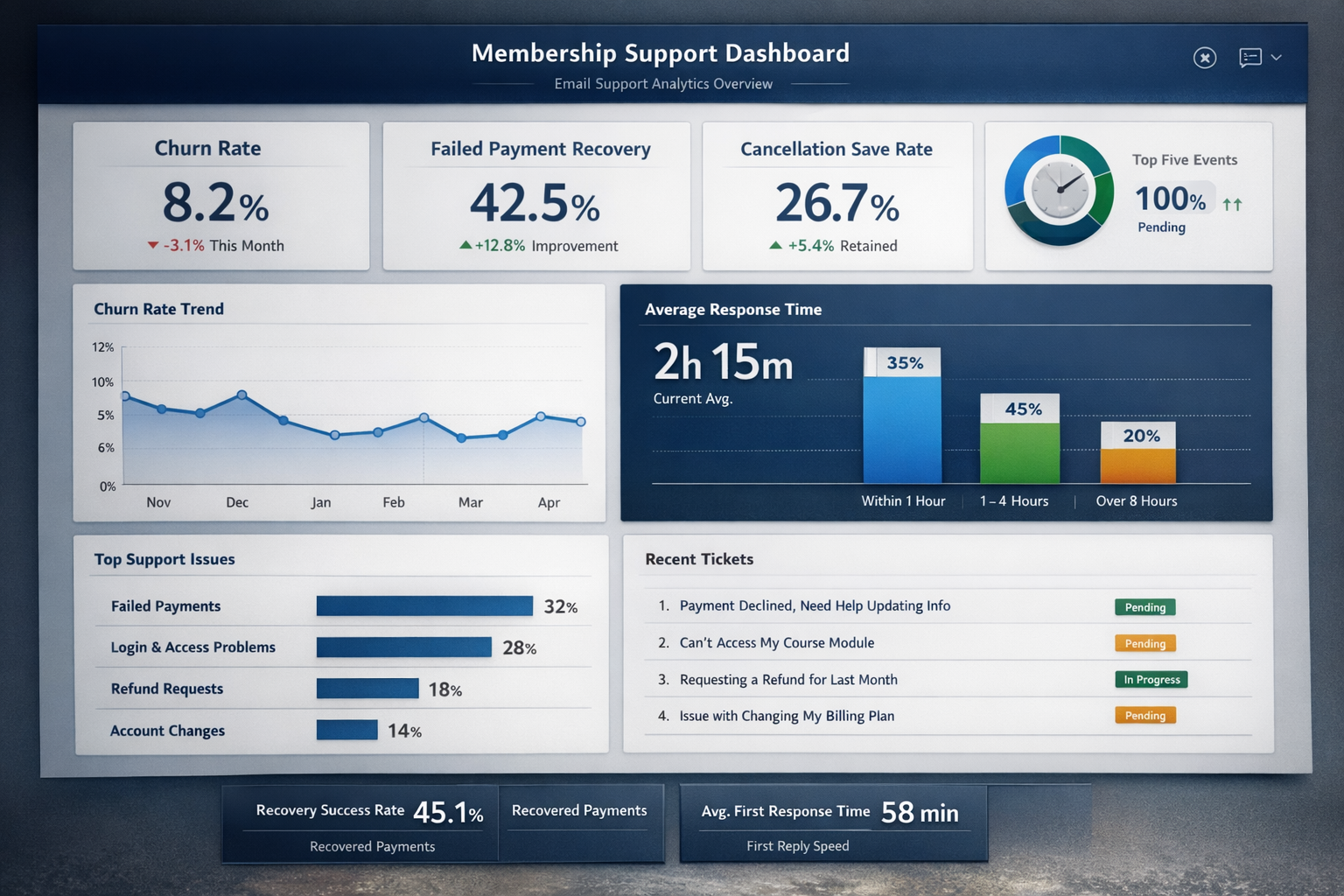
Traditional customer service metrics—average response time, ticket volume, resolution rate—matter for membership businesses. But they don't capture the full picture.
Churn rate segmented by support interaction. Compare churn rates between members who contacted support and those who didn't. Healthy support operations reduce churn among contacting members; poor support accelerates it.
Failed payment recovery rate. Track what percentage of initially failed payments successfully convert after your dunning sequence and support outreach. Industry benchmarks suggest thirty to fifty percent recovery is achievable with systematic follow-up [5].
Cancellation save rate. When members request cancellation, what percentage remain after your win-back conversation? Even a twenty percent save rate meaningfully impacts annual revenue for membership businesses.
Response time distribution, not just averages. A four-hour average response time might include mostly one-hour responses and occasional twenty-four-hour outliers. The outliers matter more than the average for member experience.
Ticket-to-resolution ratio. How many back-and-forth exchanges does resolving a typical issue require? Lower ratios indicate clearer communication and better first-response quality.
Your Support Inbox as a Retention Engine
The common mistake is treating support as cost center—something to minimize and manage. For membership businesses, support is a retention engine. Every ticket represents a member who cared enough to reach out rather than quietly churning.
Reframing support this way changes how you invest in it. Better response templates aren't just efficiency improvements; they're retention investments. Faster response times don't just satisfy members; they reduce cancellation decisions made during frustration windows.
The email support playbook for your membership or course business doesn't need to be complicated. It needs to be consistent, human, and built around the specific patterns your business generates. Failed payments, login issues, refund requests, content questions, account management—these categories repeat predictably, and predictable problems deserve systematic solutions.
Whether you handle support yourself, hire someone dedicated, or partner with a team that specializes in membership support, the principles remain constant: respond quickly, acknowledge emotions before addressing logistics, and treat every ticket as a small opportunity to strengthen a relationship that pays you month after month.
Ready to stop drowning in support tickets? If your membership inbox is pulling you away from content creation, consider whether a fractional support team might help. Book a call with Evergreen Support to discuss how we handle membership support—humans helping humans, without the AI chatbots or call center scripts.
Frequently Asked Questions
What's the most important metric for membership support?
Failed payment recovery rate directly impacts revenue, making it the highest-priority metric for most membership businesses. Recovering even a small percentage of failed payments adds meaningful recurring revenue over time. Track this number monthly and optimize your dunning emails and support outreach until you consistently hit thirty percent or higher.
How quickly should I respond to membership support emails?
Within twenty-four hours for most tickets, with login and access issues prioritized for faster response when possible. Members experiencing access problems are often mid-task and increasingly frustrated with each passing hour. A first response acknowledging the issue and providing troubleshooting steps significantly reduces that frustration even before full resolution.
Should I offer refunds to members who simply forgot they subscribed?
Generally yes, particularly for recent charges. Fighting these requests damages relationships, generates chargebacks, and creates negative word-of-mouth that costs more than the refund value. Most membership businesses include clear refund policies while maintaining flexibility for genuine oversight situations.
Can I outsource support without losing my personal brand voice?
Yes, with proper onboarding. The key is documenting your voice, preferred phrases, and response approaches so external support teams can genuinely represent your brand. Quality support partners invest time learning your specific business rather than applying generic scripts.
How do I handle members who threaten chargebacks?
Respond calmly, offer reasonable solutions, and document everything. If the request falls within fair refund expectations, process it promptly. If it doesn't, explain your position clearly while noting that chargebacks create complications for both parties. Most members who threaten chargebacks are simply frustrated and respond to genuine problem-solving.
About Evergreen Support
Evergreen Support provides US-based, human-powered email support for small online businesses, including SaaS companies, e-commerce stores, and membership businesses. Founded by Emma Fletcher and Ellis Annichine, the team specializes in handling day-to-day customer support so founders can focus on growth instead of inbox management. Every client works with dedicated support specialists—real people who learn your business, your voice, and your customers.
Works Cited
[1] Recurly — "The State of Subscription Commerce." https://recurly.com/research/state-of-subscriptions/
[2] ProfitWell — "Dunning Best Practices for SaaS Companies." https://www.profitwell.com/recur/all/dunning
[3] Teachable — "Support Documentation and Admin Guide." https://support.teachable.com/
[4] Evergreen Support — "Fractional Customer Support Teams: A Startup's Complete Guide." https://www.evergreensupport.co/blog/fractional-customer-support-teams-startups-guide
[5] Baremetrics — "Failed Payment Recovery Benchmarks." https://baremetrics.com/blog/failed-payment-recovery