
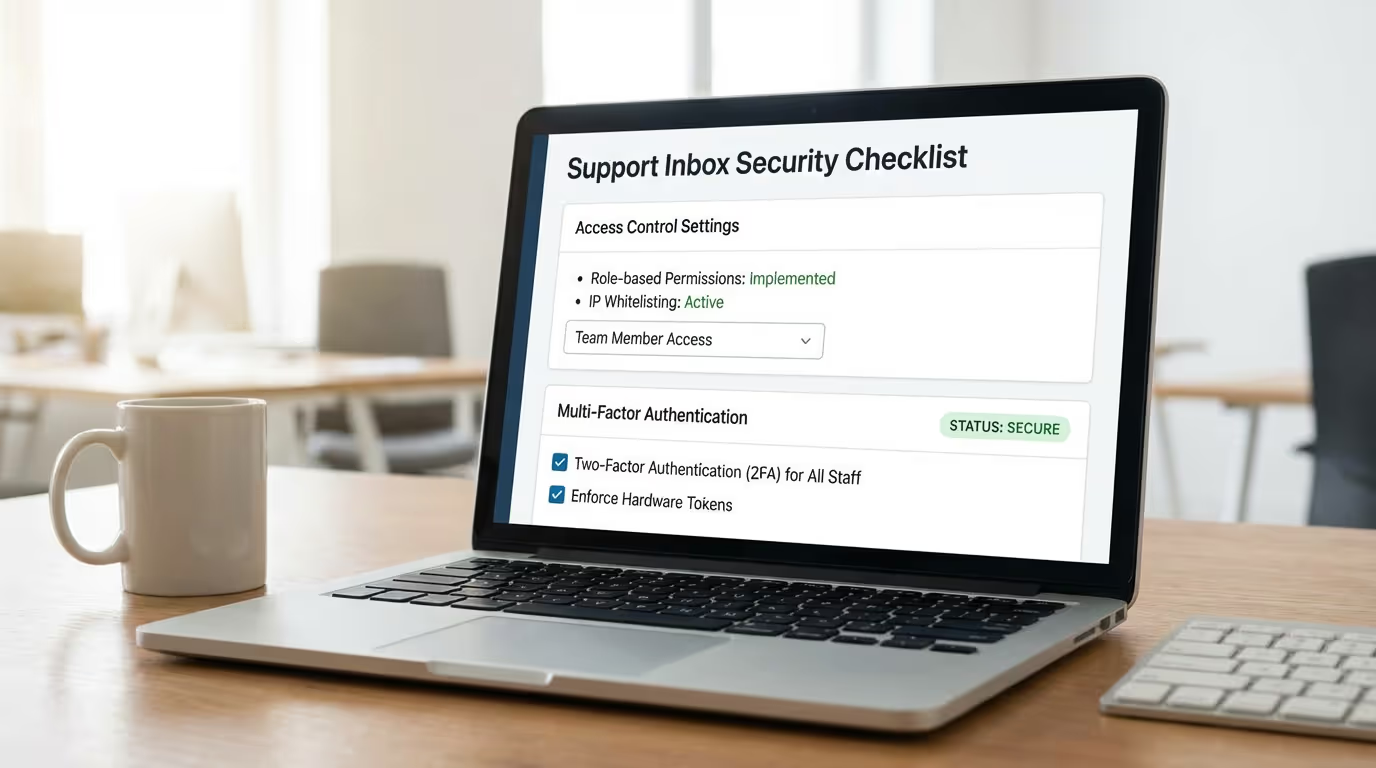
Handing someone the keys to your support inbox feels a lot like handing them the keys to your house. Actually, it might be worse. Your inbox holds customer names, email addresses, order histories, payment disputes, and the kind of candid back-and-forth that would make your privacy policy blush.
Whether you're onboarding your first support hire or partnering with an outsourced team, the security question is the same: how do you grant access without creating a data breach waiting to happen?
Most advice out there swings between two extremes. Enterprise guides bury you in SOC 2 jargon and 47-page compliance frameworks. Budget BPO sales pages wave vaguely at "secure processes" without explaining what that actually means. Neither helps a founder running a 3-person SaaS company who just needs to know: what should I actually check before I click "invite user"?
This checklist bridges that gap. Ten concrete steps to secure your shared inbox access—whether you're adding an employee, a contractor, or an outside vendor.
Why Inbox Security Deserves Its Own Checklist
Your support inbox isn't just another tool. It's a live feed of your customer relationships.
A single compromised account can expose personally identifiable information (PII) for hundreds or thousands of customers. According to IBM's Cost of a Data Breach Report, the average cost of a data breach reached $4.45 million in 2023, with compromised credentials being the most common initial attack vector [1]. Small businesses often fare worse proportionally because they lack the resources for rapid incident response.
Beyond financial risk, there's the trust factor. Customers share sensitive details in support tickets—billing disputes, account issues, sometimes even passwords they shouldn't be sharing. One bad actor or one sloppy offboarding process, and that trust evaporates.
The good news? Most inbox security failures aren't sophisticated attacks. They're preventable gaps: an ex-contractor who still has access, a shared password that never got rotated, an admin permission granted "temporarily" six months ago. A straightforward checklist catches these before they become headlines.
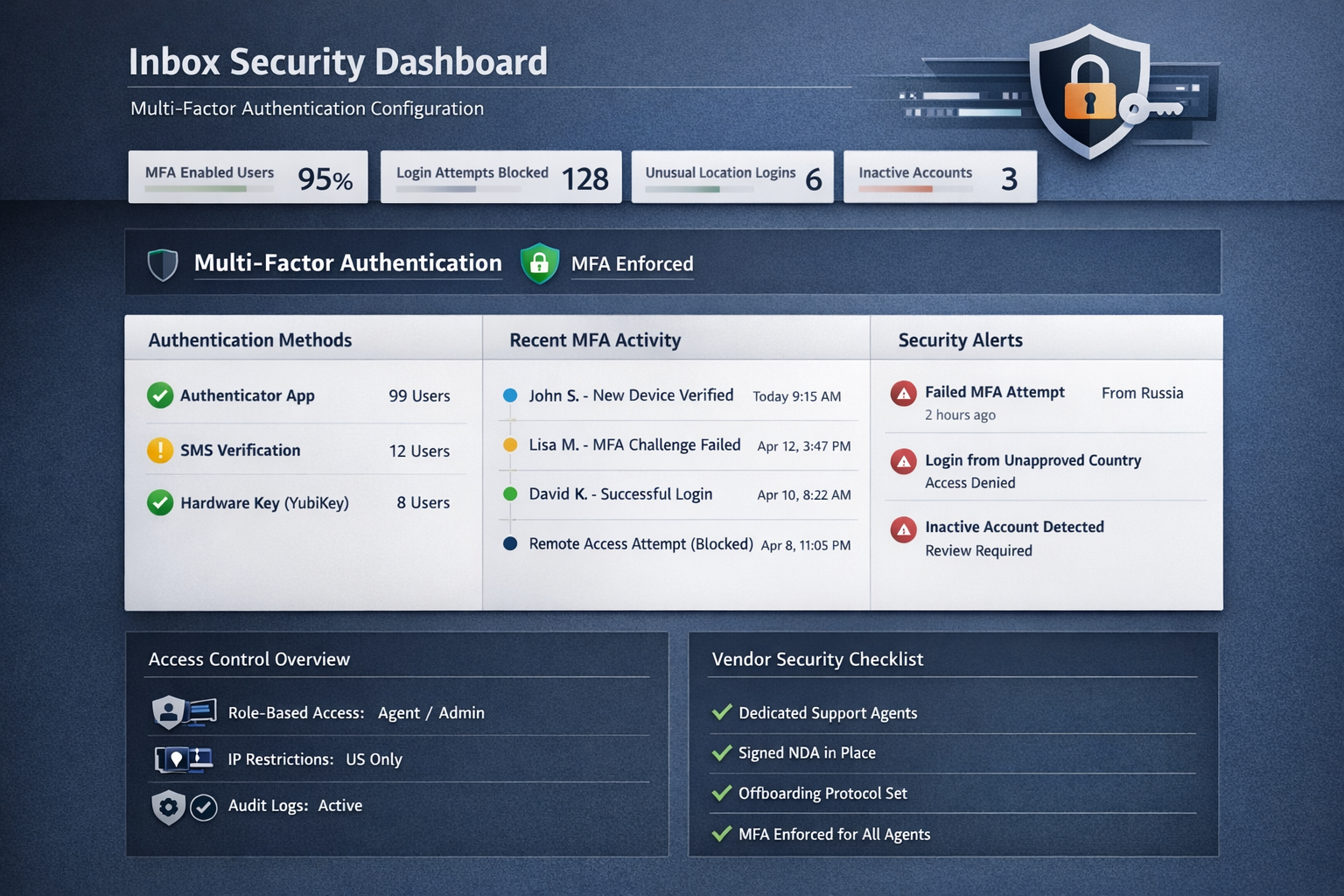
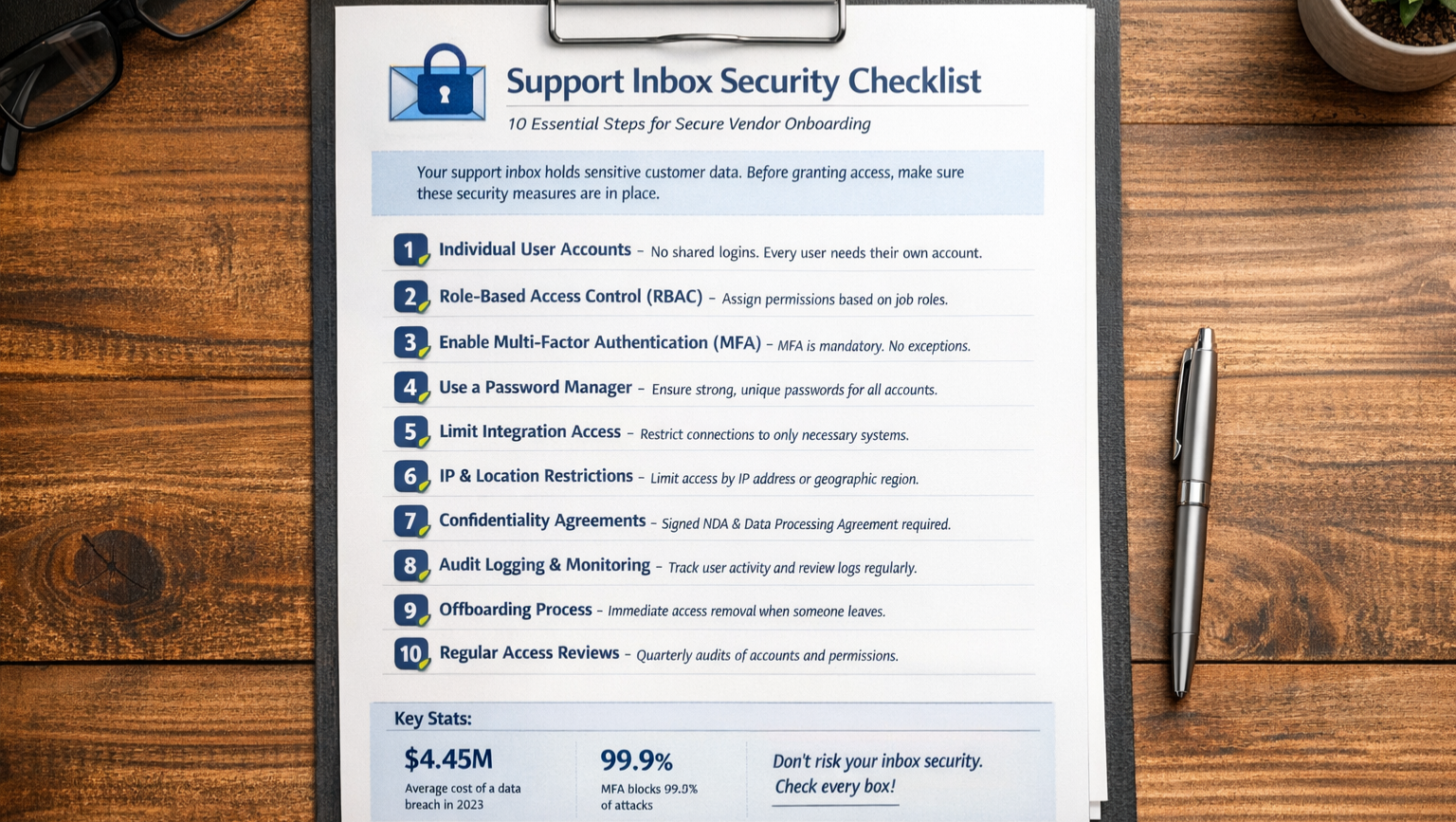
The 10-Point Security Checklist
1. Require Individual User Accounts (No Shared Logins)
This sounds obvious, but you'd be surprised how many small teams still pass around a single support@company.com password. Shared logins create three immediate problems:
No audit trail. When something goes wrong, you can't tell who did what.
No clean offboarding. Remove one person's access? Now everyone needs a new password.
Weak accountability. People treat shared accounts like rental cars—less carefully than their own.
Every person touching your inbox needs their own login credentials. Full stop. Most modern helpdesk platforms (Help Scout, Zendesk, Freshdesk, Intercom) support this natively. If your current setup doesn't, that's a red flag about the tool itself.
2. Implement Role-Based Access Control (RBAC)
Not everyone needs the same permissions. Your support agent probably doesn't need access to billing integrations. Your contractor handling weekend overflow probably shouldn't see internal notes from six months ago.
Role-based access control means assigning permissions based on job function, not convenience. Common roles might include:
Agent: Can view and respond to tickets in assigned queues
Senior Agent: Can reassign tickets, access reporting
Admin: Can modify settings, add/remove users, access all data
The principle here is called "least privilege"—give people exactly the access they need to do their job, and nothing more. It's not about distrust; it's about limiting blast radius if something goes wrong.
When evaluating an outside vendor, ask specifically: "What permission levels will your agents have, and who controls that?" If the answer is vague or "full admin access," keep asking questions.
3. Enforce Strong Authentication (MFA Is Non-Negotiable)
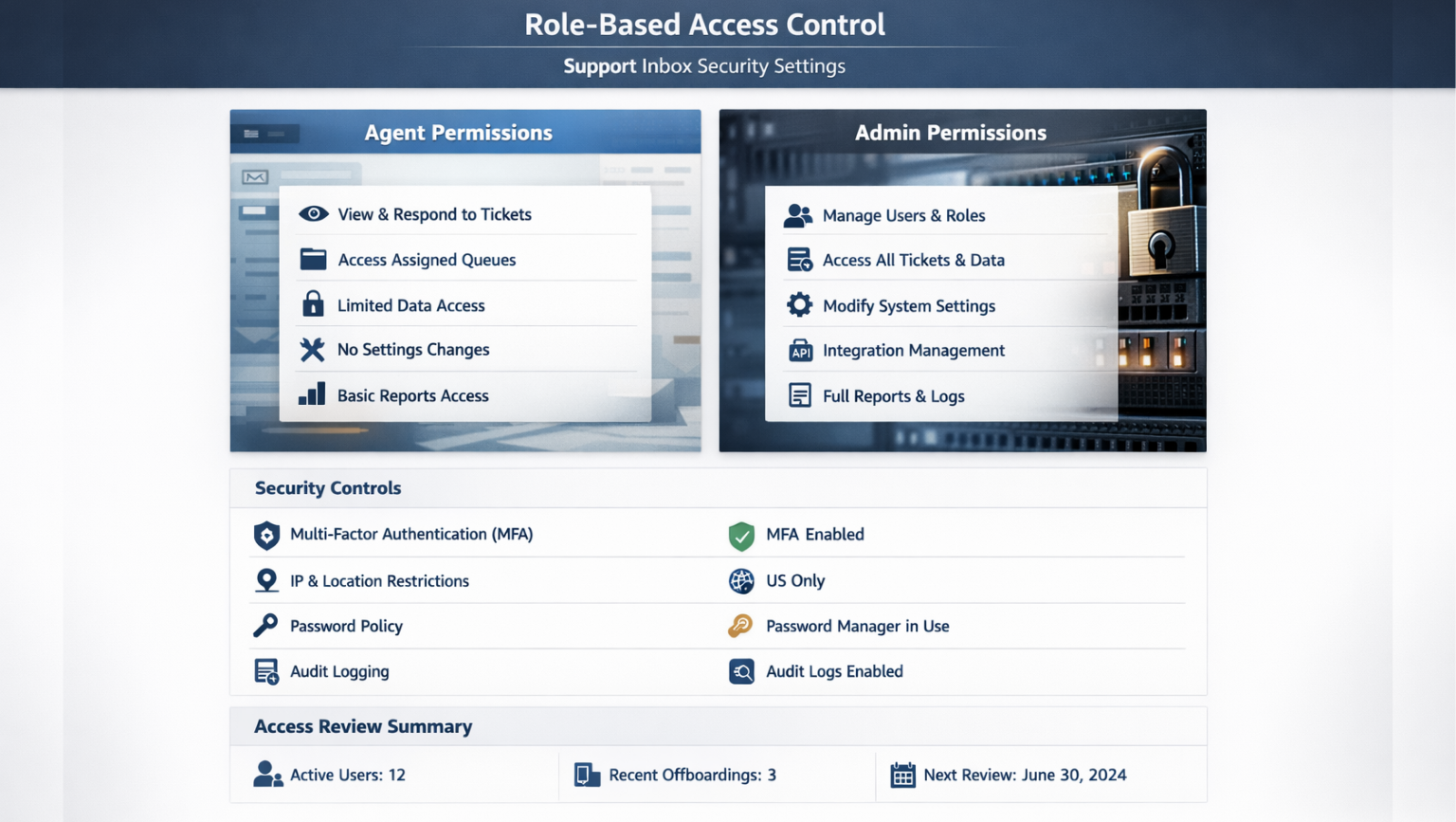
Multi-factor authentication (MFA) should be mandatory for anyone accessing customer data. Not optional. Not "encouraged." Mandatory.
According to Microsoft, MFA blocks 99.9% of automated account compromise attacks [2]. That's not a typo. The security ROI here is enormous for minimal friction.
Most helpdesk platforms support MFA through authenticator apps (Google Authenticator, Authy, 1Password). Some enterprise plans offer hardware key support (YubiKey). At minimum, require app-based MFA—SMS-based codes are better than nothing but vulnerable to SIM-swapping attacks.
When vetting an outsourced support partner, ask: "Is MFA enforced for all agents accessing our systems?" Then verify it's actually configured, not just available.
4. Use a Password Manager (And Verify Your Vendor Does Too)
Individual accounts don't help if everyone's password is "Company123!" Password managers solve this by generating and storing unique, complex passwords for every service.
For your internal team, standardize on a business-grade password manager (1Password Teams, Bitwarden, Dashlane). This gives you:
Unique, strong passwords for every account
Secure sharing for credentials that must be shared (with audit logs)
Easy revocation when someone leaves
When working with an outside vendor, ask about their password hygiene. Reputable agencies will have a password manager policy and be willing to discuss it. If the response is dismissive ("we train our agents on security"), probe deeper. Training is good; enforced technical controls are better.
5. Document and Limit Integration Access
Your helpdesk probably connects to other systems: your CRM, payment processor, e-commerce platform, internal databases. Each integration expands the potential attack surface.
Before granting inbox access, audit which integrations are active and what data they expose. Common questions:
Can support agents see full credit card numbers, or just last four digits?
Does the Shopify integration expose customer addresses?
Can agents issue refunds directly, or does that require approval?
For new hires, limit integration visibility to what's necessary. For outside vendors, consider whether certain integrations should be disabled entirely during their access window. A support partner handling basic email inquiries probably doesn't need your Stripe admin panel visible in the sidebar.
6. Configure IP or Geographic Restrictions (Where Possible)
Some helpdesk platforms allow you to restrict access by IP address or geographic location. If your entire team works from the US, blocking login attempts from unexpected countries adds a meaningful security layer.
This control is more relevant when working with vendors. Ask: "Where are your agents located, and can we restrict access to those regions?" A US-based support agency should have no problem with US-only access restrictions.
IP allowlisting (only permitting access from specific IP addresses) is more restrictive and typically used for higher-security environments. It's harder to implement with remote teams but worth considering if you handle particularly sensitive data.
7. Require Signed Confidentiality Agreements
Before anyone accesses customer data—employee, contractor, or vendor—get a signed confidentiality agreement in place. This isn't just legal theater; it creates clear accountability and sets expectations.
For employees, this is typically part of standard onboarding paperwork. For contractors and vendors, you'll want:
Non-Disclosure Agreement (NDA): Covers confidential business information
Data Processing Agreement (DPA): Required under GDPR if you have EU customers; defines how customer data can be used and protected
When evaluating outsourced providers, ask: "Do you sign client NDAs, and do your individual agents sign confidentiality agreements with your company?" Reputable agencies have this baked into their hiring process. Budget providers that rotate agents without clear agreements should raise concerns.
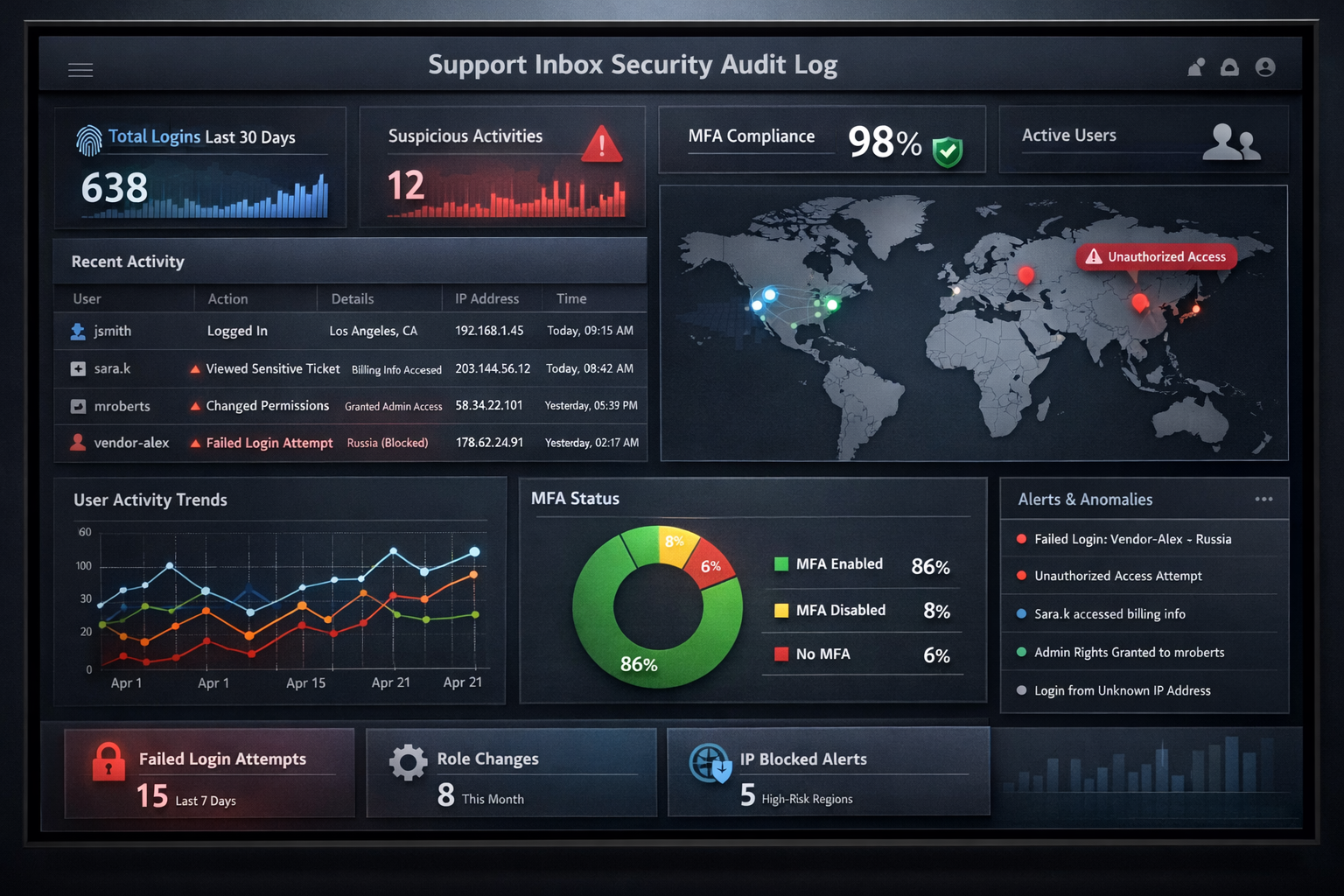
8. Establish Clear Audit Logging and Review It
If you can't see what happened, you can't catch problems—or prove they didn't happen.
Most helpdesk platforms log user activity: logins, ticket views, message sends, setting changes. Make sure this logging is enabled and that you know where to find it.
More importantly, actually look at the logs periodically. A monthly review might catch:
Login attempts from unexpected locations
Unusual access patterns (agent viewing tickets outside their queue)
Permission changes you didn't authorize
When working with a vendor, ask: "What logging do you maintain, and can we access those logs?" Some agencies provide clients with read-only access to activity logs. Others provide periodic reports. Either is better than "trust us."
9. Create a Documented Offboarding Process
This is where most small teams fail. Someone leaves, and their access lingers for weeks—or months—because no one owns the offboarding checklist.
Your offboarding process should include:
Immediate account deactivation in helpdesk platform
Password rotation for any shared credentials (which you shouldn't have many of, per item #1)
API key revocation if the departing person had developer access
Recovery of any company devices with cached credentials
Documentation update to remove them from escalation paths
For vendors, offboarding is even more critical because you may have less visibility into their internal staffing changes. Ask: "What's your process when an agent leaves your team or transitions off our account?" The answer should be specific and prompt—not "we'll let you know eventually."
10. Conduct Periodic Access Reviews
Access creep is real. That "temporary" admin permission from the product launch? Still there. The integration you added for a one-time data pull? Still connected.
Schedule quarterly access reviews (calendar it now, or it won't happen). During each review:
List all users with inbox access and verify each still needs it
Review permission levels and downgrade where appropriate
Audit active integrations and disable unused ones
Check MFA enrollment to ensure no one has slipped through
For vendor relationships, include access review as a standing agenda item in your regular check-ins. A good partner will welcome this; it demonstrates you take security seriously, and so should they.
Red Flags When Evaluating Outside Support Partners
Not all outsourced support providers approach security equally. When you're vetting agencies, watch for these warning signs:
Vague answers about agent access. "We have secure processes" isn't an answer. You should be able to get specifics about permission levels, MFA enforcement, and audit logging.
Resistance to signing your NDA. Legitimate agencies sign client NDAs regularly. Pushback here suggests either disorganization or unwillingness to be held accountable.
High agent turnover without clear offboarding protocols. If agents rotate frequently and the provider can't articulate their offboarding process, your customer data is touching more people than you realize.
No dedicated agents for your account. Some budget providers route tickets to whoever's available, meaning dozens of agents might access your inbox over time. Ask: "Will we have dedicated agents, and how many people will have access to our systems?"
Offshore teams without transparency. Location alone isn't a security issue, but lack of transparency is. If a provider won't tell you where agents are located or hedges about their hiring and training processes, that's a concern.
What Good Vendor Security Looks Like
On the flip side, here's what you should expect from a security-conscious support partner:
Named, dedicated agents assigned to your account with clear role definitions
Documented MFA enforcement for all agents accessing client systems
Willingness to sign your NDA and provide their standard confidentiality agreements
Transparent offboarding process with defined timelines for access revocation
Clear answers about logging and monitoring, including what data they retain and for how long
Openness about their own internal security practices, even if they're not SOC 2 certified (many small agencies aren't, and that's okay if they have solid fundamentals)
The best partners treat your security questions as reasonable, not annoying. They've thought about this stuff because they handle customer data every day and understand the stakes.
Applying This Checklist: A Practical Example
Let's say you're a 4-person e-commerce company onboarding a fractional support team to handle your daily inbox. Here's how this checklist translates:
Before granting access:
Create individual accounts for each agent who'll work your tickets
Set permissions to "Agent" level—they can respond to tickets but can't modify settings or access billing integrations
Verify MFA is enabled on all accounts
Sign mutual NDAs covering customer data confidentiality
Confirm the agency's offboarding timeline (good target: same-day deactivation when an agent leaves your account)
During the engagement:
Review activity logs monthly for anything unusual
Keep integration access minimal—disable Stripe visibility if they don't need it for ticket resolution
Update your escalation documentation with the new team members
If the engagement ends:
Deactivate all accounts immediately
Rotate any passwords that were shared (even through a password manager)
Audit integrations to ensure no lingering access points
None of this is complicated. It's just systematic—and most security failures happen because someone skipped a step they thought was obvious.
The Bottom Line
Letting someone else into your support inbox doesn't have to be a security gamble. With the right controls in place, you can delegate confidently and sleep at night.
The 10 items in this checklist aren't enterprise-grade overkill. They're fundamentals that any small team can implement and any reputable vendor should already practice:
Individual user accounts (no shared logins)
Role-based access control
Mandatory multi-factor authentication
Password manager usage
Limited integration access
IP or geographic restrictions where possible
Signed confidentiality agreements
Audit logging with periodic review
Documented offboarding process
Quarterly access reviews
Whether you're hiring your first support person or evaluating an outsourced partner, run through this list. The questions you ask—and the answers you get—will tell you a lot about whether your customer data is in good hands.
Ready to see how human-powered support handles security? At Evergreen Support, we're happy to walk through our access controls, logging practices, and offboarding process—no jargon, no evasion. Book a call and ask us anything on this checklist. We'd rather you vet us thoroughly than wonder later.
Frequently Asked Questions
Do I really need MFA for a small support team?Yes. MFA blocks the vast majority of credential-based attacks, and the friction is minimal with modern authenticator apps. The risk of skipping it far outweighs the few extra seconds per login. Most helpdesk platforms include MFA at no additional cost.
What if my helpdesk platform doesn't support role-based permissions?This is a sign you may have outgrown your current tool. Basic platforms sometimes offer only "admin" or "agent" roles with limited customization. If you're handling sensitive customer data and can't control permissions granularly, it's worth evaluating alternatives.
Should I require SOC 2 certification from outsourced support vendors?SOC 2 is valuable but not always realistic for smaller agencies. Many excellent boutique providers have strong security practices without formal certification (which is expensive to obtain and maintain). Focus on the fundamentals in this checklist—if a vendor can answer your questions clearly and demonstrate solid controls, that matters more than a certificate.
How quickly should a vendor deactivate access when an agent leaves?Same day is the standard you should expect. If a provider's answer is "within a week" or vague, that's a gap. Access should be revoked as part of any offboarding process, not as an afterthought.
What's the difference between an NDA and a DPA?An NDA (Non-Disclosure Agreement) covers confidential business information broadly. A DPA (Data Processing Agreement) is specifically about personal data and is required under GDPR if you have EU customers. For support vendors handling customer data, you typically want both.
About Evergreen Support
Evergreen Support is a US-based customer support agency built specifically for small SaaS and e-commerce businesses. Our team handles email support so founders can focus on growing their companies instead of living in their inboxes. Every one of our support specialists is US-based, trained on your brand voice, and committed to treating your customers like humans—because that's exactly what they are. We've helped businesses just like yours maintain excellent customer relationships while freeing up 10-20 hours per week. When it comes to security, we practice everything on this checklist and welcome your questions.
Works Cited
[1] IBM Security — "Cost of a Data Breach Report 2023." https://www.ibm.com/reports/data-breach
[2] Microsoft Security — "One simple action you can take to prevent 99.9 percent of attacks on your accounts." https://www.microsoft.com/en-us/security/blog/2019/08/20/one-simple-action-you-can-take-to-prevent-99-9-percent-of-account-attacks/